Archives: October 2026
All-in-one solution for restaurants, cafés and bars in three packages – DemoResto
October 3, 2026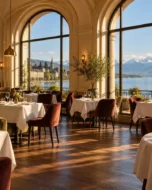
Why I built DemoResto
It is hard for restaurateurs to choose a website from a description: phrases like “online booking” and “back office” mean little until you try them yourself. So instead of a presentation, I built DemoResto – a fictional restaurant with a dining room, a terrace and a private room on the shores of Lake Geneva in Lausanne. Everything a real restaurant would get works here: the menu, booking, ordering, gift cards, events and the team back office.
There are two ways to explore the demo – as a guest and as the owner. The “Démo” panel offers ready-made scenarios: “Dinner for two”, “Order for home”, “At the restaurant”, “Banquet”, “Gift card”, “Menu management” and “Guest account”. Payments and e-mails are only simulated: nothing leaves the site, and the e-mails it sends can be read right inside the demo.
In the shared demo, the back office is read-only and guests’ personal details are hidden. To change prices, accept bookings or issue gift cards, visitors launch their own copy of the restaurant: for 24 hours it is available to them alone, and then it is wiped.
Three packages: what each one includes
The core idea of the product is one website that grows with the venue. The packages differ in features, not in the quality of the design, and each one includes the previous one. In the demo you switch between them with one click.
Essentiel – a digital front door. For a café, bar, tea room or bakery that mainly needs to be found and called:
- a one-page site built for the phone first
- an online menu the owner edits themselves – instead of a PDF
- allergens, dietary options and a printable version of the menu
- opening hours, a map, directions, “Call” and WhatsApp buttons
- a QR menu for the tables
- a table request form
Visibilité – guests book by themselves. For a restaurant with a dining room that needs to fill its tables without phone calls at peak time:
- instant online booking on the floor plan
- a multi-page site: about the venue, gallery, news, contact
- an events calendar and a banquet page with an online enquiry form
- a restaurant back office: booking calendar, floor plan, enquiries, guests
- guest reviews on the home page and a jobs page with an application form
Premium – the venue sells online. For places that do takeaway, delivery and events:
- online takeaway and delivery orders: pick-up times, delivery zones, minimum order value
- payment by card and TWINT
- a kitchen screen and order tracking for the guest
- ordering from the table via QR code, calling the waiter and asking for the bill
- gift cards, loyalty points and a guest account
- reminders and deposits for bookings, event sign-ups with limited places, banquet menus and group pre-orders
Beyond the website itself, the packages include setting up the Google Business Profile, Swiss directories and social media profiles, and the number of languages grows too: from French in Essentiel to four languages in Premium.
Booking on the floor plan
Booking is the heart of the Visibilité package. Guests choose a date and the number of people, then a time from the available slots and a place: the dining room, the terrace or a private room. They can pick a specific table right on the floor plan. While the guest is entering their details, the table is held for them, so double bookings simply can’t happen.
Once the booking is confirmed, the guest receives an e-mail with the booking number and can add the visit to their calendar or change or cancel the booking via a secure link. If everything is taken, they can join the waiting list. Groups of more than eight can request a group menu, and in Premium a deposit can be taken for large tables.
The “Rooms and terrace” page shows each area with photos and a plan, along with how many tables are still free for the next dinner service – taken straight from the bookings.
Menu, online ordering and QR table ordering
The menu is not a PDF but a live catalogue of dishes that the owner edits. Guests can search by dish or ingredient, filter by diet (vegetarian, vegan, gluten-free, lactose-free), exclude any of the 14 allergens and use a “served now” filter. The menu can also be printed or saved as a PDF.
Dishes have options and extras, and the price updates as soon as they are selected. A dish outside its serving hours or marked as sold out can’t be ordered, and sold-out dishes come back automatically the next day.
In Premium, guests place takeaway or delivery orders. The site suggests a pick-up time based on how busy the kitchen is and how long the dishes in the basket take to prepare, checks the address against the delivery zones, and applies the minimum order value and the free delivery threshold. Promo codes, card payments and TWINT all work, and after paying, the guest can follow the order through each stage: accepted, being prepared, ready, on its way.
In the dining room, every table has a QR code: the menu opens with the table number, guests order from their phone, call the waiter or ask for the bill – and the team sees the request instantly.
Restaurant back office: the whole service on one screen
For the team, I built a separate back office that doesn’t involve the WordPress admin at all. It has a section for every part of the job: “Today”, bookings and calendar, a live floor plan, orders and the kitchen screen, enquiries, events, guests, menu, website content, gift cards, figures, team, settings and loyalty.
Access is split by role: the owner, manager, front-of-house manager, kitchen and editor each see and change only what concerns them. The floor plan shows which tables are free, where guests are expected any minute and where they are already seated. Banquet enquiries become guest cards with an assigned team member and notes, and lists can be exported to CSV.
The “Figures” section shows totals for the last 30 days and the most popular dishes.
Gift cards, loyalty and events
Gift cards are bought online: a fixed or custom amount, one of three designs and a message for the recipient. Each card comes with a personal code and a printable PDF, and it can be spent in several goes – in the restaurant, staff redeem it through the back office, never for more than the remaining balance.
Regular guests collect loyalty points and get a birthday treat. The guest account shows the next booking, past orders, favourites and points; a favourite order can be repeated in one click, and part of the bill can be paid with points.
The events page lists what’s coming up and also shows it as a monthly calendar; each event has its own page and a counter of the places left. The banquet enquiry form collects the date, format, number of guests and budget, and lets the guest choose a banquet menu and place a group pre-order for dishes straight away.
Design and brand identity
People eat with their eyes first, so the design is built around the food: the first screen shows a plate shot from above with a price badge, followed by alternating dark and light sections with square photos of dishes. The site has a dark and a light theme, and guests can switch between them.
Along with the website, the venue gets a brand identity gathered on a separate page: a logo mark, colour palettes for both themes, the Cormorant Garamond and Jost typefaces, buttons and price tags in the Swiss “34.–” format, an icon set, guidelines for food photography and the tone of voice. The site is built for the phone first.
Why a restaurant needs its own website, not just platforms
Guests check Google first, then the menu, and only then decide whether to book or go next door. A restaurant loses them at simple points: nobody picks up the phone in the middle of service, the PDF menu can’t be read on a phone, a tourist doesn’t understand French.
Delivery and booking platforms do bring in new guests, but they take 25–35% of every order and keep the guest’s contact details for themselves. Your own website doesn’t replace them entirely – it brings your regular guests back to you:
- bookings and orders come in with no commission per guest
- the domain, the website and the guest database belong to the restaurant
- the owner changes the menu and prices in a couple of minutes
- banquet enquiries don’t get lost in the inbox
You don’t have to start with everything. A café can launch with Essentiel and add booking, ordering or a second language to the same website later – without rebuilding it.
Multilingual catalogue website for Silentbox® acoustic office pods
October 3, 2026
The brief: one website for buyers from two dozen countries
Silentbox® is a Polish-Ukrainian manufacturer of acoustic office pods: from the single-person Solo for calls to the Quartet, where four people can hold a meeting. The company is headquartered in Wrocław, and according to the client its pods are in use in offices in 25 countries. That means the site is read by office managers, executives and interior designers from all over, and each of them needs to understand the models quickly, see a pod in their office colours and get a price.
Hence three main requirements: plenty of languages without a separate site for every country, a clear way to choose the model and colour, and a short path from interest to enquiry.
Structure: a presentation-style home page and model pages
The home page is built as a detailed presentation with an anchor menu: “About the pods”, “Pods”, “Prices”, “Gallery”, “Catalogue”, “Certificates”, “Contact”. Visitors can read it from top to bottom or jump straight to the section they need.
- the first screen – pods for one to four people and a “View all models” button
- eight technical blocks: up to 35 dB of sound insulation, no echo, ventilation of up to 30 m³ per hour, silencers, three-layer laminated glass, LED lighting, a socket with USB and a presence sensor
- a “What does noise cost your office?” block with research figures and links to the sources
- cards for the six models, a teaser for the new WorkPod, a comparison table and a 3D view
- a block about Meetpoint – Silentbox®’s own service for booking pods via tablets and Google Calendar, with a link to its website
- a gallery, a PDF catalogue, reviews, FAQs, news and the headquarters’ contact details
Each pod – Solo, Duet, Quartet and the three models in the Lite series – has its own page: photos, a description, technical specifications, dimensions, “Download price list” and “View in 3D” buttons, and similar models at the bottom.
Choosing the colour right on the product page
A pod is a long-term purchase, and it has to fit into the interior. That’s why the product page has two drop-down lists: the front panel colour (white, grey, black) and the side panel colour (seven options, from white to yellow, red and blue). For this, I wrote a custom pod page template in the Astra child theme and a small script: when the colours are chosen, the photo switches to the matching combination – and one model alone has 21 of them.
The Lite series works differently: instead of colours, the customer chooses one of ten prints shown as preview images. When the page loads, the first option is selected automatically, so the product page is never left without a photo. The order button remembers the model: the pod’s page URL is sent with the enquiry form, so the sales manager doesn’t need to ask which pod the customer means.
Model comparison and 3D view
To save visitors from clicking from page to page, the home page has a comparison table: capacity, ventilation and lighting controls, power panel, furniture and external dimensions – from 105×110×220 cm for the Solo to 210×138×220 cm for the Quartet. The “View in 3D” and “Download price list” buttons for each model are right there too.
Solo, Duet and Quartet have separate pages with an interactive 3D model: you can rotate the pod and look at it from every side. The models themselves are embedded from Vectary, and the pages use a dedicated template that places the description and specifications next to the model.
21 languages on one website
The translations run on TranslatePress. Each language has its own folder in the URL and correct hreflang tags, so search engines show people the right version. The switcher offers 21 languages: Ukrainian, English, Polish, German, French, Spanish, Italian, Dutch, Czech, Japanese and more. The Arabic and Hebrew versions read from right to left, as they should.
The forms take the language into account too: the page language is sent along with each enquiry, and the phone field lets visitors pick their country code, so nobody has to guess how to format an international number.
Forms and the path to an enquiry
Someone buying a pod is rarely ready to order straight away – first they want a price and a presentation. That’s why the site collects enquiries in several places:
- a “Get a quote” button in the header of every page
- “Download price list” on the product cards and in the table – it opens a pop-up form to request the PDF presentation and price list
- “Send a request” on the model page
- a request to trial a pod
- a form in the contact section
All the forms are built with Elementor Pro and ask only for a name, e-mail address and phone number. Under each form there is a promise to reply within an hour, so customers know what to expect.
Trust: certificates, reviews, gallery and blog
When a company is buying, trust matters more than fine words. The site brings the documents together: ISO 9001, ISO 23351-1, ISO 11957, CE, RoHS, an industrial design registration, EU and Ukrainian trademarks and two patents. Alongside them are 14 client company logos, reviews and a warning not to confuse Silentbox® pods with counterfeits.
A separate gallery page with 74 photos shows the pods in real offices, and the blog’s 11 articles cover how to choose a pod, an installation in Vilnius, the company’s place in a Forbes ranking and its contract with NATO. These are arguments for buyers and, at the same time, texts that help the site get found in search.
What matters on an office equipment manufacturer’s website
Office pods, furniture, partitions and lighting are bought by companies. Several people are involved in the decision, they compare offers and nearly always ask for a price list before talking to a salesperson. From the experience of this project, a website for such a manufacturer should:
- speak the buyer’s language – a switcher alone isn’t enough; each version needs its own URL and the right markup for search engines
- show the product clearly: photos in every colour, 3D, dimensions and specifications in one table
- provide the documents – for a purchasing department, certificates and patents carry more weight than slogans
- turn interest into contact: a price list and presentation in exchange for a name and e-mail is a fair deal for a business buyer
- pass the enquiry to the sales manager together with the model and the customer’s language
If you are a manufacturer or distributor selling to several countries, don’t start with the pictures – start with the structure: which models, which languages, what questions buyers ask. The website is built around that, and with WordPress and Elementor it can be set up so that your team edits the texts and adds new models themselves.
Catalogue website for LuxAdapt – car adaptation equipment for disabled people
October 3, 2026
The brief: explain complex equipment in plain words
LuxAdapt is a Ukrainian company that selects and installs equipment for adapting cars: swivel seats for transferring from a wheelchair, wheelchair lifts, roof boxes for carrying a wheelchair and hand control kits. The company has been in business for 13 years and gives an official one-year warranty on its products.
The visitors are disabled people and their families. They don’t need big slogans: they need to understand which equipment will fit their car, how much it costs, where it will be installed and whether the supplier can be trusted. I built the website around those questions.
Home page: from the first screen to a consultation
The first screen is a slider about the two main product lines: swivel seats and wheelchair lifts. Each slide has a short explanation and a “Book a consultation” button. Further down come:
- the four catalogue sections with pictures
- a block explaining what a swivel seat is and how installation works
- the benefits: easy getting in and out, safety, compatibility with many cars, installation in any city in Ukraine
- a certificate slider
- a text block for search engines that expands with a “Show more” button, so it doesn’t clutter the page
The phone number and the “Request a call” button are always visible in the header, and on smartphones the menu moves into a separate panel, so the number and the button are never more than a tap away.
Product catalogue
The catalogue is built on WordPress categories, so the client adds new models as easily as blog posts. Each section has breadcrumbs, an item counter and product cards with a photo, name, price and an “Order” button. Right now the catalogue has four sections and ten models:
- swivel seats – SlimTurn, LiftTurn, DropSeat, Royale and Royale EV
- wheelchair lifts – UVL Side, UVL Rear and DualAccess
- a roof box for a wheelchair – AutoLift Box
- a hand control kit for driving without pedals – Hand Control
The prices are open: from UAH 34,400 for the hand control kit to UAH 752,500 for the Royale EV seat with an electric drive. With expensive equipment, an open price saves both sides time – people come to the consultation already knowing their budget.
Product page
I put the product page template together so that everything needed to make a decision is on one page:
- a photo slider with thumbnails and click-to-zoom
- a description with the key benefits – for the SlimTurn, for example, a 90° turn, control by remote, buttons or smartphone, and a passed crash test
- the price and two buttons – “Buy” and “Get a consultation”
- a “Technical specifications” tab with a dimension diagram, a video and explanations
- a “Certificates” tab
The video on the product page matters most: it is far easier to see once how a swivel seat or a lift works than to read about it.
Enquiries: a call, a consultation, a purchase
All the forms run on Contact Form 7 and open in a pop-up, so visitors never leave the page. The phone field has an input mask, so the number is entered in the right format from the start. When a visitor clicks “Buy” or “Get a consultation” on a product page, the model name goes into a hidden form field automatically, and the manager can see which equipment the enquiry is about.
The contact page has two phone numbers, an e-mail address and a separate contact form with a message field, for those who prefer to describe their situation in writing.
Trust and installation coverage
Car adaptation equipment is a matter of safety, so the website gives trust plenty of room. The “About us” section has a short introduction to the company and the key figures: a 1-year warranty, 13 years in business, installation all over Ukraine. The certificates have their own page and are also shown in a slider on the home page.
The contact page is called “LuxAutoTech specialist installation centres” and has an embedded map of the centres that fit the equipment. The map was made in Google My Maps, so the client adds new locations themselves without touching the website.
SEO and analytics
The pages have clear URLs, and Yoast SEO gives the sections and products their own titles and descriptions – the seats section, for example, appears in search as “LuxAdapt catalogue of swivel-and-slide car seats for disabled people”. Breadcrumbs and structured data help search engines understand how the catalogue is organised. Google Analytics 4 and Google Tag Manager are connected for statistics.
What a website for a company that makes cars accessible should be like
Car adaptation for disabled people is a narrow niche where decisions take time and are often made by the whole family. From the experience of this project, the website here should:
- explain things in plain words – no technical jargon, with photos and videos
- show prices, at least approximate ones: people save up and plan ahead for expensive equipment
- answer the “will it fit my car?” question straight away – compatibility, dimensions, the limits of each model
- provide documents: certificates, a warranty, clear installation terms
- be easy for everyone to use: readable text, prominent buttons, a phone number you can call straight from a smartphone
- show the coverage – where the equipment is installed and where to go
Such a website doesn’t have to be big. A well-thought-out catalogue, a few pages that build trust and short forms are enough. What matters is that someone whose life is already hard enough can work out in a couple of minutes what suits them – and make a call.
Website for UPstage Lviv chip tuning studio with a power catalogue of 8,000+ engines
October 3, 2026
The brief: answer the car owner’s main question
UPstage Lviv is the official Upstage Chiptuning partner in Lviv. The studio offers Stage 1, 2 and 3 chip tuning, automatic gearbox remaps and pops and bangs tunes, software DPF, EGR, AdBlue, FLAPS and OPF delete, ECU unlocking, and also upgrades exhausts and brakes. The results are checked on an all-wheel-drive dyno.
Someone thinking about chip tuning comes with a specific question: how many horsepower and newton metres will Stage 1 add to my engine, and how much will it cost? Generic promises like “plus 20–30%” don’t convince them. That’s why the power catalogue became the centre of the website, while the service pages explain exactly what happens to the car.
How the power catalogue works
The catalogue sits at the very top of the home page: a grid of make logos and the prompt “Choose your car make”. From there, it’s four steps:
- make – 72 makes from Alfa Romeo to Wiesmann, each with its own logo
- model – BMW alone has more than forty, from the 1 Series to the Z8
- generation with production years – for the 3 Series that means E46, E9x, F3x, G2x and their facelifts
- engine – grouped by fuel type (petrol, hybrid, diesel), with the factory output shown right next to each one
Every level has breadcrumbs and side switches for “Model – Year – Engine”, so the neighbouring generation or engine is one click away. In total, the catalogue holds 72 makes, about 800 models, more than 1,500 generations and over 8,000 engine pages. Technically, these are nested WordPress categories and posts, and the make logos are attached to the categories, so the client manages the catalogue in the standard admin area.
The engine page: stock vs Stage
This is the main sales page. Taking the BMW 330i (G2x) as an example, it looks like this:
- Stage 1 and Stage 2 tabs
- an “Original – After tuning – Gain” table for power and torque: for Stage 1 that’s 258 → 310 hp and 400 → 470 Nm
- the price – €449 for Stage 1, “on request” for Stage 2
- what the work includes: dyno tuning, a custom map, free updates and diagnostics, a 3-year warranty and a 14-day money-back guarantee
- a “Send a request” button
The enquiry form automatically adds the URL of the page it was sent from. The manager immediately sees the make, model, generation and engine, and doesn’t waste the first call on questions.
Thousands of pages for search
Each engine page is a separate landing page for a search such as “chip tuning BMW 330i”. The title and description are built from a template using the engine, model, generation and city, for example: “Chip tuning 330i BMW 3-serie G2x… in Lviv – Stage 1 / Stage 2, Dyno”. Yoast SEO splits the sitemap into parts of a thousand entries each, so search engines can crawl the whole catalogue without trouble.
Service pages
Besides the catalogue, every service has its own page:
- Stage 1, Stage 2 and Stage 3 – what changes in the software and the hardware, what gain to expect and how the procedure goes step by step
- automatic and DSG gearbox remaps, pops and bangs tunes, software emissions system delete, ECU unlocking
- the dyno – its specifications: up to 1,000 hp and 1,300 Nm per axle, speeds up to 280 km/h, two- and four-wheel drive
- exhaust and brake upgrades – with photos of completed work
At the bottom of the service pages there is a recurring block with Stage 1, 2 and 3 and ECO tuning: someone who came for an exhaust also sees everything else the studio can do.
Our work, contact details and enquiries
The “Our work” section and a block on the home page show the studio’s Instagram feed via Instagram Feed Pro: posts with dyno figures such as “Stock: 262 HP 412 NM → Stage1: 307 HP 483 NM” and a “Load more” button. In tuning, this is the most convincing portfolio there is – real cars and real numbers.
The first screen has links to Facebook, Instagram, TikTok and YouTube and a “Book your tuning” button. A contact block with the address, phone number, e-mail and a short form (name and phone with an input mask) appears on most pages, and the contact page also has a Google map. Site Kit by Google and the Google Ads tag are connected for analytics.
Why a tuning studio needs a power catalogue
In chip tuning, customers compare numbers. A power catalogue does several jobs at once:
- it answers the first question without a phone call – people see the gain for their engine and decide whether the trip is worth it
- it brings people in from search – queries with the make, model and engine are more precise and closer to a decision than a generic “chip tuning Lviv”
- it sets expectations in advance – customers arrive knowing which figures are realistic, and the dyno confirms them
- it makes enquiries more precise – each one includes a link to a specific engine
What else matters on a garage or tuning studio website
A catalogue is a powerful tool, but it isn’t enough on its own. From the experience of this project, a studio website should also include:
- proof of results – before and after figures, photos and videos from the dyno, recent work from social media
- clear prices, or at least a guide – “from” and “on request” are more honest than saying nothing at all
- a simple explanation of the services: how Stage 1 differs from Stage 2, what needs changing on the car for Stage 3, what a gearbox remap gives you
- booking in a couple of taps – a short form with a name and phone number and a call button, especially if the studio works by appointment
- the address and a map – people often travel to a tuning studio from other cities, and the entrance should be easy to find
- a good experience on smartphones – people often look up their make, model and engine on their phone, standing next to the car
If you are commissioning a website for a garage or tuning studio, think about three things in advance: where the catalogue data will come from, how it will be updated and how enquiries will reach the manager. A catalogue of thousands of pages should be managed from the standard admin area, not by a developer by hand – otherwise it will quickly go out of date.
Rural homestead catalogue portal for the Union of Rural Green Tourism of Ukraine
October 3, 2026
About the project
The Union of Rural Green Tourism of Ukraine is a professional non-profit organisation that represents the rural green tourism sector and brings owners of smallholdings and farmsteads together in a network under the “Ukrainian Hospitable Homestead” quality mark. The homesteads in the network are graded – from the basic category up to the third, highest one.
The website had to serve several audiences at once. For travellers, it had to help them choose a homestead and contact the host. For owners, it had to let them add and manage their homestead themselves. For the union, it had to openly present its statutes, regulations, board, projects, member register and the work of the Rural Development Academy. I built all of this on my own burum theme for WordPress.
Homestead catalogue: from the map to the homestead page
The catalogue starts with an interactive map of Ukraine. Each region has its own section: how many network homesteads there are in the area, a short introduction to its history and nature, a photo gallery and a button that leads to the homesteads. Next to them are counters showing how many homesteads there are at each level: three, two and one “flower”, plus the basic category.
The homestead page is built from structured fields, so every homestead is described in the same way and they are easy to compare:
- the comfort category
- services and prices – accommodation, meals, firewood, guided tours
- types of accommodation – single, double and triple rooms, a separate house, a pitch for a tent
- facilities and conditions: shower and toilet, kitchen, parking, Wi-Fi, whether children and pets are welcome, facilities for cycle tourists
- distances to the station, medical help, museums, a shop, a café, places for fishing and swimming
- a description, photos, the host’s contact details and a map with directions
Below the homestead page are other homesteads in the same region, comments and a view counter.
Personal accounts for owners
The “Add a homestead” button on the home page leads to the login and registration screen. The personal accounts run on the WP-Recall plugin: registration with a password strength indicator and a password generator, login and access recovery. Through their account, owners add their homestead and keep its page up to date themselves.
Each owner has a public profile with their posts and homesteads – that’s where the “Write to the owner” button on the homestead page leads. Registered users can send the host a private message without leaving the site.
Membership and the member register
The website helps the union grow. Users choose a membership package – “Business” for accommodation owners and small businesses, “Homestead” for personal smallholdings, “Expert” for teachers, researchers and non-profit organisations – and apply online. The form follows the official application to the board: contact details, address and a description of the planned activity.
The member register is open to everyone. The table shows the member’s certificate number, name, the number and date of the admission record, the membership type, the homestead name and region, and for certified homesteads also the grading date and how long it remains valid. A separate tab shows new applications.
Rural Development Academy
The union runs a Rural Development Academy, which has its own section on the site: the Academy’s regulations, organisational structure, team with contact details, trainers with detailed biographies, volunteers of the “Selo UP” project, learning and presentation materials, and FAQs.
On the courses page, every course is described in full: who it is for, its format and schedule, a module-by-module programme with dates and trainers, what participants get and how the certificate is issued. The course for rural guides, for example, has five participation packages – from basic to premium – plus a free package for union members and a reduced one for war veterans. When enrolment is closed, the page shows straight away that registration has ended.
Documents, blog and English version
The section about the union gathers everything a non-profit organisation should keep public: its history, mission and values, statutes, membership regulations, code of standards, board, ambassador regulations, projects and reports.
The blog is split into articles and news – there are already more than 200 posts on the site, each with a view counter. The site works in Ukrainian and English: the language switcher is in the header, and the homestead catalogue, the Academy, the register and the blog are available in both versions. The search on the home page and in the catalogue shows results as you type, without reloading the page.
Why an industry union needs a portal, not just a business website
A business website tells people about the organisation but does little for its members. An industry union’s website becomes truly useful when it works for everyone at once: travellers find a place to stay with union members, owners get a shop window and direct enquiries from guests, and the union gets a public register and a strong argument for attracting new members.
A catalogue portal turns a quality mark into a clear point of reference for travellers. The comfort category, facilities and the host’s contact details on one page inspire more trust than a social media post, and a public register with certificate numbers and grading dates shows that there is a real procedure behind the mark.
How to build a listings catalogue that won’t be out of date in a year
Catalogues of homesteads, hotels, tradespeople or association members often start with a beautiful home page, and a year later they are full of empty and outdated listings. To prevent that, I follow a few rules when building them:
- Structure instead of free text. Category, prices, facilities and distances are separate fields, so the listings look the same and can be compared.
- Owners manage their own listings. A personal account takes routine work off the administrator and helps keep the data fresh.
- Navigation by geography. A map of the regions and region pages help travellers, and give search engines separate pages for searches such as “green tourism in the Ivano-Frankivsk region”.
- Public documents and register. For a non-profit organisation, transparency is part of its reputation.
- Several languages. An English version opens the catalogue up to foreign travellers and partners.
- Fast search. Suggestions as you type help when someone remembers the name of the homestead or the village.
Student Hub online learning platform for PUMB bank
October 3, 2026
What Student Hub is
Student Hub is the student portal of PUMB bank (First Ukrainian International Bank). It is where the bank brings together everything it offers young people: meetings at universities and online workshops, work placements, the paid PUMB DRIVE internship, HR consultations and vacancies. At the heart of the portal is an online learning platform where students complete their placement and additional courses.
My part of the work was this platform on WordPress: courses and modules, tests and assignments, the points system, the personal account, certificates and the application forms through which students get onto placements, internships and consultations.
How the online placement works
The placement is a single course of seven modules. Each one covers something a person in an entry-level role at the bank needs to know:
- getting to know PUMB: values, the bank as an employer, volunteering
- customer focus and empathy
- service standards in the branch and online, dealing with unhappy customers
- cybersecurity and payment card fraud
- the bank’s mobile app
- deposit and loan products
- a career at the bank: opportunities and entry-level roles
The materials are videos and presentations. Students choose their own time, place and pace, and can study on a laptop, tablet or phone. The path is described right on the placement page and has four steps: fill in the registration form, complete all the modules, pass the tests and get the certificate.
Points, attempts and the certificate
The main requirement for the platform was transparent grading that calculates itself, with no manual spreadsheets. The rules are built into the course settings:
- a test or practical assignment after each module
- a maximum of 10 points per assignment, with a pass mark of 8
- three attempts for every assignment and test
- a maximum of 100 points for the whole placement
- the certificate unlocks from 72 points
The results go into the gradebook, and in their personal account students see their progress, test results and points earned. Once the course is completed with a pass, the certificate can be downloaded straight from the account – students can hand it in to their university or add it to their CV. Everyone who receives a certificate joins the bank’s talent pool and can get a consultation with an HR manager about a career at PUMB.
Registration and login with a phone number
The username on the platform is a phone number in the 380XXXXXXXXX format, so students don’t have to come up with a username. When registering, they enter their phone number, e-mail and a password. After the password is entered, a confirmation code is sent by e-mail – this second step protects the account even if someone has found out the password. There is also password recovery and a “stay logged in” option.
The login form is built right into the course pages. A student who arrives via a link to a course logs in or registers without leaving the page, and after registering is taken back to where they started.
Course catalogue and application forms
Besides the placement, the platform offers additional courses grouped into blocks: time management, business communication in Ukrainian, working in Teams, techniques for working in Miro, a course on TikTok and an “AI tools for students” course. They are optional for the placement but give students more useful skills. The catalogue can be sorted by date and title, and every course shows how many people have enrolled – the online placement already has more than 1,100.
To get a placement, an internship or a consultation, students fill in an application form. The forms collect what HR can work with straight away: full name and date of birth, phone and e-mail, university, subject and year of study, placement area (IT, a bank branch, financial leasing), place of residence, a link to their CV and how they heard about the project.
Portal sections around the learning
The learning platform lives inside a careers portal. The PUMB DRIVE internship page explains the terms – paid part-time work, 4 hours a day, a mentor – the specialisations and the application deadlines, with answers to frequently asked questions in expandable blocks. The HR consultations section describes what the career advisers can help with: reviewing a CV and LinkedIn profile, preparing for an interview, a job search strategy. The events section lists meetings at universities, job fairs and online workshops, each with a date and a registration button.
Why WordPress and Tutor LMS
A corporate learning platform doesn’t have to be built from scratch. WordPress with Tutor LMS Pro covers the main needs: courses and lessons, tests and assignments, a gradebook, certificates and a student account. The portal pages are built with Elementor Pro and PowerPack, so the bank’s team can update texts, events and banners without a developer, and the learning and the website live in one system with a single student account.
This approach saves budget at the start and leaves room to grow: a new course is added like an ordinary post, and the grading rules and certificate are configured separately for each course.
A learning platform for a company: what to look out for
Online learning for students, employees or partners only works if it is convenient for people to learn and easy for the company to see the results. When building an LMS, I recommend thinking through a few things from the very start:
- Grading rules. Points, the pass mark and the number of attempts should be fixed before launch and shown to learners in advance.
- Mobile format. Students often study on their phones, so videos, tests and the account need to work on a small screen.
- Account security. Logging in with a phone number and a confirmation code by e-mail reduces the risk of someone else accessing results and certificates.
- A clear finish line. A certificate and a next step – an internship, the talent pool, a consultation – motivate people to see it through.
- A link to the HR process. Application forms should collect data the recruitment team can work with right away.
A good corporate learning platform on WordPress means a well-thought-out course structure, a fair points system and a path where every step a student takes leads to a result – for them and for the company.
Developing MyInboxify, a SaaS CRM for WhatsApp, Telegram and Viber in one inbox
October 3, 2026
What MyInboxify is and why I built it
MyInboxify is a SaaS CRM for messaging apps. The idea is simple: a small company doesn’t need a heavy corporate system with dozens of modules – it needs to know that no customer message gets lost and that managers reply quickly. So all messages from the different channels land in one enquiry inbox, and working with them is designed to be learnt in a single evening.
I built the whole service: I worked out the structure and roles, wrote the back end, the dashboard interface, the integrations with the messaging apps and the payment system, as well as the marketing website with a blog and a help section. Sign-up is open, and the first 14 days are free.
Channels: WhatsApp, Telegram, Viber, e-mail and the website
Every incoming message automatically creates a contact card and an enquiry showing where it came from. Channels are connected in the settings, and step-by-step instructions are built right into the interface:
- WhatsApp – via Meta’s official WhatsApp Cloud API: the setup wizard configures the webhook, subscription and number on its own and pulls in the approved message templates
- Telegram – the company’s bot: just paste the token, and the webhook sets itself up and is restored if the platform resets it
- Viber – with the bot token
- website form – ready-made form code with custom fields, UTM tags and spam protection
- website chat – a widget with a customisable colour, greeting, chat invitation and a data processing consent line
- e-mail – when a customer replies to an e-mail, their reply goes into the chat of the same enquiry
Two-way chat and WhatsApp’s rules
Managers reply from the enquiry card, and the customer receives the message wherever they wrote from – WhatsApp, Telegram, Viber or e-mail. Every outgoing message shows its author, time and delivery status. If a message isn’t delivered, the reason and a resend button appear next to it. New messages come in without reloading the page: the unread counter updates, the tab icon flashes and a short sound plays.
WhatsApp’s rule needed special handling: free-form text can only be sent within 24 hours of the customer’s last message. Once that window has closed, the service blocks normal sending and offers a choice of approved templates – so instead of hitting a confusing error, the manager immediately sees what to do.
Team, statuses and contacts
The company owner signs up on their own and adds managers. Managers work in a shared inbox: they pick up enquiries, assign them, change statuses and leave internal notes. Each company sets up its own list of statuses to match its process, and the activity log shows who changed a status, replied or sent a template, and when.
- one open enquiry per contact: a new message from the same customer is added to it instead of creating duplicates
- duplicate detection by phone number and merging of contact cards with the whole conversation history
- search, filters and export of enquiries and contacts to a CSV file that opens correctly in Excel
- for enquiries from the website form – a “Call” button and a mark that the call has been made
A Telegram group with topics, notifications and analytics
Many teams are used to working in Telegram, so I built a mirror of enquiries in a supergroup with topics. Each enquiry gets its own topic with the customer card and “Take” and “Close” buttons. The customer’s messages from any channel are copied into the topic, and a manager’s reply sent straight from Telegram reaches the customer wherever they wrote from. Echo protection stops messages from going round in circles, and different companies’ data never mixes.
The service announces each new enquiry in the company’s Telegram chat, the assigned manager gets a personal notification, and enquiries left unanswered for more than three hours are collected into a reminder. The analytics show enquiries, closed deals and sources; the higher plans add manager workload, channels, UTM tags and statistics export to Excel and PDF.
Plans, payments and five languages
I built payments right into the service: the three plans differ in the number of managers and the depth of the analytics, and customers can pay monthly or yearly at a discount. Subscriptions run through Stripe with a free trial, customers update their card and get receipts in the Stripe customer portal, and a plan change takes effect at the end of the paid period. The prices on the marketing website are pulled from the service’s admin panel, so they always match.
The interface is fully translated into English, Russian, Ukrainian, French and German. The language can be set right in the page URL – handy for ads aimed at different countries – and the login and sign-up pages have canonical and hreflang tags. For those who don’t want to set everything up themselves, there is a one-off onboarding service: customers pay for it on the website, and the order goes straight into the admin panel.
Security and reliability of a SaaS
In a multi-tenant service, other people’s data is the biggest responsibility, so I built company isolation into every database query: one company can’t see another’s data, even by putting someone else’s record number into the page URL.
- channel tokens are stored encrypted, and passwords only as hashes
- incoming webhooks are verified by signature, and forged messages are rejected
- brute-force protection, CSRF tokens on every action and a strict content security policy
- the website form is protected by bot traps, per-IP limits, a list of allowed domains and an optional CAPTCHA
- daily database backups and regular scheduled webhook checks
What to consider if you need your own CRM or messaging app integration
If you are planning a CRM for messaging apps, a WhatsApp Business API integration or your own customer service tool, the experience of MyInboxify suggests thinking through a few things from the very start:
- each platform’s rules – the 24-hour window and templates in WhatsApp, the specifics of bots in Telegram and Viber
- delivery and errors – managers need to see whether a message was delivered and be able to resend it
- duplicate contacts – the same customer writes from different channels
- data isolation, if several companies use the service
- payments and plans – free trial, renewal, changing plans
- easy onboarding – the fewer technical steps a customer has to take, the more likely they are to stay
I build web services and integrations tailored to the task – from a small “website form → Telegram” link to a full SaaS platform with payments and teamwork.
Developing Mypostlify, a SaaS for social media auto-posting and content planning
October 3, 2026
What Mypostlify is
Mypostlify is a SaaS for planning content and publishing it automatically to social networks. Users write a post once and choose the networks and the time, and the service publishes it by itself and then collects the statistics. It is built for small businesses, creators and social media agencies that run several accounts and don’t want to spend time on manual posting every day.
I built the whole project: the architecture, the back end, the dashboard interface, the social media API integrations, payments and the marketing website with a blog and a help section.
Eight networks and one-click connection
The service works with Instagram, Facebook, Threads, LinkedIn, YouTube, X, TikTok and Telegram. The key decision was that users don’t have to create developer apps of their own or copy tokens. Mypostlify itself acts as the app on the platforms: the user clicks “Connect”, sees the network’s standard consent window, grants access – and the account is ready to post. Technically, this is OAuth: tokens are stored encrypted and refreshed automatically wherever the platform allows it.
- Facebook – posting to a company Page, chosen when connecting
- Instagram – photos, carousels and Reels for professional accounts
- Threads – text posts and media
- LinkedIn – posts from a personal profile and, where access is granted, from a company Page
- Telegram – channels and groups via the service’s shared bot or the customer’s own bot
- YouTube, X and TikTok – the connection and publishing modules are written, and each one is switched on as the platform approves the app
Content calendar and post editor
All posts appear in a monthly calendar: each one shows its time, network icons and status – draft, scheduled, published, partly published or failed. You can create a post straight from the day you want. The editor has the text, media from the library, a choice of accounts and one or more publishing dates in the company’s time zone. Posts can be repeated daily, weekly or monthly.
For Telegram, you can send not only text and photos but also albums, polls, files, audio, voice messages, locations and contacts.
Each platform’s requirements are checked as soon as the post is saved: the service won’t accept an Instagram post without an image or a YouTube post without a video, and it explains why straight away instead of reporting an error at the moment of publishing.
The publishing engine: reliable and duplicate-free
The heart of the service is a scheduler that picks up the posts that are due every minute and sends them to the networks. I built a few rules into it, without which auto-posting quickly breaks down:
- posts go out in batches, with a pause between posts to the same account – a hundred scheduled posts don’t all fire at once
- after network failures, it retries after 2, 10 and 30 minutes, skipping the networks the post has already reached – so there are no duplicates
- permanent errors, such as revoked access, are not retried endlessly but shown to the user with the reason
- if the process stops in the middle of sending, the job goes back into the queue by itself
- for videos on Instagram and Threads, the service waits until the platform has processed the clip and only then publishes it
Analytics and comments
Statistics are collected automatically about once an hour: followers and how they change, reach, views, reactions and comments, and the top posts by reactions. An hourly activity heatmap shows when the audience responds best – a hint for choosing posting times. The period and the chart step – hours, days, weeks or months – can be adjusted.
The “Posts” section lists published posts together with their comments. You can reply to comments on Facebook, Instagram and Threads right from the service and hide unwanted ones, and a separate tab shows the comments still waiting for a reply.
Media library and pay-per-network billing
Photos and videos are kept in a shared media library and can be reused in posts. Images are automatically compressed on upload to the size the social networks use anyway – this saves space with no visible loss of quality. For larger volumes, extra storage is available as a paid add-on.
I made billing modular: sign-up is free with no card required, each network is connected and paid for separately – monthly or yearly – and the first time a network is connected, a 14-day free trial starts. If the subscription for one network runs out, only that network stops. Payments go through Stripe, each one comes with a PDF receipt, and customers who disconnect a network can request a refund for the remaining days. For X, where posting through the API costs money, there is a separate prepaid wallet.
App review on the platforms
For real customers to be able to connect their accounts, the app has to pass review on each platform. For Meta – Facebook, Instagram and Threads – I prepared the App Review submission: I described how each permission is used and recorded video demos, from logging in with Meta to publishing, managing comments and analytics. This stage is often underestimated: the review takes weeks, and any mismatch between the description and the video means resubmitting.
What to consider if you need an auto-posting service or a social media integration
Auto-posting looks like a simple feature, but in a real product it is the platforms themselves that affect timelines and budget the most. From the experience of Mypostlify, it is worth planning ahead for:
- app review – Meta, LinkedIn, TikTok and Google all review apps, and this has to be built into the plan
- API costs and limits – posting through X’s API is paid, and YouTube has a strict upload quota
- content requirements – Instagram won’t publish without media, and every network has its own limits on carousels and text
- a queue and retries – without them, bulk publishing loses posts or duplicates them
- clear pricing – customers find it easier to pay for the networks they actually use
I build web services and integrations with social media and messaging app APIs – from auto-publishing website news to a Telegram channel to a full SaaS platform with payments.
Website for the Cardinal aparthotel in Truskavets – room booking, spa and restaurant
October 3, 2026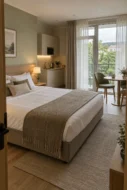
About the hotel and the brief
Cardinal is a new five-storey aparthotel with eco-friendly interiors in Truskavets, a three-minute walk from the central pump room and close to a park. The rooms have kitchens and work as self-contained apartments, backed by full hotel facilities: a spa complex, a restaurant with a bar, a beauty salon, a conference room, transfers and meals delivered to the room.
The hotel needed a website where guests can take a good look at a room, find out about the spa and the restaurant, and send a booking request straight away. I built that website: ten pages, sliders and tabs, a gallery with lightbox viewing and booking forms in pop-up windows.
Site structure
Everything the hotel offers is spread across the pages so that guests find what they need in one or two clicks:
- home page – a showcase of everything the hotel offers
- rooms – six categories with photos, amenities and a booking form
- spa – the seven areas of the complex and a separate Finnish sauna page
- restaurant – opening hours, table booking by phone, dress code and a PDF menu
- a gallery with a section filter and photos that open in a pop-up window
- reviews, special offers, contacts with a map and the privacy policy
The header is the same on every page: the section menu on the left, the logo in the centre, and the phone number, Facebook, Instagram and a “Book” button on the right. Inner pages open with a heading and breadcrumbs, and the footer repeats the address, phone numbers, social links, the booking button and links to the privacy policy, house rules and blog. Wherever guests are on the site, a call or a booking request is one click away.
Home page: the hotel’s shop window
The first screen is a full-width photo of a room, the caption Apart hotel, the name CARDINAL in large letters and a short description: a modern five-storey hotel with eco-friendly interiors. Below it, a paragraph covers the hotel’s main advantage – its location next to the central pump room and the park.
The home page then sets out the reasons to choose the hotel, one by one:
- a room slider with arrows and a card with a “Details” button
- “Location and leisure” and “View from the rooms” blocks, with a photo of a balcony overlooking the town
- four vertical tiles – conference room, spa, restaurant and beauty salon: on hover, a tile lights up and reveals a button to its page
- eight services with icons: daily housekeeping, Wi-Fi, TV, wake-up calls, transfers, a tour guide, laundry and ironing, and meals from the restaurant delivered to the room
Rooms: tabs, sliders and booking
The rooms page is the one that sells. Six categories – from a one-room double to a three-room superior suite and the “Cardinal” executive suite – switch with tabs, without reloading the page. Each category has its own photo slider, a name, a badge with the floor area (38 m², for example) and a few words about the view.
The “Every room is equipped with” block gathers into a grid of icons what guests usually ask about on the phone: a kitchenette, a fridge-freezer, crockery, a kettle and tea set, a shower, 180×200 beds, toiletries, Wi-Fi and a welcome gift. Extra services – laundry, room service, excursions, flower delivery, a beautician, a make-up artist, massage – are listed in large type, and hovering over a service brings up its photo alongside.
At the bottom of the page is the “Book a room” form: check-in and check-out dates picked from a calendar, number of guests, name, phone, email and a comment, with required fields marked by an asterisk. The same form opens in a pop-up window from any “Book” button, so a request can be sent from any page without losing what the guest is looking at.
The spa complex and the Finnish sauna
The spa is one of the hotel’s strengths, so it has its own page: a Turkish bath, a Finnish sauna, a jacuzzi, an outdoor jacuzzi, a herbal tea bar, a gym and beauty treatments. Each area gets a large slider with a caption and a “Details” button.
The Finnish sauna has a page of its own, which shows how an area is presented. Its specs are set out as icons – temperature 80–100 °C, humidity 10–20%, up to 8 people, natural wood, benches on two levels, drinks from the herbal tea bar – next to a short piece on the benefits of the sauna and a “Reserve online” form with name, phone and email.
The room booking and spa reservation forms check what is entered: if a value is wrong, the field is highlighted with an error message, so guests see straight away what to correct.
Restaurant, gallery, reviews, offers and contacts
- Restaurant – a page with photos and answers to practical questions: opening hours 08:00–23:00, a phone number for table bookings, the dress code, drinks from the herbal tea bar and a “Download menu (PDF)” button.
- Gallery – the “Hotel grounds”, “Spa”, “Restaurant” and “Leisure” tabs switch between sets of photos without reloading, and a click opens a photo in a pop-up window with arrows to browse through.
- Reviews – cards with the guest’s name, town, date and star rating, with pagination.
- Special offers – cards for deals, for example on spa treatments and transfers to the hotel.
- Contacts – a photo of the façade, the address, phone numbers, email, social links, a “Contact us” button and a full-width map.
- Privacy policy – a separate page explaining how the hotel collects and uses the details guests leave in the forms.
Look and front-end build
The site uses a dark graphite palette with gold accents: gold picks out the buttons, active tabs, icons and section names. Headings are set in a classic serif, body text in a calm sans-serif, and a fine line drawing of the hotel’s façade serves as the background for inner page headers, the footer and some blocks.
When building the pages, the challenge was to keep this character without losing usability: warm interior photos had to stand out on the dark background, the background artwork could not get in the way of the text, and the tabs, sliders, pop-ups and forms had to behave the same on every page. That is why the repeating elements – the header, the card with a slider, the icon grid, the booking form – are built as shared blocks and reused across the site.
What makes a good hotel website
Guests choose a hotel with their eyes: photos of the room, the view, the spa and the restaurant count for more than long descriptions. A hotel’s own website is where it can show itself in full and take bookings directly. When I build a website for a hotel, I follow a few principles:
- real photos instead of stock images – guests should recognise the room when they arrive
- room categories with floor area and amenities, so they can be compared without a phone call
- a booking button and phone number on every page, and a short request form
- facilities – spa, restaurant, services – presented as part of the offer, not a line in small print
- reviews, special offers and a map to settle any last doubts
- a privacy policy, since the site collects names, phone numbers and email addresses
If you need a website for a hotel, guest house or spa complex, I can build the whole thing for you – from the page structure to sliders, a gallery and booking forms.
Design and development of the Clever Meter Ukraine corporate website – water and heat metering
October 3, 2026
The client and the brief
Clever Meter Ukraine works in water and heat metering: it selects and supplies meters, sets up automatic meter reading, and offers software, analytics, billing integration and service. The company works with the manufacturers Apator Powogaz, GWF and ADD Grup. It needed a corporate website that shows the key point from the very first screen: the company builds the whole metering system, not just sells devices.
The client handed over a detailed 65-page brief – a sitemap, the blocks of every page, two audiences, and requirements for forms, accessibility, security and admin roles. I ran the whole project: design, development, content set-up and final checks before handover.
Design: from brand book to UI kit
I built the style on the brand book and the signature water texture: the brand’s navy and light blue, the corporate typefaces, white and pale blue sections. I converted the texture from the client’s source file into a vector mask, so on the website it is light and changes colour to suit the background. The brand orange appears only where there is an action or data in motion: main buttons, dotted data paths, step numbers, key figures.
Besides the home page, the design includes around twenty inner page templates and a separate UI kit:
- colour tokens, typography, a 12-column grid and a spacing scale;
- buttons and form fields in every state – default, hover, focus, error, disabled;
- cards, badges, tables, messages, loading skeletons and empty states;
- a form pop-up in four states – filling in, error, sending, success with a request number;
- an animation sheet: what moves, for how many milliseconds and why – no decorative motion.
Two audiences: “Partners” and “Business”
The website has two audiences with different questions. A water utility or a local community cares about network scale and loss control; a developer or a property management company cares about per-flat metering and payback. So the website runs in two versions with a shared structure: the switch in the header and the mobile menu leads to the same page in the other version, and the “Business” version has its own address prefix – handy for ads and mailings.
Each version shifts the emphasis: banner headings and texts, calls to action at the bottom of pages, the set of solution areas on the home page, telemetry scenarios. Case studies and news for the current segment move to the top of the lists, the rest follow – nothing is hidden. For search engines both versions point to one address, so there are no duplicates in the index, while the cache stores them separately.
Home page: the visitor’s region on the first screen
The first screen is a full-width city photo, the brand texture and the headline “from meter to analytics”, with a glass data-path strip at the bottom: meters → data transmission → digital platform → analytics and billing. The photo depends on the visitor’s region: it is detected on the server from the IP address using a local database that updates once a month. The browser asks nothing, the IP is never stored, and visitors whose region cannot be detected see a universal photo.
In the admin panel, each region gets its own photo and, if needed, its own IP ranges, and an editor can preview the home page as it looks in any region. Further down: the full eight-step metering cycle, key advantages, company figures and manufacturer brands, solutions, data transmission technologies, case studies, industry news and a “we’ll find the right solution” block.
Product sections: from metering to service
Each section answers its own visitor question and ends with a clear next step:
- Resource metering – types of metering and a calculator: visitors enter the number of meters, how often readings are taken, minutes per meter, the hourly cost of a meter reader and the share of repeat visits, and instantly see the annual savings and the hours freed up by remote reading;
- Solutions – areas for water utilities, communities, dealers, developers, industry and agriculture, each with its own page: the site’s pain points, what the package includes, equipment, related case studies and documents;
- Telemetry – the data path from device to billing, the LoRaWAN, M-Bus, Wireless M-Bus and GSM/NB-IoT technologies, and an interactive diagram: choose a type of site and the diagram rebuilds itself;
- Software – meter data collection, loss and imbalance control, reports, billing integration and booking a demo;
- Service and support – exchange, repair and calibration, a request form with device selection and upload of up to five photos;
- About us – the company history with a map of its expanding reach, a video in a pop-up player, partner manufacturers and a form for future dealers.
Technical documentation and case studies on a map
Documentation is a separate library for engineers and designers. Documents can be searched by title, model and part number and filtered by type (manuals, catalogues, certificates, wiring diagrams, BIM/CAD), equipment category, technology, manufacturer and language. Each document shows its format, size, version and update date, outdated versions are flagged, and some files are released after a short form – so the company gets the designer’s contact details.
Case studies are shown on a map of Ukraine: pick a city and see the projects there; on a phone, a tidy list of cities replaces the map. The directory holds all 460 cities of the country in Ukrainian and English, so a new case study can be linked to any city by picking it from a list. Each case study page reads like a story: the site, the problem before the project, how the system is built, the equipment used, the outcome and a button to get a quote for a similar site.
News, search and the mailing list
The news section uses the WordPress block editor with my own blocks – expert opinion with a directory of experts, a highlighted fact, a call to action, related materials. Each article has a reading time, a table of contents, tags, share buttons and related posts; photos and galleries can be downloaded one by one or as an archive. An article cannot be published without a title, summary, cover image and image description.
Search understands different word forms and looks both in page texts and in document and case study fields; suggestions drop down as you type and work with the keyboard. For subscriptions I wrote an in-house mailing system with no external services: address confirmation, choice of categories and topics, an email as soon as a new article is out or a weekly digest, a block-based email builder, a sending queue with limits, one-click unsubscribe and subscription management, and subscriber export.
Enquiry forms: request number, departments and spam protection
Each language has 11 forms – find a solution, consultation, calibration, repair, partnership, cost and payback estimate, document request, subscription and a general form on the Contacts page. Forms open in pop-ups that keep focus inside and close with Esc, and on a phone they slide up from the bottom. Every enquiry gets a number in the CMU-year-number format – it arrives in the email and is shown on the success screen.
- on the Contacts page the visitor chooses a topic – and the message goes to the right department, whose addresses are set in the admin panel;
- an enquiry can include a specification, a site plan or a photo of the metering unit;
- spam protection uses an invisible honeypot field, a fill-in time check and a limit on submissions from one device – no captcha for real people;
- all enquiries are stored in the admin panel, and the “Client contacts” section groups them by person – by email or phone – with search and Excel export.
English version with Polylang
The main language of the website is Ukrainian, and the English version is fully translated: pages, news, case studies, documents, categories, menus, forms, mailing emails and every interface label. Both versions share the same addresses apart from the language prefix; the UA / EN switch leads to the same page and, if there is no translation, says so instead of opening an empty page. Global settings and site blocks have their own values for each language, and an empty field falls back to the Ukrainian text.
Everything is edited from the admin panel
The client’s main requirement was no texts, figures or photos in the code. Every block of the design became an ACF field – on the page it belongs to, or in the shared “Site settings” and “Site blocks” sections: contacts, departments, social networks, the quick contact button, company figures, brands, form pop-up texts, calls to action. Texts are written in a visual editor, yet the look stays true to the design: paragraphs and lists pick up the design styling automatically. Fields carry hints about where they appear on the website.
Roles are set up for the team: a content manager runs news, the media library and enquiries but cannot touch pages, documents or settings. The media library strips location data from photos, creates smaller WebP copies and shows where each image is used. Videos can be added as a YouTube link or as a file.
SEO, speed and security
The website is ready for SEO from day one: readable addresses with redirects from the old ones, breadcrumbs with structured data, SEO titles and descriptions in Yoast, and language tags for search engines. Fonts are hosted locally, images are served at the right size and load as you scroll, inner pages are cached, while the home page with its regional banner is not.
Security follows the brief: browser security headers, protection against password guessing, strong passwords, optional two-factor login, closed service interfaces and an activity log in the admin panel. Before handover I went through the whole website in both languages and both versions: no page errors, every form tested, no horizontal scrolling on a phone.
Why a technology company needs a well-thought-out website
When a company sells complex engineering solutions, its website acts as the first consultant. An engineer at a water utility, a local community representative or a developer must quickly understand what is on offer and how it works. That is why my B2B websites follow a few principles:
- complex things are explained through diagrams, steps and calculators, not paragraphs of jargon;
- different audiences get different emphasis within a shared structure;
- every page has a clear next step: find a solution, book a consultation, get a document;
- documentation and case studies prove expertise and are easy to search;
- all content is in the team’s hands, in every language, without a developer.
If you need a full-cycle corporate website – from design based on a brief to the development of complex features – I will take the project from the first mock-up to the handover of a finished website.
Website for the Beef&Cake restaurant in Khmelnytskyi – banquets, VIP room, gift vouchers and two languages
October 3, 2026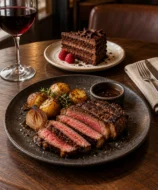
About the restaurant and the brief
Beef&Cake is a signature meat restaurant in the centre of Khmelnytskyi, on Proskurivska Street. The focus is on meat dishes made to the chef’s own recipes, and besides the main dining room there is a VIP room and a banquet hall. The restaurant sells gift vouchers, runs a souvenir shop, shows its rooms in a 3D tour, wins awards and publishes its own news – for example, about a record-breaking beef tartare, officially registered by the Book of Records of Ukraine.
All of this had to come together in a website that conveys the restaurant’s character and leads to action: booking a table, ordering a banquet or buying a voucher. I built that website on WordPress with a custom theme – with two language versions, request forms, galleries, news and a full mobile version.
Structure: three guest scenarios
I started not with a list of pages but with the reasons people open a restaurant’s website. That gave three scenarios, each with its own short path:
- “I want dinner” – a “Book a table” button on the first screen, the menu, opening hours, address and map
- “I have an event” – pages for the VIP room and the banquet hall with photos, capacity and a banquet request
- “I’m looking for a gift” – a gift voucher block, a pop-up window and a request form
The other pages support the choice: about the restaurant, the 3D tour, the gallery and news. The header holds the logo, a link to the 3D tour, the ENG | UKR language switcher and a menu button. The menu opens up every section of the site, as well as the owner’s other ventures, catering and the souvenir shop.
Home page
The first screen is a dark photo of the dining room with brick walls and warm lighting, the logo with a butcher’s cuts diagram and a gold “Book a table” button. The home page then gives a quick tour of everything the restaurant has:
- about the restaurant – a collage of four photos in a gold frame, text and links to the 3D tour and the souvenir shop
- menu – a large steak on a dark background and a “To the menu” button
- VIP room and banquet hall – photos, capacity and links to their own pages
- gift vouchers – a slider with a “Buy” button
- news and awards – sliders with arrows and dots
- opening hours, address, phone, email, social links, links to the menu, table reservations, delivery and reviews on the Choice platform, and a map
The footer lists the site’s sections, the owner’s other ventures and services: catering and the souvenir shop. Its background is an outline of the butcher’s cuts diagram – the same motif as in the logo.
VIP room and banquet hall
Event venues are a separate source of requests, so each one has its own page. Text alternates with vertical photos, left and right, and key phrases are picked out in a handwritten font: the long description is easier to read and the main points stand out.
- VIP room – a private room for 8–10 guests with its own entrance and balcony, a TV and air conditioning – for meetings, celebrations and negotiations
- banquet hall – up to 50 guests, a separate entrance, a large LED screen for videos and photos, an open bar counter and the option to turn the hall into a conference room
Both pages end with a photo slider, and on the banquet hall page a “Banquet request” button opens the request form.
Gallery, news and 3D tour
The galleries are built on the Photo Gallery plugin and split into three themes – “Our menu”, “Our atmosphere” and “Our interior”. The main gallery page shows a selection from each theme, and each theme has its own page with the full set of photos. The restaurant adds new pictures itself from the admin panel, without touching the code.
News items are WordPress posts: they appear in a slider on the home page and open as separate article pages. The 3D tour is linked from the header and from the “About the restaurant” block and opens on its own page – guests can take a look at the dining room before they visit.
Forms and the gift voucher pop-up
I built the banquet and gift voucher request forms on Contact Form 7 and kept them short and consistent: name, email and a phone number with a +380 mask, a note that a manager will call back, and a consent line for the processing of personal data. The mask stops numbers being entered in the wrong format, so the manager gets a phone number they can call straight away. After sending, guests see a “Sent” message, so it is clear the request has gone through.
Vouchers have their own pop-up window: an image of the voucher, a description and a “Buy” button that leads to the request form. Guests stay on the page where the gift caught their eye.
WordPress, two languages and the mobile version
The site runs on WordPress with a custom theme written for this project. The restaurant changes page texts, news and photos from the admin panel, and the site still looks consistent, because every block – sliders, collages, cards, forms – is built into the theme’s templates.
- two language versions – Ukrainian and English, with an ENG | UKR switcher in the header on every page
- a full mobile version: the home page, about the restaurant, VIP room, banquet hall, 3D tour, news, gallery, forms, the “Sent” message, the voucher pop-up and the menu are all reworked for smartphones
- on a phone the blocks line up in a single column, the collages and sliders stay, and buttons and contact details remain large and easy to tap
- Google Site Kit – traffic and search data right in the WordPress dashboard
What makes a good restaurant website
A restaurant website sells an experience rather than dishes: the atmosphere, the flavours and a reason to come. So when I build a website for a restaurant, I follow a few principles:
- photos of the dishes and dining rooms are the main content; the text only complements them
- table booking is visible from the first screen and a couple of taps away
- banquets, VIP rooms and vouchers get their own pages with a request form, not a line in the menu
- opening hours, address, phone and map are always to hand
- the mobile version is planned separately – people usually look a restaurant up on their phone, on the way or before leaving home
- the restaurant updates its news and gallery itself, without a developer
If you need a website for a restaurant, café or bar, I can help turn your venue’s character into a site where guests quickly find the menu, book a table and send a banquet request.
Website and online shop for Sparta Garage – custom motorcycles and Mercedes-Benz tuning
October 3, 2026
About the workshop and the brief
Sparta Garage builds turnkey custom motorcycles: the client shares an idea and agrees the budget, then watches the motorcycle of their dreams take shape in metal and plastic. Alongside custom builds, the garage has a car side too – services for cars and trucks, and an online shop of tuning parts and electronics for Mercedes-Benz.
It needed a website that sells the workshop’s one-off builds and the shop’s products equally well. I built both parts: a workshop website with projects, services and contacts, and an online shop with a catalogue, search by car, product pages and a basket.
Structure: workshop and shop under one brand
The project has two parts with a shared brand and different jobs:
- the workshop website – home, projects, project page, services, service page and contacts; its job is to inspire and lead to a build order
- the online shop – a category catalogue, search by car, product and service pages, a basket; its job is to help buyers quickly find a compatible part and place an order
The bridge between the two is the shop banner on the home page: the Sparta Garage graffiti logo, the word STORE and a “Go” button. The workshop site’s header has the logo, a six-section menu and social links; the footer has FAQ, support, payment, delivery, returns and contacts.
Workshop home page
Custom builds are all about style, so the home page is built almost entirely on photos of motorcycles: a black background, a bike in close-up, a short, bold slogan with red accents from the logo and a “Projects” button. The home page then sets out what the workshop offers:
- an about block: turnkey builds that stay within budget, deadlines met, quality work and materials, and the option to come in and check on progress
- a full-screen project slider with captions, arrows and dots
- a “Why choose Sparta Garage?” block with text and four advantage cards with icons
- the online shop banner and the footer
Projects, services and contacts
Projects are the workshop’s strongest argument. The projects page opens with a large heading and a photo, followed by blocks on custom builds and motorcycle mechanics, a video with a player, a grid of projects with dates and a “load more” button, and finally a form with name and email.
The project page is built as a story: a large first screen with a photo of the motorcycle and its name, then a long text with large photos and subheadings, and navigation to the previous and next project. The same template is used for individual service pages.
The services page opens with a welding photo and a large heading, followed by a grid of cards for the garage’s lines of business, dark and light mixed, with photos: used truck parts from Europe, an accessories shop, oil changes for cars, and a wash for trucks and cars. The contacts page has an about block with a quote, an invitation to start a project, phone numbers, the address, email, a message form and a map.
Online shop: catalogue and search by car
The shop covers tuning and retrofits for Mercedes-Benz cars: ECU chip tuning, coding, electronics, exterior, interior and power upgrades. With car parts, the buyer’s main question is whether the part will fit their car, so search by car comes first.
- a model banner and a “Your car” bar with a “Change” link – the car only has to be set once
- category tabs: all products, ECU tuning, coding, electronics, exterior, interior, power upgrades
- for each category, a row of cards with a photo, name, “from” price and compatible model tags, plus a “View all” link
- in the shop header – the customer account, partnership, contacts, a currency selector and a basket with an item counter
Product page: options, Stage 1/2 and compatibility
The product page brings together everything needed for a buying decision on one screen:
- a gallery with thumbnails, arrows and photo zoom
- model tags, price, quantity, an options drop-down and a colour picker
- priced add-ons – ticked and added to the order
- “Add to basket” and “Add to wishlist” buttons and a link back to the category
- description, specifications and compatibility tabs, with a slider of similar products below
Software tunes have their own version of the product page: a Stage 1 / Stage 2 switch changes the power and torque figures after tuning, the chart and the list of parts required. A compatibility table lists models, body types and years, so buyers can check their car before ordering.
Services sold like products, and the basket
The garage’s services are sold in the shop just like parts. On a service page, buyers choose their car model and year, see how long the job takes and the service interval, tick priced add-ons and click “Add to basket”. New items carry a “New” badge, long descriptions expand with a “Show more” button, and a mini basket with a counter instantly shows that the order has grown and leads straight to it.
That way the part and the work to fit it end up in the same basket: there is no need to phone separately to book the service.
What matters in a workshop and tuning shop website
A workshop website sells trust in the craftsman’s hands; a shop sells confidence that the part will fit. So in projects like this I follow a few principles:
- finished work is the main content: large photos, video and the story of every project
- a clear path from inspiration to a build enquiry
- search by car and compatibility tags on every product card
- options and add-ons with prices right on the product page, with no need to call a sales manager
- services that can be ordered together with the part
- one brand, even when the parts of the site have different jobs: a dark showcase for the workshop and a light, functional shop
If you need a website for a workshop, a car service centre or an online shop for parts and tuning, I can build the whole thing – from a showcase of your work to a catalogue with search by car and a basket.
Dental clinic website – services, appointment booking and patient login
October 3, 2026
About the project and the brief
The client is a general dental clinic: root canal treatment, cosmetic dentistry, implants, whitening, prevention and emergency care. The clinic needed a multi-page website in English that does three things: books appointments, helps patients who need urgent care and gives a detailed picture of the services and the team.
I built the site’s pages, put together the interactive blocks – forms, sliders, a video block – and made a responsive version for smartphones. Every page follows one consistent system: light blue sections, white cards with a soft shadow, blue buttons and key words in headings underlined with a wavy line.
Site structure
The site has seven pages, each with its own role:
- Home – booking, the emergency line, services, advantages, specialists, reviews and news
- Services – all the clinic’s treatments in cards
- Blogs – the clinic’s news and articles
- About – the clinic’s story
- Contact – contact details
- Login and Sign up – patient login and registration
The header menu is the same on every page. On the home and services pages, the right-hand side holds a “Book Now” button and a user avatar; on the login page, “Login” and “Sign up” links take their place.
Home page: appointment booking and the emergency line
The first screen opens with the heading “Get Ready For Your Best Ever Dental Experience!” and a short promise about the quality of materials. Below it are two actions: a blue “Book an appointment” button and a button with a phone handset and the “Dental 24H Emergency” number. Patients planning a visit book an appointment, while anyone in pain right now sees at once where to call.
Below is a card with a specialist’s testimonial and a LinkedIn icon, and on the right a photo of a smiling dentist framed by dotted orbits with tooth icons. Straight after the first screen come three cards for the main services: root canal treatment, cosmetic dentistry and implants. Each has an icon, a short explanation and a “Learn More” link.
New patients, advantages and video
The “We’re Welcoming New Patients” block speaks to people who have not been to the clinic yet. It has a form with a single field – phone number – and a “Submit” button: visitors can leave their number right on the home page, without going to the contact page.
Next comes the “Why Choose…” block, with a photo of a specialist at work and a short list of reasons to choose the clinic:
- a strong team of dentists
- modern dental services
- discounts on treatment
- quick and easy booking
Below the list is another “Book an appointment” button. The same button appears in the “Leave Your Worries At The Door…” block with a large photo of a smile, so booking is always within sight. This part ends with a video block – a wide shot of a treatment room with a play button and a “Watch Playlist” button.
Specialists, reviews and news
The “Meet Our Specialists” block is a team slider: a photo of each dentist, their name and specialism on a semi-transparent panel, and a LinkedIn icon in the corner of the card. The team includes an orthodontist, an endodontist, a periodontist and a paediatric dentist, and arrows below the slider scroll through the cards.
“Our Happy Clients” is a second slider, with patient reviews: an avatar, a name, a five-star rating and the review text. The “News & Articles” block shows the latest posts and a “View All” button that leads to the blog.
Services page
The Services page brings all the clinic’s treatments together in a grid of six cards:
- Root Canal Treatment
- Cosmetic Dentist
- Dental Implants
- Teeth Whitening
- Emergency Dentistry – urgent help when bleeding needs to be stopped or severe pain relieved
- Prevention – preventive care and oral hygiene
The cards work the same way as on the home page: an icon in a light blue circle, a heading, a couple of lines of description and “Learn More”. Patients quickly find what they need, and new services are added with the same card.
Patient login and sign-up
The login page is split into two halves. On the left, a photo of a dentist at work and a quote, with arrows to switch between quotes. On the right, the “Welcome Back” form:
- a “Log in with Google” button – sign in with a Google account
- email and password fields with icons
- a “Remember Me” checkbox and a password reset link
- a “Log in” button and a “Create an account” link for anyone who does not have an account yet
Registration has its own Sign up page, reached from the header button and from the link below the login form.
Mobile version
On a smartphone the pages reflow into a single column. The header shrinks to the logo and a square menu button. On the first screen the heading and text come first, then the “Get Started” button and the emergency number side by side, with the testimonial card and the dentist’s photo below. Patients see what matters most – booking and the phone number – straight away, without scrolling.
What makes a good dental clinic website
People come to a dental clinic’s website in one of two frames of mind: they are planning treatment and comparing clinics – or they have toothache and need to see a dentist today. A good clinic website serves both. When I build websites for medical centres, I follow a few rules:
- booking goes on the first screen and comes up again further down the page
- the emergency number stands apart and is easy to spot: someone in acute pain has no time to hunt for contact details
- services are presented as short cards with clear names and a link to the details
- doctors’ faces and patient reviews build more trust than general claims about quality
- a blog with news and articles answers common questions and helps the site rank in search
- the mobile version is not a scaled-down copy: on a phone, buttons are large and the number is always to hand
If your clinic needs a website that brings in patient bookings, I can build it from start to finish: pages, booking forms, sliders, patient login and a responsive front end.
Landing page for the Mii Stomatoloh dental clinic – MegaGen dental implants
October 3, 2026
About the clinic and the brief
Mii Stomatoloh (Ukrainian for “My Dentist”) is a Ukrainian dental clinic offering treatment, surgery, diagnostics and implants. For implants using the MegaGen AO system, the clinic needed a dedicated page with a single scenario: visitors learn about the treatment, satisfy themselves that the clinic can be trusted, and leave their phone number.
Implants are an expensive treatment, and nobody decides on them on the spot. Patients compare prices, read up on implant systems, look closely at photos of previous cases and choose a dentist. So I started with the order of the blocks: what question comes up at each step, and where on the page the answer is. Then came the build, the interactive blocks and the responsive versions for computer, tablet and smartphone.
First screen and special offers
The first screen has everything patients come for: the large heading “Dental implants with the MegaGen AO system”, a “Get a consultation” button and the price. The old price of UAH 12,000 is crossed out, with the current UAH 10,000 next to it: visitors immediately get a sense of the cost and see the saving. Below are three figures for the clinic: 15+ years of placing implants, 1,000+ happy clients and 20+ dentists.
On the right is a photo of a dentist at work with a “crumbling” edge of squares and a light blue block behind it. The site’s main buttons have a pink-to-light-blue gradient in the colours of the logo: it is repeated across the page, so the eye quickly learns where to find the action. Besides the menu, the header holds two prominent buttons, “Write to us” and “Call us”.
Right after the first screen come the “Special offers”: cards with a photo, a vertical colour tag for the treatment area – treatment, surgery, diagnostics – a list of what is included, the new price and the crossed-out old one.
An expert article patients can trust
A medical page is a special case for both patients and search engines: health advice is held to a stricter standard than a product description. So the expert article on the landing page shows who wrote it and when:
- the publication date – showing that the information is up to date
- the author and their position – the treating dentist, not an anonymous copywriter
- the reviewer – a second specialist who checked the text
- an “Important!” notice warning that the article does not replace a consultation with a doctor and is not intended for diagnosis
Next to the text is a collage of three photos: a dentist at work and close-ups of treatment. The block looks like part of the clinic rather than an extract from an encyclopedia.
Consultation form and implant catalogue
Straight after the article comes a bright blue banner, “Free consultation with our dentist”, with a photo of a dentist in the clinic’s branded polo shirt and a background pattern of dental icons. The form has a single field – phone number – and an arrow button: the less people have to fill in, the more willing they are to leave their details.
The “Implants in stock” block helps patients understand exactly what the clinic offers. The AnyOne and AnyRidge cards alternate their photo left and right and follow the same structure:
- the system’s name and a short description
- a list of benefits – minimally invasive surgery, high primary stability, a shorter recovery period
- a “Read more” link that expands the full text
- a “Listen to the text” button – the description can be listened to rather than read
- a “from UAH 12,000” price and a “Book an appointment” button
Before-and-after cases, dentists and price list
In dentistry the strongest proof is the result. In the “Our work” block, a large before-and-after image with a slider sits in the centre: move the handle to compare the smile before treatment with the result. Four thumbnails of other cases flank it, and there is a booking button below the gallery.
Next comes “Why choose us?”: four cards with photos covering experience with implants, high-quality prostheses, support during the adjustment period and complex clinical cases. The “Our dentists” block is a carousel with arrows: photo, name, specialism, Instagram and Facebook icons and a button linking to the dentist’s profile. Below the carousel is an “Ask the dentist a question” button.
The “Cost of services” price list is set out in two columns of “service – price” rows. The active row is highlighted in blue and an arrow replaces the price, making it clear that the row leads somewhere.
Questions about implants and additional services
The “Questions about implants” block is a two-column accordion: the questions are visible at once, each answer opens with a click, and a long list does not stretch the page. This is where typical fears are addressed – for instance, whether the implant will take: the answer quotes MegaGen’s figure of a 98.9% survival rate.
The landing page closes with “Additional services” – the same cards with a treatment area tag as in the special offers: fillings, cyst removal, a panoramic X-ray. The repeated format holds the page together, and new services are added with the same card.
Responsive build for desktop, tablet and smartphone
The landing page is fully responsive: on a wide monitor, a tablet and a smartphone, each block rearranges itself to fit the screen rather than simply shrinking. On a smartphone the first screen runs in a different order: the heading, price and consultation button sit above the photo, the clinic’s figures stack in a column and the menu tucks into a burger icon. On the right of the header is a blue call button: on a phone, calling the clinic is easier than writing.
What makes a good dental clinic landing page
A clinic website sells trust rather than a service. People are trusting strangers with their health and a considerable sum of money, so every detail either reassures them or puts them off. When I build medical landing pages, I follow a few rules:
- the price is shown openly and early: a patient who cannot find the cost goes to look for it at a competitor’s
- real dentists’ faces and before-and-after cases are more convincing than general claims
- medical content is signed by a doctor and checked by a reviewer – this matters to patients and search engines alike
- booking takes one action: a call or a short form, with no registration or long questionnaires
- answers to common questions sit right on the page, in an accordion, so nobody has to look for them elsewhere
- the mobile version is reworked for the phone, not squeezed down from the desktop one: many patients look for a clinic on their smartphone
If you need a landing page for a dental clinic or a medical centre, I will build a page that leads patients to book: with a clear structure, forms, interactive blocks and a fully responsive build.
Website for ART DESSERT by Maria Tulchevska, an online school of pastry arts
October 3, 2026
About the client and the brief
Maria Tulchevska is a pastry chef and the founder of Art Dessert LLC. Her California company makes European desserts and pastries, works with local coffee shops and runs professional pastry classes online and in person across the United States. Maria has personally taught more than two hundred students.
The online school ART DESSERT by Maria Tulchevska needed a website in English to sell its courses – one on éclairs and one on cake. The flagship is “Contemporary Éclairs”, which promises that you can learn to make professional-quality éclairs even with no baking experience. My job was to make a website that makes this promise believable at first glance: build the home page and the course page, and put together the interactive blocks and the mobile version.
How the site looks: desserts, graphite and gold
Maria’s éclairs look like pieces of jewellery in their own right: mirror glaze, gold leaf, berries. So the site doesn’t compete with them through decoration – the photos take the lead:
- desserts on a clean white background – large, with cross-sections of the fillings and reflections
- three colours: graphite, sandy gold and white – like the window of an upmarket patisserie
- a fine, high-contrast typeface for headings in capitals, and italics for captions such as “online course”
- pill-shaped buttons with a black-to-gold gradient – one consistent signal for actions on every page
- fine hexagon outlines as a recurring motif – from the blocks on the course page to the logo in the footer
Most pages are built in a chequerboard pattern: a photo with text alongside on a dark or gold panel. This rhythm is easy to read, and the grid is easy to extend with new sections – a cake course page, for example.
Home page: the author and the courses from the first screen
The header menu is split by the monogram logo: “Éclairs”, “Cake” and “Your instructor” on the left, “Events”, “Professional blog” and Instagram on the right. The first screen shows Maria in a chef’s jacket, the name of the school, a short promise to teach professional-quality éclairs with no baking experience and two buttons – “éclairs” and “cake”. Visitors choose a course before they have even scrolled.
Further down, the courses are presented in chequerboard blocks: photos of desserts next to a dark panel with the caption “online course”, the title, a description and a “more about course” button.
Meet the instructor
In online learning, people buy the teacher as well as the curriculum. The “Meet Your Instructor” block opens with a large quote from Maria about how much time and effort it took her to master her craft. Next to her portrait is a gold panel with three facts: her company Art Dessert LLC, its partnerships with California coffee shops that sell pastries made to Maria’s recipes, and more than two hundred students.
Then comes a full-width strip of halved éclairs with a reflection, followed by the mission block: Maria holding an éclair and a quote about how much she enjoys sharing her knowledge and making contemporary pastry techniques accessible to everyone. A “more about Maria Tulchevska” button leads to her full story, and the dark footer brings together the menu, logo and contact details.
Course page: from “enrolment open” to video
The “Contemporary Éclairs” page is built as a sales story. The first screen has the course title, the line “Enrollment is now open”, the promised result and a “get started” button next to a large photo of a raspberry éclair cut in half.
Next is the dark “About” block: an invitation to ART DESSERT and a note that the course was created by a professional pastry chef for people of any skill level. Alongside it is a photo of éclairs with a round “play” button for the course video – it shows the work more vividly than any text could.
Four benefits are worded as answers to the buyer’s doubts:
- “Video tutorials” – Maria walks you through the whole process in simple terms
- “For people of all skill levels” – from beginners to experienced pastry chefs
- “Solid information foundation” – the role of every ingredient explained
- “Support via chat” – the instructor is on hand in the chat if something doesn’t work out
What students get: results, figures, syllabus
The “What You Get” block has seven numbered points with gold numerals and fine dividers: the secrets of decoration and mirror glazes, choux pastry and even, crack-free éclairs, contemporary desserts based on French techniques, keeping éclairs for up to two weeks, 7 fillings and 3 glazes, the theory behind every recipe and how the ingredients work together.
Then comes a gold strip with three course figures:
- 6/9 months – 24/7 access to the course, depending on the plan
- 50+ printable pages – recipes, techniques, tips and pastry chef’s notes
- 36 high-quality lessons with detailed instructions
After a large macro shot of an éclair comes the “Course Syllabus” – the module-by-module programme on a dark background: an introductory lesson, the theory behind the recipes, then the practice – choux pastry, fillings, glazes and preparing the decoration. Modules expand when you click the “plus”, so the whole syllabus is visible without stretching the page.
Mobile version
On a phone, the header shrinks to a burger, the monogram and a “get started” link – the enrolment button sits right in the header. The first screen of the course page is rearranged into a column: the title, the éclair photo, the button and only then the text. The chequerboard blocks stack one below the other, keeping the alternation of dark and light, and the “play” button sits over the photo where the sections meet.
What makes a good online school website
You can’t taste an online course before you buy it. People decide based on the website: can they trust the author, will they manage it, and is the course worth the money? So when I build websites for online schools, I follow a few rules:
- the author’s face on the home page: in niche learning, people buy from a specific expert
- photos and video show the result, not adjectives
- the course page answers questions in order: who it is for, what’s inside, how many lessons and how long access lasts
- the syllabus is visible in full without being tiring – the modules are collapsed into an accordion
- one prominent enrolment button and a consistent style for every call to action
- a mobile version where the dessert photos look just as tempting as on a monitor
- lightweight images: a page full of large photos must load quickly on mobile data too
If you are launching online courses or a school and need a website that sells your teaching, I can build it from start to finish: from the page structure to the front-end build, interactive blocks and mobile version.
Landing page for EVACraftAuto, an EVA car mat manufacturer, with a mat configurator and car search
October 3, 2026
The company and the brief
EVACraftAuto is a Ukrainian manufacturer of car mats made from EVA. The company is based in Lviv and ships orders all over Ukraine. Mats are made in 1–2 days to the original templates for each car model, and buyers can add heel pads in different shapes and badges with their car’s logo. On its website, the company cites 3,500+ car models and 150+ options for a single car.
An EVA mat is chosen for a specific car, so buyers always have three questions: is there a template for my car, how much does a set cost and how will it look inside? The landing page had to answer them without a phone call, which is why the car search and the mat configurator sit at the heart of the page. The other blocks follow the order in which the questions come up: why trust you, how much it costs, is my car covered, what my mat will look like and what happens after I order.
Header, first screen and the manufacturer’s case
The header is a white bar with rounded corners floating over the first screen: the logo, a menu with “Catalogue”, “Benefits”, “Our work”, “Partnership”, “Contacts” and “FAQ”, Telegram and Viber icons and a yellow button with the phone number. Below it are a darkened photo of an EVA mat in a car, the heading “Next-generation car mats”, the brand name in yellow and the line “Manufacturer of car mats made from EVA”. There is just one button – “Configurator” – and it takes visitors straight to the most useful tool on the page.
Next, the landing page answers the question “why you?”. The “Why choose EVACraftAuto?” block has six cards with yellow icons:
- individual templates for any car;
- a material that doesn’t absorb moisture, resists wear and is easy to clean;
- made to order in 1–2 days;
- more than 13 base colours and 15 edging colours;
- heel pads in different shapes and badges with the car’s logo;
- delivery all over Ukraine.
It is followed by an “About us” block over a dark photo of a car interior, with three numbered photo cards under “Why us?”, and the infographic “Benefits of EvaCraftAuto car mats”: seven benefits arranged in an arc around a set of mats, from the eco-friendly material and original fasteners to 3,500+ car models and laser cutting. Dark graphite sections alternate with light cream ones, and the yellow of the logo highlights buttons, prices and selected options.
Six sets with prices
The “Sets” block answers the price question before any conversation with a manager. Each of the six cards shows the price in hryvnias in a yellow frame, a top view of a car with the mats in the set highlighted in yellow, a round inset with the material texture and a list of contents:
- Basic – UAH 1,350: any one row of a passenger car;
- Boot – UAH 1,590: a boot mat and a Velcro fastening system;
- Comfort – UAH 1,990: two front and two rear mats, a centre tunnel piece, original fasteners and Velcro floor strips;
- Style – UAH 2,900: everything in Comfort, plus four badges with the car’s logo and a metal heel pad;
- Comfort Plus – UAH 3,430: the Comfort set plus a boot mat;
- Elite – UAH 4,340: front and rear mats, a tunnel piece, fasteners and Velcro strips, four badges and a metal heel pad.
A car diagram works faster than any list: in a second, buyers can see which areas of the interior the set will cover.
Search by make, model and year
The first thing a car owner wants to know is whether there’s a template for their car. That’s why the car search is a separate block right before the configurator, and it works in three steps:
- make – a “Choose a brand” drop-down and a grid of tiles with brand logos and names; four rows are visible at first, and the “Show more” button reveals the rest;
- model and year – two drop-downs on one line;
- a “Clear search” button resets the choice when you need mats for another car.
A logo is recognised faster than a name in a long list, so the brand grid is the shortest way to your own car. And the page doesn’t let go of people who can’t find their model: right after the configurator there’s a dark “Couldn’t find your car?” card with “Phone”, “Name” and “Description” fields, a “Send” button and a car under a yellow cover.
The EVA mat configurator
The configurator is the landing page’s main tool: it replaces long back-and-forth messages about what the mat will look like. On the left is a large image of the mat – in the screenshot it’s yellow with a diamond texture, exactly as selected in the settings on the right. Below it are three photos of finished mats in cars and an honest note: the photo is generic, the mats will match your car’s configuration, and the colour on screen may differ slightly.
On the right are cards with the options, and next to each option’s name a yellow frame shows the current choice: “First and second rows”, “Diamond”, “Yellow”, “Black”. Buyers choose:
- the set – four top-view car icons with the rows highlighted and the price: UAH 1,350, 1,990, 3,430 and 1,590;
- the material type – round texture swatches, including diamond and honeycomb;
- the mat colour – 13 swatches showing the material texture;
- the edging colour – a separate palette in two rows;
- a badge with the car’s make – an image of the badge and a drop-down;
- a heel pad – one of three: EVA (free), square or shaped.
At the bottom are the “Total” block and a yellow “Order the set” button. Buyers put the mat together themselves, see the result and arrive at the order with their mind made up – all the manager has to do is confirm the details by phone.
Process, finished work and before/after
Ordering is easier when you know what happens next and can see real work:
- “How we work” – four cards linked by arrows: choosing a set or sending an enquiry on the site, a call from a manager within 30 minutes, production in 1–2 working days and delivery by Nova Poshta;
- “Our work” – a slider of photos of mats in cars, captioned by model, from the BMW X5 to the Mazda CX-5; the active slide is wider than the others, and visitors browse with arrows and dots;
- “Before/after” – a comparison slider: a yellow handle splits the frame between an old textile mat and a new EVA mat in the same car, while arrows and dots switch between pairs of photos;
- “Want to get your mats at a better price?” – a personal offer form over a dark car interior: phone and name.
FAQ and contacts
The last doubts before ordering are dealt with in the “Frequently asked questions” block – an accordion of seven questions: the warranty, what to do if the mats don’t fit, how long they last, smell, whether EVA is hypoallergenic, how strong the material is and how to lay a mat. Each answer opens with a yellow plus button. On smell, for example: new mats may have an odour, but it fades within 2–3 days and doesn’t come back, even in hot weather.
At the bottom of the page are the contacts – phone, city and email over a world map – and a form with “Name”, “Email”, “Subject” and “Message” fields and a “Send message” button.
What matters on a car mat manufacturer’s website
Car mats come in a huge number of variants: make, model, year, set, material, two colours and accessories. Based on this project, a manufacturer’s website like this sells when:
- the car search is easy to see – buyers first check that their car is covered and only then look at prices;
- prices are visible straight away – ready-made sets answer the question “how much does it cost?”;
- there’s a configurator – people put the mat together themselves and see the result instead of describing it in messages;
- photos of real work are captioned with car models – a Tucson owner looks for their own Tucson;
- a before-and-after comparison shows the difference from a textile mat better than any description;
- a short form covers unusual cases – “I couldn’t find my car” shouldn’t mean “I went to a competitor”.
If you make car accessories or any other made-to-fit product, think ahead about which options buyers choose, in what order, and what they need to see before ordering. A landing page with a configurator and a car search then becomes more than a shop window – it becomes a sales tool.
Corporate catalogue website for UNI METAL technology, a Ukrainian metal structures manufacturer
October 3, 2026
The company and the brief
Unitechnology (the UNI METAL technology brand) is a Ukrainian company that has been operating since 2009. It started out providing engineering services for industrial and civil buildings, and today it delivers complete solutions for planning and construction projects. The company has its own production capacity, modern equipment and a full cycle: from analysing the client’s idea to commissioning the finished building with a complete set of supporting documentation. The principle it puts front and centre on the website is one contractor at every stage and one party responsible for the result.
A manufacturer like this has a very wide range: electrical enclosures, shelving systems, sandwich panels, industrial floor drains, air ducts, ventilated facades, bomb shelter equipment, doors, gates and fencing, stainless steel furniture and chimneys. On top of that come made-to-order metalworking services. The website’s job is to organise all of this so that an engineer, buyer or developer quickly finds their product line and contacts the company without extra steps.
Header, menu and navigation
The header is shared by every page and works as a short business card for the company. The top row holds the UNI METAL technology logo, phone number, e-mail and address with the labels “Call us”, “Write to us” and “Visit us”, and on the right a dark “Request a call” button. Below it is the main menu:
- “Company” – a drop-down with “About us”, “Jobs” and “Blog”;
- “Product catalogue” – a drop-down menu with all 16 product lines, from electrical enclosures to ventilation equipment;
- “Services” – a drop-down list of metalworking services;
- “Gallery” and “Contacts”;
- YouTube, LinkedIn, Facebook, TikTok and Instagram icons;
- a language switcher with a flag.
When you scroll, the header shrinks into a compact bar with the menu and the call-back button, so the catalogue and the enquiry are available anywhere on the page. Inner pages open with a green and graphite banner with the title and breadcrumbs, so visitors always know which section they are in.
Home page: from the slider to the consultation form
The home page takes an industrial client from first impression to enquiry:
- a five-slide hero slider with a “01 – 05” counter and arrows; the first slide reads “Construction technologies” with a promise to meet every client requirement in full;
- “Products” – a grid of cards with photos and a round arrow button, plus an “All products” button;
- “Company services” – a slider on a graphite background with arrows and dots: TIG and laser welding, metal bending, CNC punching and other services;
- “Company advantages” – four tiles with icons: growing since 2009, own production capacity, modern equipment, full production cycle;
- “Working with us” – turnkey delivery, supporting documentation and complete solutions for industrial, public and civil buildings, laboratories and research facilities, and energy sites;
- “We are easy to work with” – four steps on a vertical line: request and consultation, a commercial offer within the agreed time, specifications or documentation on request, contract and delivery;
- a “Get a consultation now” form with “Name” and “Phone” fields.
The footer mirrors the whole site structure: sections, the full list of catalogue product lines, all services and contacts. Any page is one click away from the very bottom.
Product catalogue and product line pages
The catalogue is the heart of the website. Each of the 16 product lines has its own page, and they all follow the same layout, which makes them easier to compare and harder to get lost in. Take the “Ventilated rainscreen facades” page:
- the first screen is split into a green half with the title and breadcrumbs and a large photo of a facade;
- a “Technical documentation” tile with a PDF icon – documents can be downloaded straight from the page;
- a detailed product description: which panels the facades are made of, where they are used, the warranty on products and installation, and individual pricing;
- a “Benefits and advantages” block – appearance, energy efficiency, weather resistance and wall protection;
- a “More product examples” button;
- a consultation form, a “Videos” slider with clips about production and the steps to working together.
The same template works for any product line: enclosures, shelving, sandwich panels or doors. The company adds text, photos, documentation and videos – and the page is ready.
Metalworking services
Services have their own section because different clients order them, with different needs. The “Services” page is a grid of nine tiles with large photos and a caption on a white label with an arrow:
- locksmith and fitting work, and powder coating;
- plasma and laser cutting;
- CNC punching;
- laser and TIG welding;
- metal bending, and turning and milling.
Photos of real processes – welding sparks, a laser beam, a press brake – show what the work is before the visitor even reads the caption.
Company, gallery, jobs, blog and contacts
The remaining pages answer the questions of people choosing a reliable contractor or looking for a job:
- “About us” – the “Main goal” and “About the company” blocks, a strip of four advantages and a consultation form;
- “Gallery” – photos split into “Products”, “Production and equipment” and “Completed projects”;
- “Jobs” – vacancy cards with what is expected of the candidate and the tasks: CNC programming process engineer, HR director, sales director;
- “Blog” – a feed of articles with “First”, “Previous”, “Next” and “Last” pagination;
- “Contacts” – phone, e-mail, address, contacts for the sales manager and the technical consultant, and a consultation form.
The website’s palette is the brand green and graphite with white, large photos of production and a strict grid. This look suits an industrial company: calm, businesslike and keeping the focus on the products.
What matters in a manufacturer’s website
Industrial clients come to a manufacturer’s website with a specific task and spend little time reading. Based on this project, a website for a metalworking or construction manufacturer works when:
- the catalogue is in the menu on every page – people look for their product line rather than scrolling through the home page;
- each product line has its own page with a description, benefits and documentation – easy to forward to colleagues and easier to find in search;
- services are kept apart from products – they have a different audience and different searches;
- the manufacturer’s credentials are in plain sight: year founded, own capacity, equipment, full cycle;
- it is clear how work begins – steps from request to contract take the fear out of the first call;
- the consultation form is short – name and phone, and the manager will clarify the rest.
If you run a manufacturing business with a wide range, start with a map of your product lines and a single page template for each. That way the website grows easily with your range, and clients always find what they need and know where to send an enquiry.
Website for food colouring manufacturer YERO COLORS – product catalogue, private label and export
October 3, 2026
The company and the brief
YERO COLORS is the brand of a company founded in Odesa on 14 February 2019. It makes its own water-soluble gel colourings – classic, glitter and natural-based – as well as airbrush colours, dry glitter colourings, fat-soluble colourings in cocoa-butter drops, flavourings, premium icing sugar, modelling sugar paste, royal icing and “Pearls” sugar decorations. The products are ISO 22000-certified and laboratory-tested, and since 2022 the company has had its own production site and warehouse in Odesa plus a second warehouse in Chernivtsi.
YERO COLORS sells to resellers, shops, confectionery producers and schools, as well as to foreign distributors. They needed a website that shows the whole range, gives the specifications of every product, explains the trade terms clearly and makes it easy to request samples. I built that website: I coded every page, put together the tabs, sliders, pop-ups and forms, and made it work on smartphones.
Site structure
The menu follows a trade buyer’s journey, from getting to know the brand to placing an order:
- home – first screen, key strengths, new products and newsletter;
- “Company” – profile, in-house production, certification and export in tabs;
- catalogue – nine categories and a product page;
- “Partnership” – trade terms, dispatch and the bonus programme;
- news – a feed, an all-news page and a single article page;
- contacts – address of the production site, phone, email and opening hours.
The header is shared by every page: logo, menu, UKR/ENG language switcher, Facebook and Instagram icons and a “Request a call” button. Inner pages open with breadcrumbs and a large heading, and every page ends with a newsletter form and a footer with the menu, address, phone and email.
Home page: the brand, its strengths and new products
The first screen has a large heading, “Natural colourings for industry”, a row of gel colouring bottles on a blue panel and a photo of desserts coloured with the brand’s products. A “scroll down” prompt leads to the strengths section.
The strengths are set out as a list with dividers, each one answering a buyer’s question:
- ISO 22000 certification and international standards;
- quality on a par with European equivalents;
- a range updated in line with trends;
- in-house production capacity and modern technology;
- laboratory testing;
- product samples on request.
Next comes the “New products” section: three large cards, for example new shades of gel colouring and the GEM YERO COLORS line with nine “gemstone” colours from amethyst to bronze. On hover, the card title and arrow turn the brand’s blue. Below the cards is a wide “Go to catalogue” button. The home page has several states: the default one, one with the “Request a call” pop-up open (name and phone) and one with the thank-you screen after sending.
Catalogue and product page
The catalogue is the main working page of the site. Nine categories – gel and fat-soluble colourings, icing sugar and icings, confectionery ingredients and raw materials, flavourings, sugar paste, dry glitter colourings, sugar sprinkles and custom packing – switch in tabs, without reloading the page.
The product page brings together everything a buyer would normally ask a sales manager. Take AIRBRUSH SPARKLE, liquid glitter colourings for airbrushing:
- a large photo of the bottle and colour panels with other products in the line;
- a description: what the product is for, which surfaces it works on, how to prepare it;
- a “Download catalogue” button – the full range in one file;
- an ingredients list and a note that the product contains no animal-derived ingredients;
- shelf life (18 months) and packaging (70 g plastic bottle) in large outlined lettering;
- an “Applications” slider with arrows – packaging and products in use.
A bright vertical “Request product samples” button is pinned to the right of the catalogue: it stays on screen while scrolling, so a buyer can ask for a sample at any moment without losing sight of the product.
Private label: products under the client’s brand
For larger customers YERO COLORS has a separate offer: manufacturing under the customer’s own brand. The website gives it a Private Label section with two options: developing a custom product to order, and producing goods under the client’s brand at the company’s facilities. Each option is a line with an arrow, alongside photos of packaging: sugar pearls, boxed sugar paste, gel colouring. Customers can see straight away what their own line could look like.
“Company” section, trade terms and news
- “Company” – four tabs: a profile with the full product list and history, in-house production, certification (what ISO 22000 is and how the company controls quality) and export. The vertical ™ YERO COLORS lettering and photos of colouring kits keep the brand identity consistent.
- “Partnership” – samples and certificates on request, descriptions and photos for partners’ online shops, order quantities in multiples of the pack size, ordering through the client account, same-day dispatch for orders paid before 2 pm and bonuses in goods of 3 to 15% depending on monthly volume.
- News – a feed with dates and a “Read more” button, an all-news page and a single article template with an “Other news” block; for example, an article about the search for distributors in Europe, America, Asia and Africa.
- Contacts – address of the production and warehouse complex, phone, email and opening hours.
Mobile version and look
The site is fully responsive from 320-pixel-wide screens. On a smartphone, the menu collapses into a drop-down panel with the language switcher and contact details, new-product and category cards stack into a single column, the catalogue and “Company” tabs stay easy to tap, and the newsletter and call-back forms keep their place.
The look is clean: a white background, bold black sans-serif headings, the brand’s blue and the vivid colours of the products themselves – violet, mint, pink, gold. The outlined ™ YERO COLORS lettering and arrow motifs repeat across every page, so when building the site I turned the recurring elements – header, tabs, bullet lists, cards, forms – into shared blocks.
What a food manufacturer’s website needs
Trade buyers choose a supplier not on pictures but on ingredients, documents and terms. A manufacturer’s website should answer those questions before the buyer picks up the phone. When I build this kind of site, I follow a few principles:
- a catalogue split into clear categories rather than one long list of products;
- a product page with ingredients, packaging, shelf life and uses;
- certificates and production front and centre – the key arguments in B2B;
- transparent terms: minimum order, dispatch, bonuses, documents;
- one-click sample and call-back requests from any page;
- an English version for foreign partners and a comfortable mobile version.
If you need a website for a manufacturing company, a distributor or a food ingredients brand, I can build it from start to finish – from the catalogue structure to product pages, enquiry forms and the mobile version.
Website for FALX LTD Metal Roofing – metal roof installation in Ontario, Canada
October 3, 2026
The company and the brief
FALX LTD Metal Roofing is a Canadian company from Ontario that supplies and installs metal roofs. Its crews work in Toronto and the surrounding towns – from Brampton and Vaughan to Hamilton and London. Services include custom metal roof installation, roof replacement, soffits, skylights and sun tubes, and vent boot replacement.
The typical customer owns a private house. They replace the roof once every few decades, compare several contractors and worry about two things: overpaying and poor installation. The company needed an English-language website that addresses those worries and leads people to a phone call or a free quote request. I built exactly that, with the company’s whole offer gathered on the home page.
Home page structure: from offer to enquiry
The home page works like a conversation with a roof buyer. Each block answers the next question that comes to mind, and almost every one ends with a quote button:
- first screen – who you are and how to get a price quickly;
- about the company – can I trust you;
- benefits and the note on metal tiles – what this material actually is;
- “Why metal roof” – why metal beats familiar asphalt shingles;
- work slider – what it looks like on real houses;
- financing form – what if I can’t pay it all at once;
- reviews, working principles and partners – what customers say and how the work is done;
- service areas – will the crews come to my town.
The look is restrained: white and light grey backgrounds, black blocks and the red accent from the FALX logo. Large upper-case headings are echoed by faint lettering behind them, and a red vertical bar beside each heading makes it easy to spot where a new section starts while scrolling.
Header and first screen: a quote in one minute
The header holds the logo, a menu with Company and Products drop-downs, Services, Gallery and Contact, a phone number with an icon and a red-outlined “Get estimate” button. The phone number is large and easy to spot: many homeowners would rather call than type.
The first screen shows a darkened photo of a house with a dark metal roof, diagonal red stripes in the brand style, the company name and a short line saying that FALX works not only in Toronto but across Canada. On the right sits the “Get a free quote in 1 minute” form with just two fields, name and phone, and a red “Get a quote” button. The shorter the form, the more people fill it in; a manager can clarify the details by phone.
Below the text are badges from the platforms where the company has a profile and reviews: HomeStars, BBB, Houzz and others. Canadian homeowners know these trust signals well, and they sit next to the form for a reason: that is exactly when someone decides whether to leave their number.
A red “Call now” button with a handset icon is pinned to the right of the screen. It is visible anywhere on the page, so a visitor can call the moment they make up their mind.
Trust: video, guarantees and benefits
After the first screen come the company’s slogan about customer comfort and two blocks with videos about FALX’s work. The first gives a short answer to “Planning to change your roof?” with a “Get free quote” button. The second, “Trusted Metal Roofing Company”, lists what matters to a homeowner:
- 5 million liability insurance;
- trained crews with at least one year’s experience;
- WSIB coverage and working-at-heights certification for every installer;
- reliable, energy-efficient roofing systems.
Next come three benefits on a black background with red icons: a reasonable price with no hidden costs, fast turnaround and a 50-year manufacturer’s warranty. The section ends with a full-width roof photo and a note on metal tiles with a ceramic or slate look: the layers they are made of (steel, zinc, anti-corrosion coating, primer, coloured polymer) and the popular colours the company offers – Terracotta, Colonial Red, Slate Grey, Chocolate Brown and Graphite Black.
“Why metal roof”: the material, point by point
Many Canadian homeowners are used to asphalt shingles and don’t see why they should pay for metal. That is why the home page has a dedicated “Why metal roof” section – four numbered points, each with a heading and a detailed text:
- energy efficiency – 30–35% savings on heating and cooling;
- durability – a metal roof lasts 40–70 years and withstands winds of up to 140 mph, while ordinary shingles are replaced after 7–10 years;
- fire resistance – metal does not spark or ignite;
- eco-friendliness – 25% to 95% recycled material, fully recyclable at the end of its life and installable over old shingles without extra waste.
Numbered 01–04 and separated by thin lines, the points read like a calm reference guide rather than an advert. That matters: someone comparing materials trusts an explanation more than a slogan.
Work, financing and reviews
The “Toronto houses after metal roofing installation” block is a slider of house photos on a black background, with arrows and a “See our work” button. Right below it is the “You can get new roof today” form marked “5-year financing available”: together with its partner Home Trust Company, the business offers homeowners financing over up to five years. Again the form is short – name, phone and a “Get a quote” button.
Then comes “What customers say”: a slider of Google review cards showing each customer’s town, with navigation dots. After the reviews are FALX’s working principles: modern technologies and materials, professional equipment, experienced staff, a fast pace of work, moderate prices and an individual approach to every customer.
Partners, towns and footer
The “Our partners” block describes the company’s collaboration with DryMax Waterproofing, which takes care of roof waterproofing. For a buyer it is one more reason to believe the roof will stay leak-free.
The “Service areas” section on a black background lists 12 towns: Mississauga, Toronto, Brampton, Vaughan, Richmond Hill, Aurora, Newmarket, Keswick, Hamilton, London, Markham and Guelph. Each line reads “Metal roof installation in …”, so visitors find their town at once and the website gets a basis for pages targeting local searches. The page closes with a red band carrying the company slogan and a footer with services, roof colours, links to the company, blog and reviews, contacts and social media.
What a roofing company website needs
A roof is an expensive and rare purchase. People look for a contractor once in many years and are afraid of getting it wrong, so a roofing website sells confidence above all. Based on this project, such a website should have:
- a short path to an enquiry – a form on the first screen, a phone number in the header and a call button that is always at hand;
- proof of reliability – insurance, certifications, a manufacturer’s warranty, ratings on well-known platforms;
- photos of real houses, not stock images;
- a clear explanation of the material: lifespan, savings, maintenance;
- an answer to the money question – a fair price with no hidden costs and a financing option;
- customer reviews linked to their town;
- a list of service areas for local search.
Local SEO deserves special attention. People search for roofers with phrases like “metal roof installation” plus a town name, and a website that lists its towns – and can get a page for each – is easier to promote on Google in its region.
If you work in construction, renovation or installation and want a website that brings in enquiries rather than just sitting there, get in touch. I’ll build a page where every block works towards a call or a quote request.
Online shop for Fillers Shop: professional cosmetics, the PRX-T33 peel and WIQO products
October 3, 2026
The brief: selling professional cosmetics without a consultant at the counter
Fillers Shop sells WIQO cosmetics and the innovative PRX-T33 peel – products that used to be bought mainly by beauty therapists for use in their treatment rooms. More and more often they are now bought for home care too: by women and men, by teenagers with problem skin, and by specialists who need a reliable supplier. The shop promises genuine products at affordable prices, and the website had to make that promise visible.
These customers have different levels of experience, but the same questions: what does the product do, how many treatments are needed, when will results show, how much does it cost and can I get a refund? I built the shop’s pages around those questions. The whole website is in English.
The home page: from the first screen to the catalogue and a consultation
The first screen is devoted to the flagship product, the PRX-T33 peel. On the left there is a heading, a short text explaining that the peel restores the skin, smooths wrinkles and reduces pigmentation, acne scars and stretch marks, and four icons with key facts: 3–5 sessions, a 30-minute treatment, no recovery time, immediately visible results. On the right is a large treatment photo, and below the text a “Buy” button.
The rest of the home page runs in this order:
- the “WIQO product” catalogue – eight product cards, with a “Show more” button for the rest;
- the “Results” block – before-and-after photos and a text on how the skin changes;
- an accordion of frequent questions about the PRX-T33 peel;
- a free consultation form for WIQO and PRX-T33 products – name, phone and a send button;
- an “About” block on the shop and a footer with the menu and the delivery, contact and privacy policy pages.
The header always keeps the menu, a product search bar and a cart with a drop-down list within reach.
Catalogue and product cards
The catalogue card is simple: a photo on a white background, the name, the price and an “Add to cart” button. Products go into the cart straight from the home page without opening a separate page – handy for people who already know what they need, such as beauty therapists restocking their usual products.
The product page is laid out so the decision can be made on a single screen:
- breadcrumbs and a photo gallery with dot navigation;
- the name and the product’s four main effects – hydration, fewer fine lines, firmer and smoother skin, faster cell renewal;
- the price with the old price and three tiers “from 1 / from 2 / from 3” – the more packs you buy, the lower the unit price;
- a quantity selector and a “Buy now” button;
- a line about the 90-day money-back guarantee;
- the product description and a “Featured Products” block with recommended products at the bottom of the page.
Rating and reviews right on the product page
For cosmetics, reviews are the strongest argument, so they sit on the product page rather than on a separate one. On the left are the average score and the breakdown of reviews by stars, shown as bars from five down to one. On the right are the reviews themselves: the customer’s name, a verified purchase badge, the rating, a title, the text, “Share” and “Comments” buttons and the question “Was this review helpful?”. The shop can reply under a review – the reply is visible to customers and shows there are real people behind the products.
Checkout and quick ways to buy
The checkout page is a single “Where should we ship?” form: first name, last name, shipping address, zip code, city, state, email for the receipt and phone for the courier. A “Billing Address is same as Shipping Address” tick box saves typing the address twice, with the order summary and payment alongside. Below the form, a note says the data is secure and encrypted, followed by the 90-day money-back guarantee.
Not everyone wants to fill in an address, so the site offers three more ways to buy:
- “Buy in one click” – a pop-up with a single phone field;
- “Call me” – a callback request;
- a contact form where visitors choose how they’d like a reply: by email or by text message;
- the free consultation form on the home page.
On the first visit a cookie banner appears at the bottom of the screen with “Configure”, “Decline” and “Accept all” buttons: optional cookies are only set with the visitor’s consent.
What matters in an online shop for professional cosmetics
Professional skincare is a niche where customers pay for results and take a risk with their own skin. From this project, a shop in this niche needs to:
- explain what a product does in plain words and short facts: how many treatments, how long, whether there is any recovery time;
- show results – before-and-after photos convince better than any description;
- keep reviews and the rating next to the price instead of hiding them;
- remove the fear of buying with a money-back guarantee and clear delivery terms;
- offer volume discounts – beauty therapists and regular customers buy products by the pack;
- leave a route to a real person: a consultation and a callback matter to anyone who is unsure.
A shop that works for a beauty therapist and a first-time customer alike
Fillers Shop is a compact but complete shop: the home page sells the key product and shows the catalogue, the product page answers every question before purchase, and the checkout doesn’t hold the customer up longer than necessary. An experienced therapist adds products to the cart straight from the catalogue, a new customer reads reviews and looks at the results, and anyone still unsure leaves a phone number and gets a consultation. The same approach suits any shop selling premium products where the decision to buy depends on trust.
Website for TOPIAR, a landscaping company, with an animated home page and project portfolio
October 3, 2026
The company and the brief
TOPIAR is a landscaping company based in Kyiv. It plans gardens and grounds, supplies and plants trees and shrubs, creates green roofs and installs landscape lighting. On its website, the company appears together with the non-profit organisation “Happy Country”, which promotes a simple idea: the environment around your home affects your health, mood and quality of life, and a well-planned garden is not a luxury but a normal part of a good life. The company sums itself up in figures: 13 years on the Ukrainian market, 150 clients across the country, 120 specialists on the team and 500 completed projects.
People choose landscaping with their eyes. Before they call, they want to see the gardens, terraces and roofs the company has already created, understand what it does and who works there. So the website had to show the work at full size, explain the four areas of work in a few words, build trust through the team and reviews, and lead visitors from any page to a free consultation request. The website is in Ukrainian.
First screen and mission
The header is a dark bar with the TOPIAR logo and a menu: “Home”, “Portfolio”, “Projects”, “Blog”, “About us”, “Documents” and “Contacts”. Below it is a photo of a modern house with a terrace and lighting, and in the centre of the frame sits a round “lens” with the organisation’s name and a “Get in touch” button. On either side are two captions with thin leader lines: the type of organisation and its core message about why it matters to change the space around you. The first screen is animated, and on the inner pages the top block with the heading gets its own animation too.
Right after it comes the “Mission” block: a large heading, a short text explaining that the organisation promotes modern, sensible landscaping, and line art – circles and intersecting lines in the brand green. This block is animated as well, and on the “About us” page the mission and vision blocks come to life in the same way.
Services that open on hover
The “Services” block is a wide strip of four photos separated by thin vertical lines. At the bottom of each column is the name of a service:
- landscape planning;
- plant supply and planting;
- green roofs;
- landscape lighting for the grounds.
What makes the block stand out is how it reacts to the cursor. Hover over a service name and the photo changes, while a description of the service and a button appear on top. The landscape lighting text, for example, explains that the company’s specialists plan, assemble and install lighting in Kyiv, including on large plots and for unusual requirements. One block thus holds four short stories, and the page stays light. Below the strip, an “All projects” link leads to the page with every service.
About the company, figures and blog
The “About us” block sits on a light background with a subtle pattern: a wide photo of a garden in bloom, overlaid with a semi-transparent card about a team of enthusiasts who want to make Ukrainians’ living space more comfortable, plus a “Get in touch” button. It is followed by the company’s four figures in large green type: 13 years on the market, 150 clients, 120 specialists and 500 projects. The figures are animated and come to life when the block scrolls into view.
Next is the dark “Blog” block: three article cards with a photo, heading, date and teaser, and an “All articles” link. After it comes a green “Book a free consultation” card with a button, set against pale silhouettes of grasses. This call-to-action block is animated too and is repeated on the inner pages, so the way to an enquiry is always close at hand.
Portfolio, team and reviews
The portfolio on the home page is a dark section with three projects: two shots in the top row and a wide image below, each with the project name on a light label. The block is animated, and the “All work” link leads to the portfolio page. Then comes “Our team”: a slider with photos of staff in company uniform, their names and job titles, which you browse with arrows.
Client reviews sit on a photo of an avenue of clipped shrubs: two semi-transparent cards with a quotation-mark icon, the text and the author’s name. The home page ends with the “Contact us” block – a green card with “Surname”, “Phone”, “Email” and “Message” fields, a consent tick box for processing personal data and a black button. Like the reviews, the form appears with an animation.
Services and a filterable portfolio
The inner pages open with a dark top block containing a heading, a short introduction and the same line art. The services page is a grid of cards with a photo and a name. The “Our work” page is built the same way, but above the grid there is a filter by type of project:
- all work;
- commercial properties;
- residential complexes;
- private houses.
The active tab is underlined in green, and below the grid there is pagination with arrows. Further down the page come reviews and the free consultation block, so a visitor who has just browsed the work can send an enquiry straight away.
The project page goes into detail: an “About the project” section, the team that worked on it, the area, the status and a description of how the work went. The service page opens with a large photo and the service name, followed by an introduction and a list with icons, three benefits – “Client wishes met 100%”, “Always available online”, “A better quality of life” – and a description section where photos and text alternate in a staggered layout.
Blog, “About us”, contacts and privacy policy
On the blog, articles can be filtered by category, and each card has a photo, date and teaser. The article page has a heading, date, text with subheadings and a table of contents. The “About us” page covers the organisation’s mission and vision, contacts have a page of their own, and the privacy policy includes the date of the last update and sections on cookies. The footer holds the logo, a menu with a sitemap, social media icons and a link to the policy.
What matters on a landscaping company’s website
Landscaping is expensive and takes time, so clients choose a contractor very carefully. Based on this project, a website for such a company works when:
- photos of the work are large – a garden, terrace or green roof should fill the screen, not hide in thumbnails;
- the portfolio is split by type of project – a homeowner does not need to scroll through commercial work, and a developer does not need private gardens;
- each project page shows the area, status and team – it makes the work real and verifiable;
- services are described briefly, with details revealed on request – as in the services block that opens on hover;
- animations support the content rather than get in its way: figures, reviews and the form come to life as you scroll;
- a consultation request is available from every page and takes just four fields.
If you work in landscaping, greening or construction, start your website by asking what clients want to see before they call. Most often it is finished projects, clear services and the people who will work on their property. Then your website becomes more than a business card – it becomes a showcase that brings in enquiries.
Online shop for LuxCap – modular pickup truck canopies with search by make and model
October 3, 2026
The challenge: 542 canopies and a short path to yours
LuxCap is a Lviv-based seller of pickup truck canopies, also known as hardtops or truck caps. The brand sits in the premium segment: its modular canopies are assembled from several parts and lock with keys, and many models can carry a roof tent or an expedition rack. The company is an authorised dealer and promises fitting in 2 hours.
The range is split into three lines, each with its own logic:
- Classic – solid side panels without glass, for maximum strength and load protection;
- Sport – glass side windows with a sliding mechanism, for quick access to the load;
- City – glass windows all round, with a sliding front window.
Each line is made for dozens of pickups, which is why the catalogue holds 542 products. The website’s main job is to make sure a Ford Ranger or Chevrolet Colorado owner doesn’t scroll through everything but lands on their model straight away.
Home page: the brand and three ranges
I built the home page as a brand showcase that leads into the catalogue:
- a three-slide hero slider with large pickup photos and a “Find out more” button;
- four advantages with icons: quality guarantee, fast delivery, fitting in 2 hours, authorised dealer;
- an SEO text about the brand and an image of the canopy’s modular construction;
- Classic, Sport and City sections – each with a description, a photo gallery with a thumbnail slider and a “Find out more” button leading to that range’s catalogue.
The header sticks to the top of the screen as you scroll, so the menu and phone number are always at hand, and a “back to top” button appears on long pages.
Catalogue: range → make → model → canopy
The catalogue runs on WooCommerce, but I replaced the usual product grid with a step-by-step search. First, the buyer opens a range and sees tiles with the logos of 11 makes: Chevrolet, Dodge/RAM, Ford, GMC, Isuzu, Jeep, Mitsubishi, Nissan, SsangYong, Toyota and Volkswagen. Next comes the make page with model photos – for Ford, that’s the F-150, F-250, F-350, Ranger and Raptor. Only at the third step do they see the products for their model, split by year and bed length.
Every level has breadcrumbs: from a canopy page you can jump back to the model, make or range in one click. Product lists support sorting and pagination. This structure is clear both to buyers and to search engines: every make and model has its own page with its own title.
Product page: every answer before the call
Canopy buyers care most about technical details – will it fit their truck? So the product page puts everything on one screen:
- a photo gallery with a slider and thumbnails;
- the SKU;
- a specifications table: brand, vehicle, series, year, bed type and length, Origin, Edition, PART NO.;
- a “More specifications” link to the full list;
- the price in hryvnias, a quantity field and a “Buy now” button;
- a description written for the specific vehicle model.
The product name also helps with matching: it contains the range, the pickup model, the years and the bed length – for example, “LuxCap Sport aluminium canopy for Chevrolet Colorado 2015–2022 (5′ 1″ bed)”.
A request instead of a long checkout
A purchase like this (a Sport canopy for the Chevrolet Colorado, for example, costs UAH 150,000) is rarely paid by card in a minute: people want to talk to the seller first. That’s why the “Buy now” button opens a “Submit a request” pop-up – a name and phone number, no account and no multi-step form. A manager calls back and confirms the details.
For those still choosing, the header has a “Request a call” button, also in a pop-up. The forms run on Contact Form 7. The standard basket is still there: I added “You may also like” and “New in the shop” blocks to suggest accessories and new models. Saphali Lite handles the checkout fields for Ukraine.
Accessories, fitting centres and contacts
Besides canopies, the website has an accessories section – for example, the Drop Rack shelving system for the load bed – with cards in the same style as the catalogue. A separate “Fitting centres” page answers the question “where do I go to have it fitted”, while the “Contacts” page and the footer bring together the phone number, e-mail, address and messenger and social media icons.
SEO and technical foundation
The shop runs on WordPress 6.8 and WooCommerce 10.4 with my burum theme. Yoast SEO takes care of titles, descriptions and structured data, and the multi-level catalogue provides separate pages for searches such as “canopy for Ford Ranger” or “hardtop for Chevrolet Colorado”. The sliders are built with slick, and the layout is responsive: on a phone the home page, catalogue and product page rearrange into a single column, and the buttons stay large.
What an online shop for vehicle-specific parts needs
Canopies, roof boxes, side steps, tow bars – all these products have one thing in common: they fit a specific vehicle. From this project, here is what matters for a shop in this niche:
- build the catalogue around the buyer’s vehicle, not the seller’s warehouse: make, model, year, body type;
- show make logos and model photos – people find what they need faster than with drop-down lists;
- state compatibility right in the product name and specifications table;
- provide breadcrumbs so it’s easy to go back a step;
- for expensive items, offer a short request form instead of a full checkout;
- say straight away where and how the product will be fitted.
That way, even a catalogue of hundreds of products stays simple: buyers see only what fits their vehicle and quickly move on to talking to the seller.
Recent Posts
- All-in-one solution for restaurants, cafés and bars in three packages – DemoResto
- Multilingual catalogue website for Silentbox® acoustic office pods
- Catalogue website for LuxAdapt – car adaptation equipment for disabled people
- Website for UPstage Lviv chip tuning studio with a power catalogue of 8,000+ engines
- Rural homestead catalogue portal for the Union of Rural Green Tourism of Ukraine