Guests decide where to go in a couple of minutes – based on the photos, the atmosphere and how easy it is to book a table. Using Beef&Cake in Khmelnytskyi as an example, I explain how I built a WordPress restaurant website with banquets, a VIP room, gift vouchers, two language versions and a full mobile version.
About the restaurant and the brief
Beef&Cake is a signature meat restaurant in the centre of Khmelnytskyi, on Proskurivska Street. The focus is on meat dishes made to the chef’s own recipes, and besides the main dining room there is a VIP room and a banquet hall. The restaurant sells gift vouchers, runs a souvenir shop, shows its rooms in a 3D tour, wins awards and publishes its own news – for example, about a record-breaking beef tartare, officially registered by the Book of Records of Ukraine.
All of this had to come together in a website that conveys the restaurant’s character and leads to action: booking a table, ordering a banquet or buying a voucher. I built that website on WordPress with a custom theme – with two language versions, request forms, galleries, news and a full mobile version.
Structure: three guest scenarios
I started not with a list of pages but with the reasons people open a restaurant’s website. That gave three scenarios, each with its own short path:
- “I want dinner” – a “Book a table” button on the first screen, the menu, opening hours, address and map
- “I have an event” – pages for the VIP room and the banquet hall with photos, capacity and a banquet request
- “I’m looking for a gift” – a gift voucher block, a pop-up window and a request form
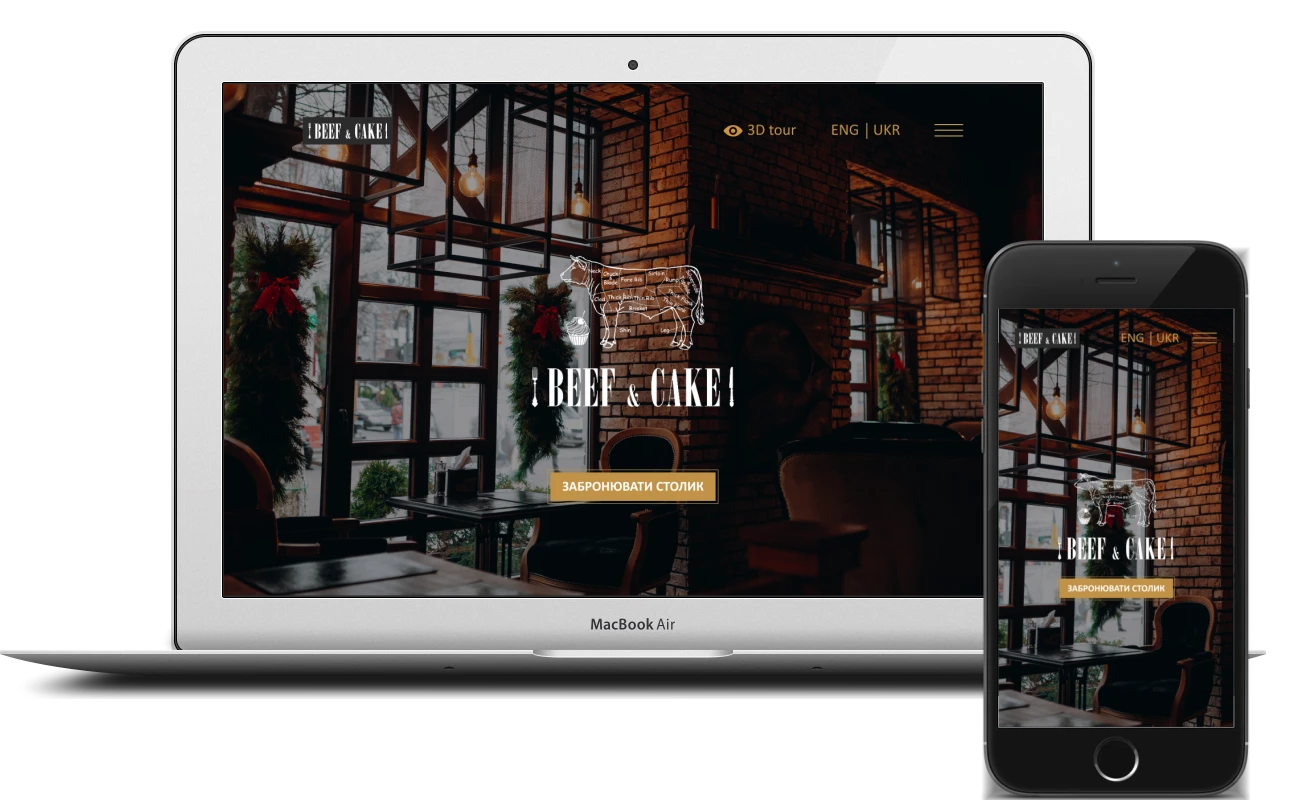
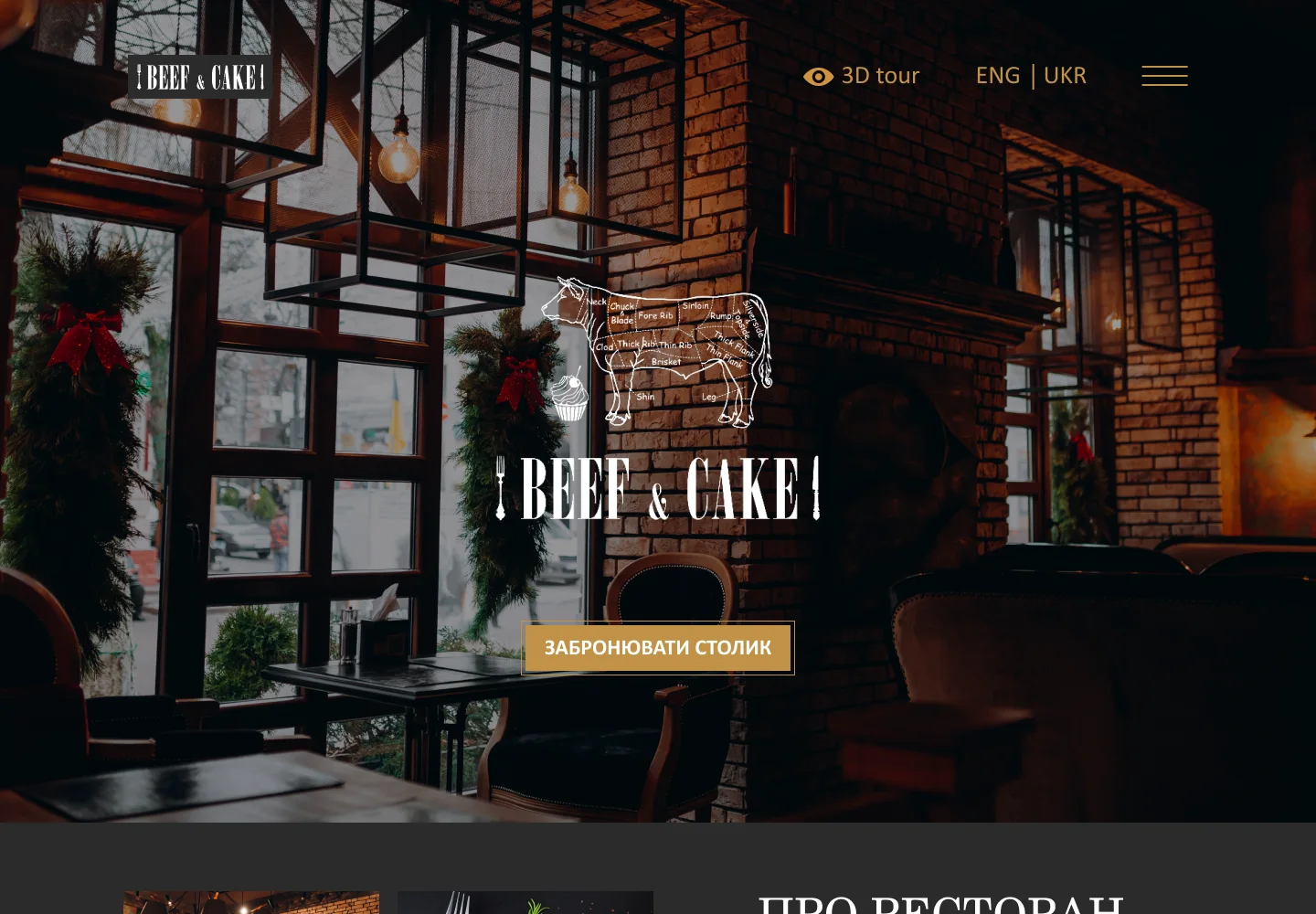
The other pages support the choice: about the restaurant, the 3D tour, the gallery and news. The header holds the logo, a link to the 3D tour, the ENG | UKR language switcher and a menu button. The menu opens up every section of the site, as well as the owner’s other ventures, catering and the souvenir shop.
Home page
The first screen is a dark photo of the dining room with brick walls and warm lighting, the logo with a butcher’s cuts diagram and a gold “Book a table” button. The home page then gives a quick tour of everything the restaurant has:
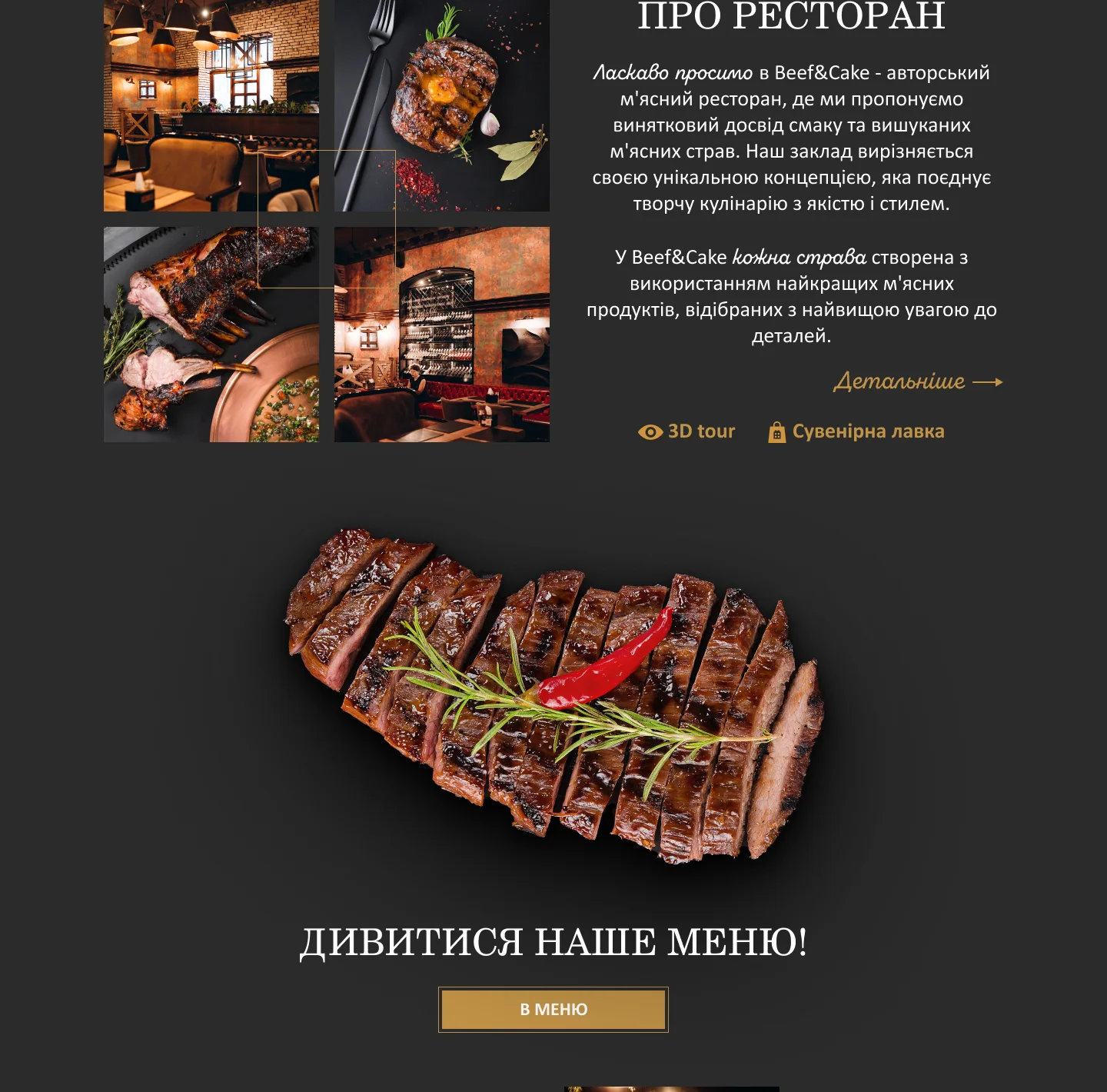
- about the restaurant – a collage of four photos in a gold frame, text and links to the 3D tour and the souvenir shop
- menu – a large steak on a dark background and a “To the menu” button
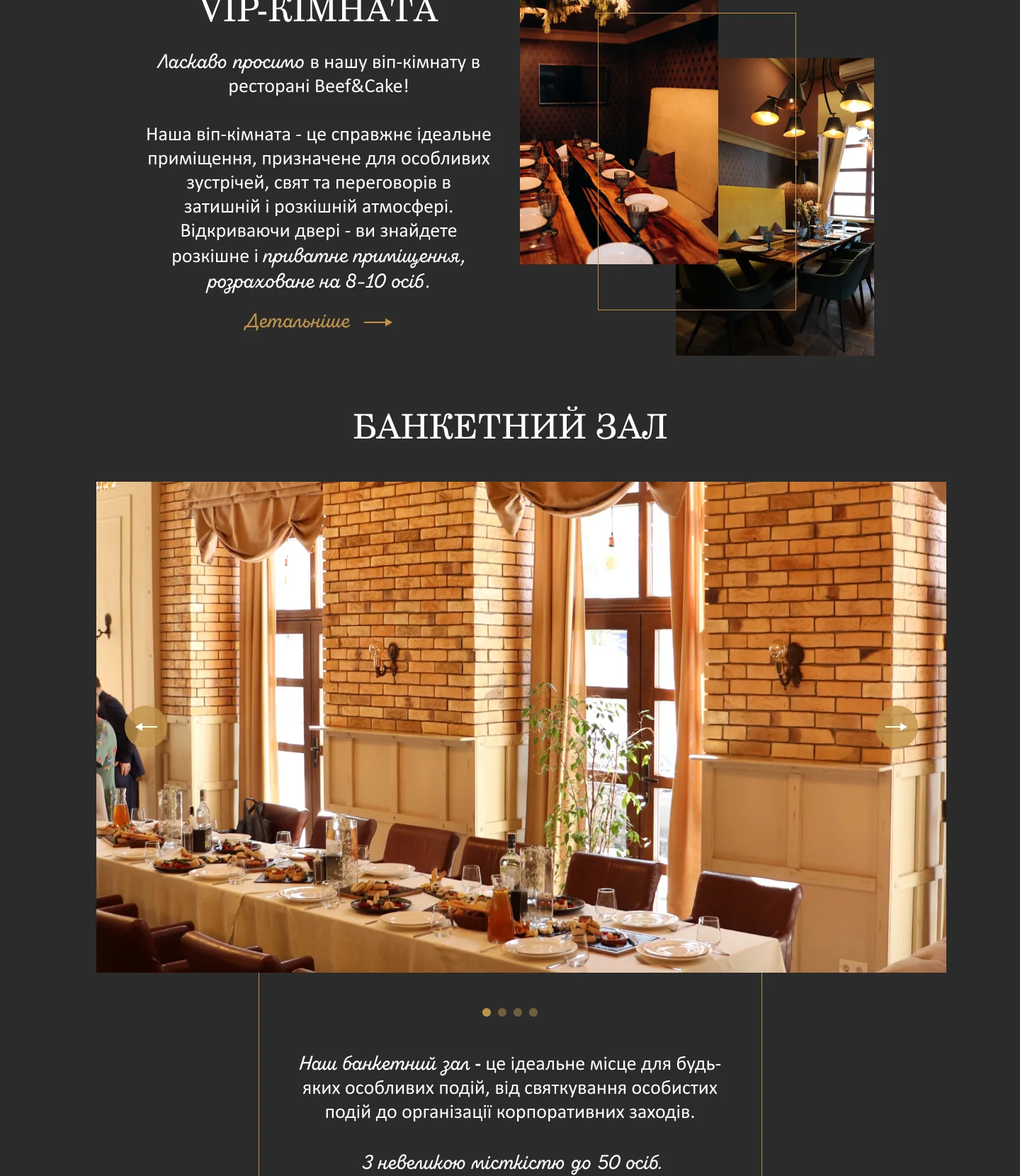
- VIP room and banquet hall – photos, capacity and links to their own pages
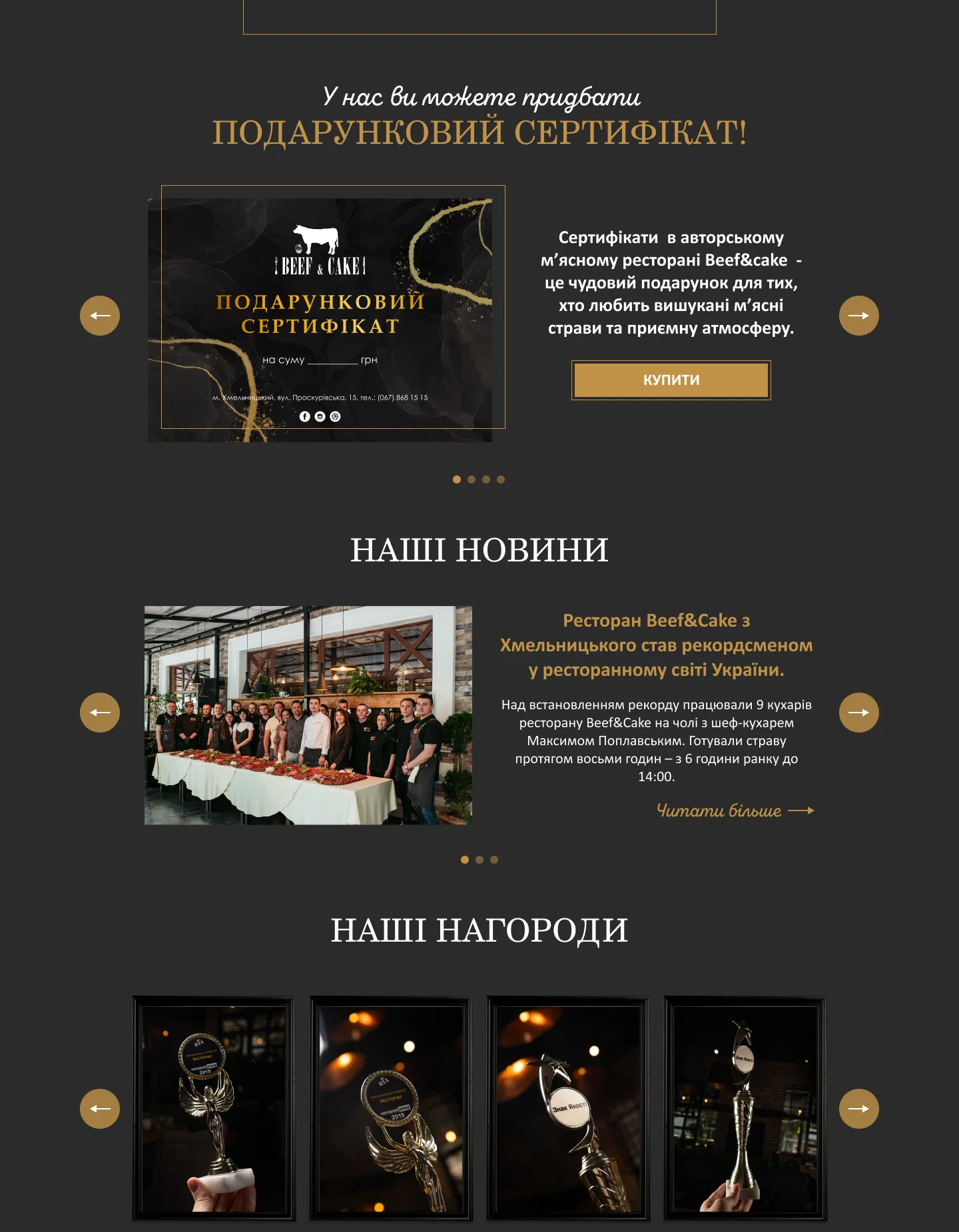
- gift vouchers – a slider with a “Buy” button
- news and awards – sliders with arrows and dots
- opening hours, address, phone, email, social links, links to the menu, table reservations, delivery and reviews on the Choice platform, and a map
The footer lists the site’s sections, the owner’s other ventures and services: catering and the souvenir shop. Its background is an outline of the butcher’s cuts diagram – the same motif as in the logo.
VIP room and banquet hall
Event venues are a separate source of requests, so each one has its own page. Text alternates with vertical photos, left and right, and key phrases are picked out in a handwritten font: the long description is easier to read and the main points stand out.
- VIP room – a private room for 8–10 guests with its own entrance and balcony, a TV and air conditioning – for meetings, celebrations and negotiations
- banquet hall – up to 50 guests, a separate entrance, a large LED screen for videos and photos, an open bar counter and the option to turn the hall into a conference room
Both pages end with a photo slider, and on the banquet hall page a “Banquet request” button opens the request form.
Gallery, news and 3D tour
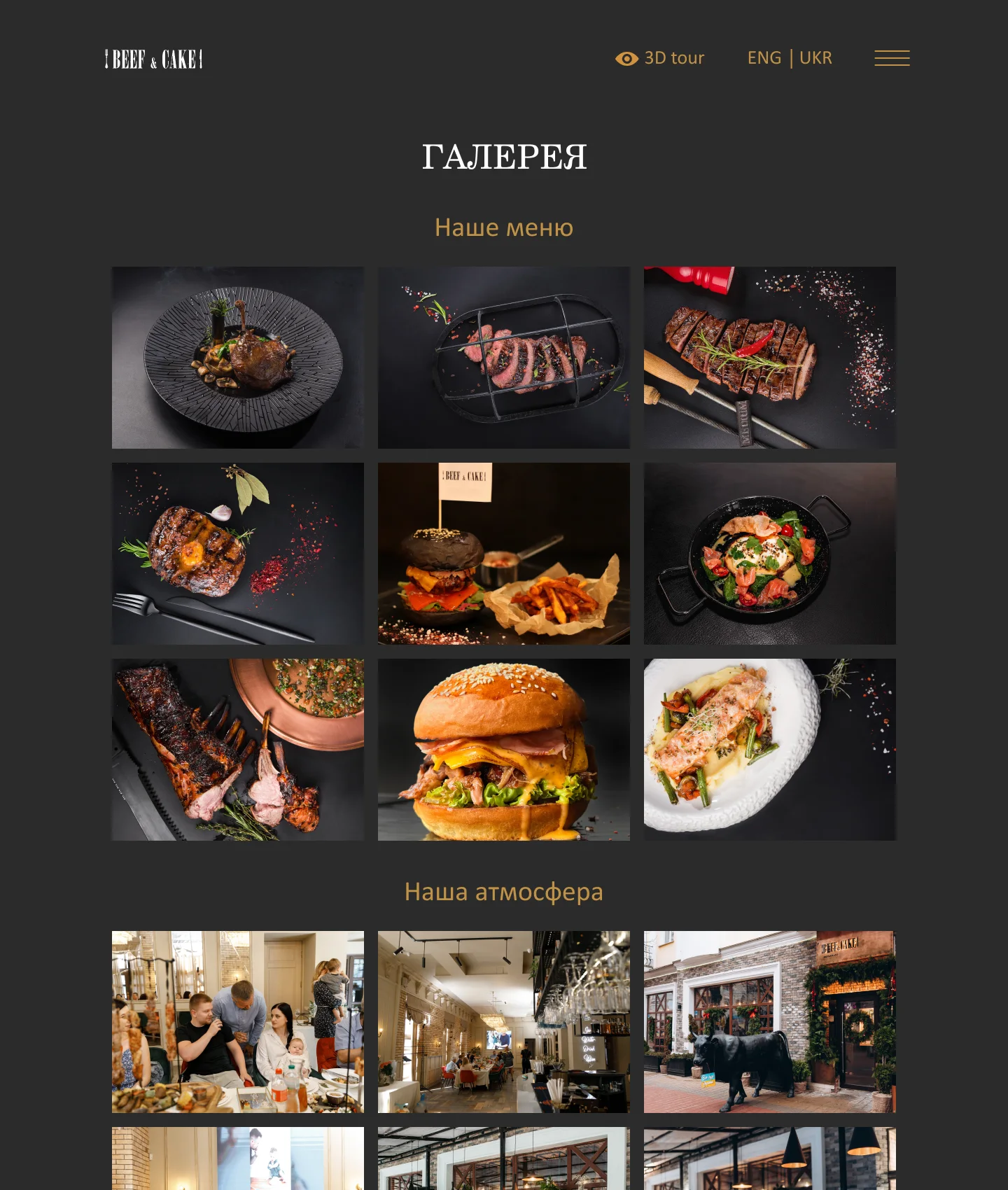
The galleries are built on the Photo Gallery plugin and split into three themes – “Our menu”, “Our atmosphere” and “Our interior”. The main gallery page shows a selection from each theme, and each theme has its own page with the full set of photos. The restaurant adds new pictures itself from the admin panel, without touching the code.
News items are WordPress posts: they appear in a slider on the home page and open as separate article pages. The 3D tour is linked from the header and from the “About the restaurant” block and opens on its own page – guests can take a look at the dining room before they visit.
Forms and the gift voucher pop-up
I built the banquet and gift voucher request forms on Contact Form 7 and kept them short and consistent: name, email and a phone number with a +380 mask, a note that a manager will call back, and a consent line for the processing of personal data. The mask stops numbers being entered in the wrong format, so the manager gets a phone number they can call straight away. After sending, guests see a “Sent” message, so it is clear the request has gone through.
Vouchers have their own pop-up window: an image of the voucher, a description and a “Buy” button that leads to the request form. Guests stay on the page where the gift caught their eye.
WordPress, two languages and the mobile version
The site runs on WordPress with a custom theme written for this project. The restaurant changes page texts, news and photos from the admin panel, and the site still looks consistent, because every block – sliders, collages, cards, forms – is built into the theme’s templates.
- two language versions – Ukrainian and English, with an ENG | UKR switcher in the header on every page
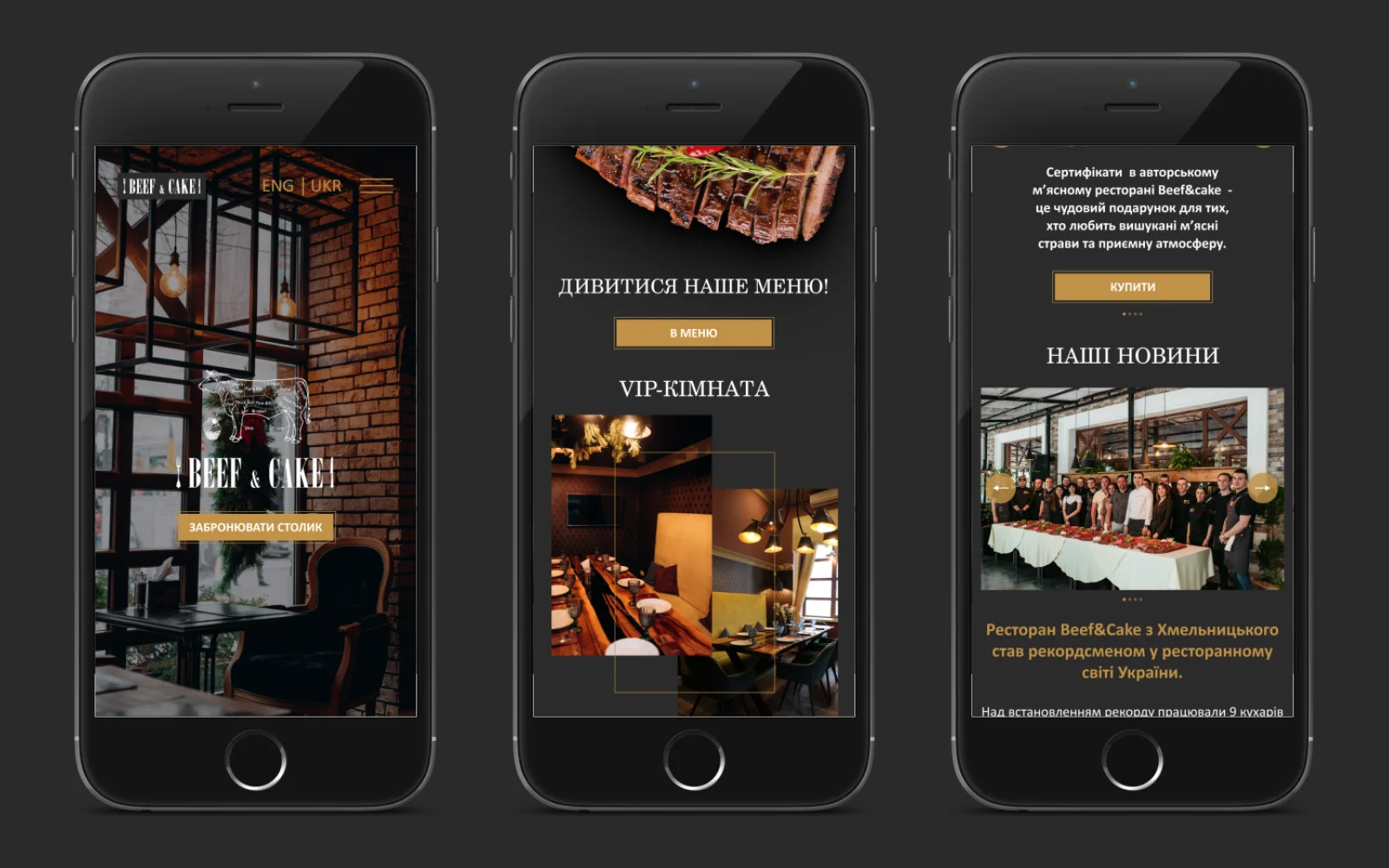
- a full mobile version: the home page, about the restaurant, VIP room, banquet hall, 3D tour, news, gallery, forms, the “Sent” message, the voucher pop-up and the menu are all reworked for smartphones
- on a phone the blocks line up in a single column, the collages and sliders stay, and buttons and contact details remain large and easy to tap
- Google Site Kit – traffic and search data right in the WordPress dashboard
What makes a good restaurant website
A restaurant website sells an experience rather than dishes: the atmosphere, the flavours and a reason to come. So when I build a website for a restaurant, I follow a few principles:
- photos of the dishes and dining rooms are the main content; the text only complements them
- table booking is visible from the first screen and a couple of taps away
- banquets, VIP rooms and vouchers get their own pages with a request form, not a line in the menu
- opening hours, address, phone and map are always to hand
- the mobile version is planned separately – people usually look a restaurant up on their phone, on the way or before leaving home
- the restaurant updates its news and gallery itself, without a developer
If you need a website for a restaurant, café or bar, I can help turn your venue’s character into a site where guests quickly find the menu, book a table and send a banquet request.
Project details
Project typenew website
CategoryBusiness website
TechnologiesWordPress, custom theme, PHP, HTML5, CSS3, JavaScript, Contact Form 7, phone input mask, Photo Gallery, Google Site Kit, responsive front end
RoleWordPress website development: custom theme, responsive front end, forms, galleries, news, two language versions
ClientBeef&Cake restaurant
CountryUkraine
What was done
- Built the website on WordPress with a custom theme
- Built the home page: table booking, about the restaurant, menu, VIP room, banquet hall, vouchers, news, awards, contacts and map
- Created the “About the restaurant”, VIP room, banquet hall and 3D tour pages
- Set up galleries with the Photo Gallery plugin: menu, atmosphere, interior
- Added a news slider to the home page and a template for news articles
- Created banquet and voucher request forms on Contact Form 7 with a phone input mask
- Created the gift voucher pop-up
- Set up the Ukrainian and English versions with a language switcher in the header
- Adapted every page, form and pop-up for smartphones
- Connected Google Site Kit
Result
- A WordPress website the restaurant updates itself
- Short paths to booking a table, requesting a banquet and buying a voucher
- Two language versions – Ukrainian and English
- A full mobile version of every page, form and pop-up