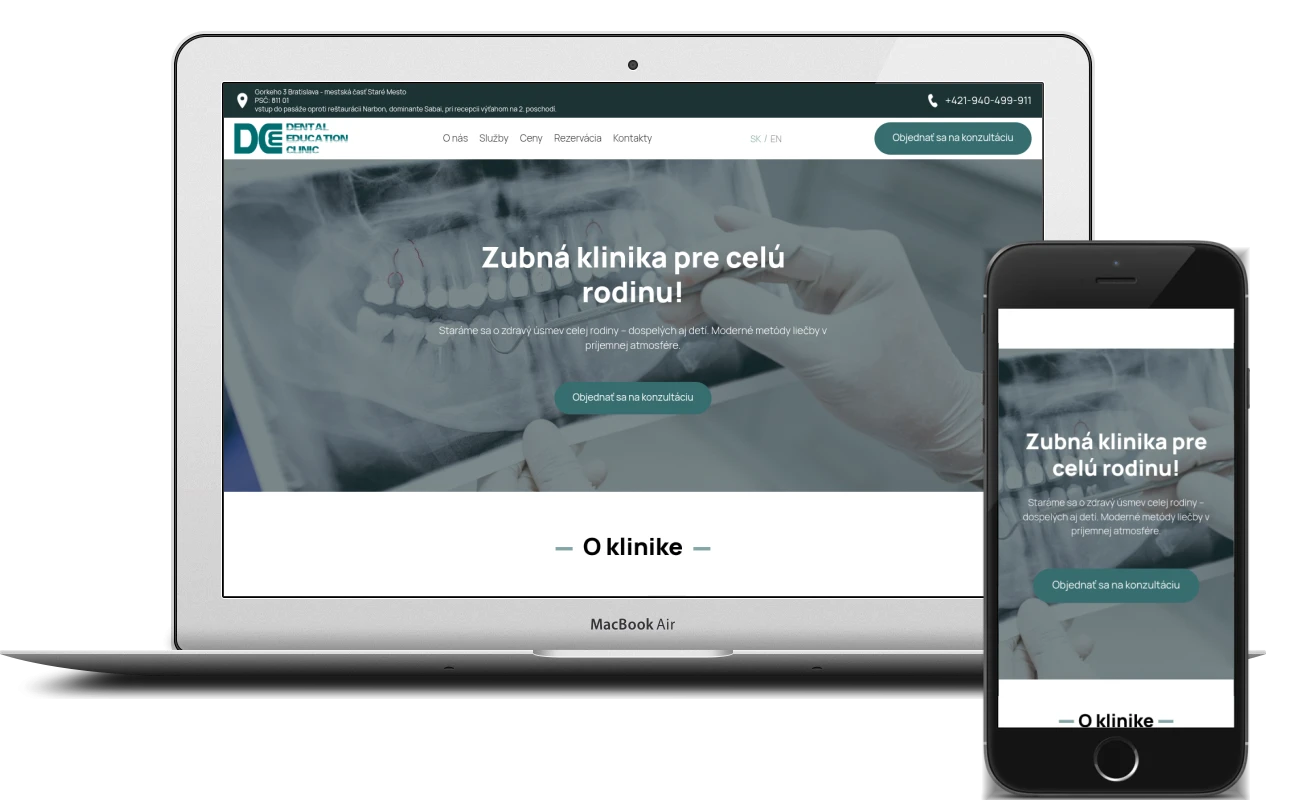
People looking for a dentist don’t need a website with twenty sections: they want to understand quickly who to trust with their teeth, what it costs and how to book. Here is how I built such a website from start to finish for Dental Education Clinic in Bratislava – with services, prices, booking forms and two languages.
The clinic and the brief
Dental Education Clinic is a dental practice in Bratislava’s Old Town. It treats children and adults, works with a microscope and modern materials, and focuses on pain-free treatment in a relaxed atmosphere. It offers a wide range of services – from hygiene and children’s dentistry to endodontics, surgery and Lime Ortho aligners.
The brief was simple to state: turn a visitor into a booked patient. To do that, visitors need to see within seconds that the clinic is nearby and trustworthy, find their treatment, see the prices and leave a phone number without wading through menus. And since many foreigners live and work in Bratislava, the site had to be bilingual from day one.
A one-page structure with anchor navigation
I opted for a single long page: the clinic doesn’t have dozens of sections that need their own URLs, and patients would rather scroll than click from link to link. The header menu – “O nás”, “Služby”, “Ceny”, “Rezervácia”, “Kontakty” – scrolls to the right section, and the header itself stays fixed at the top of the screen.
The order of the sections follows the patient’s train of thought:
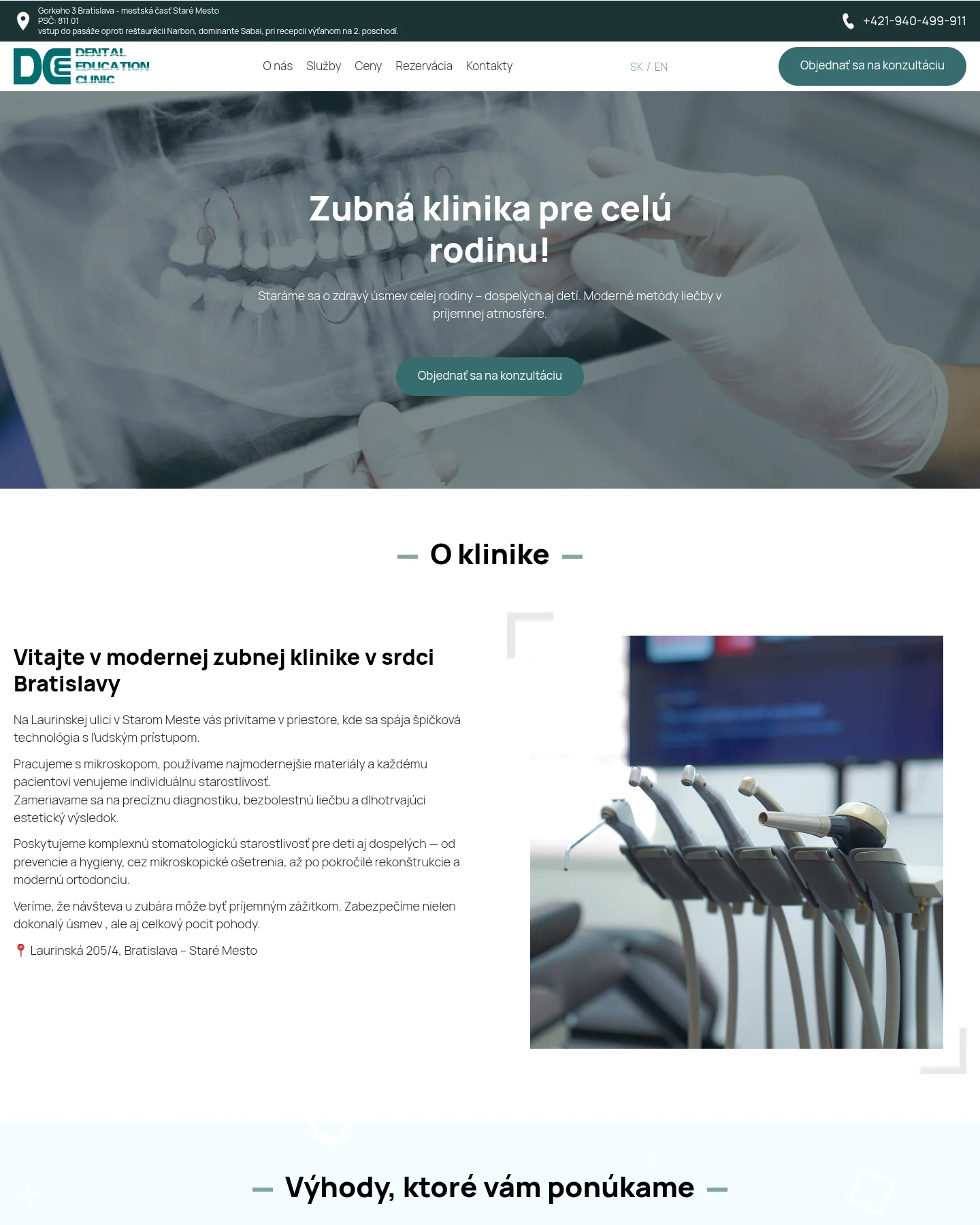
- a first screen, “A dental clinic for the whole family”, with a booking button;
- “About the clinic” – microscope, modern materials, pain-free treatment, patients of all ages;
- eight strengths with icons;
- the services grid;
- the team – the lead dentist’s profile and a quote from the founder;
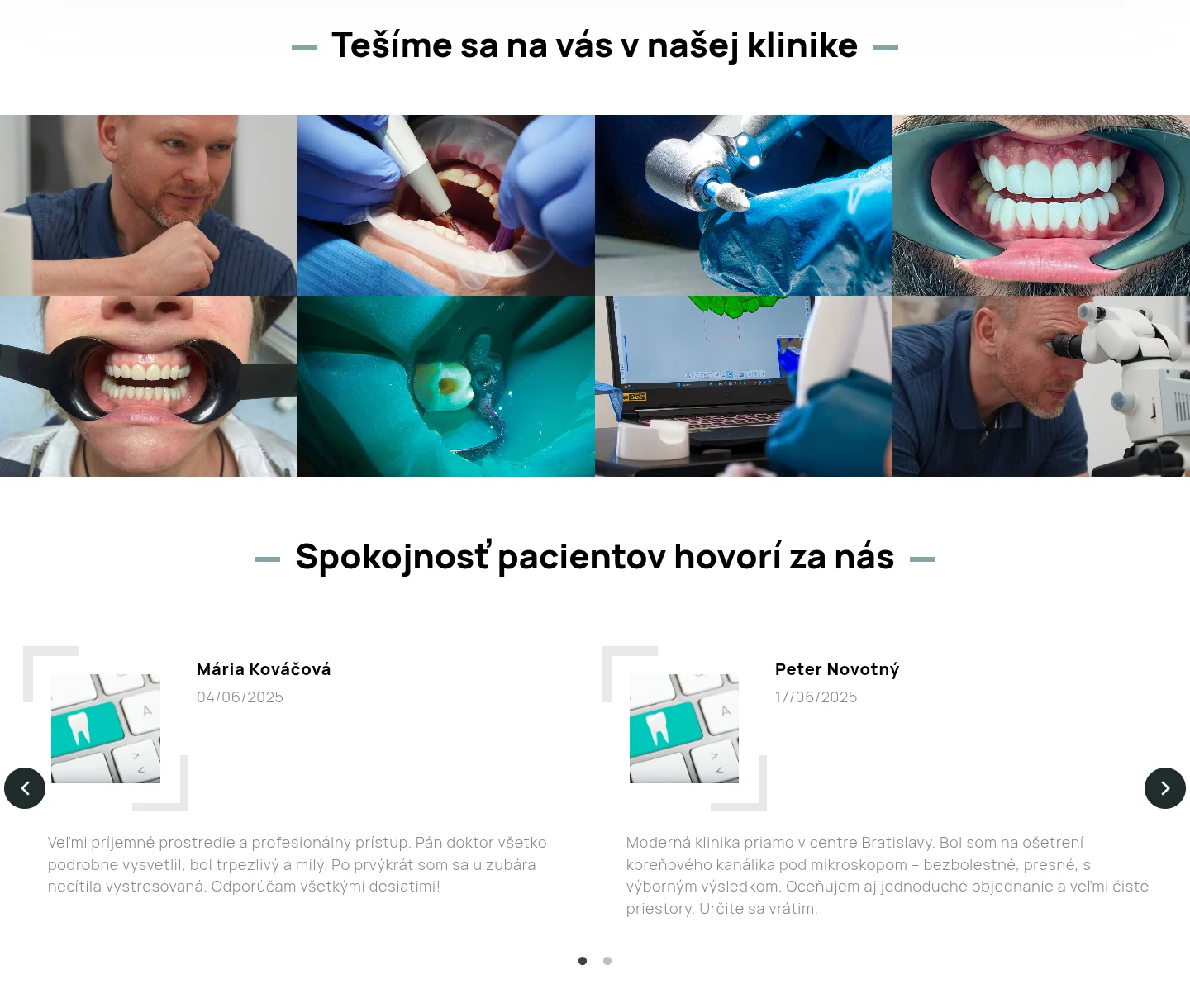
- a photo gallery of the clinic and patient reviews;
- the price list;
- the “Book a consultation” section;
- contacts with a map, and the footer.
A header that answers “where” and “how to get in touch” straight away
Above the menu runs a dark strip with the address and phone number. The clinic is inside a shopping arcade and is hard to spot from the street, so next to the address I added directions: which entrance to use and to take the lift to the 2nd floor. Small details like this save patients stress and save the front desk phone calls.
On the right of the header are the SK / EN language switcher and the “Book a consultation” button. It doesn’t take visitors to another page – it opens a pop-up with a short call-back form. The patient leaves a name and phone number, and the clinic calls back.
Strengths, services and the lead dentist
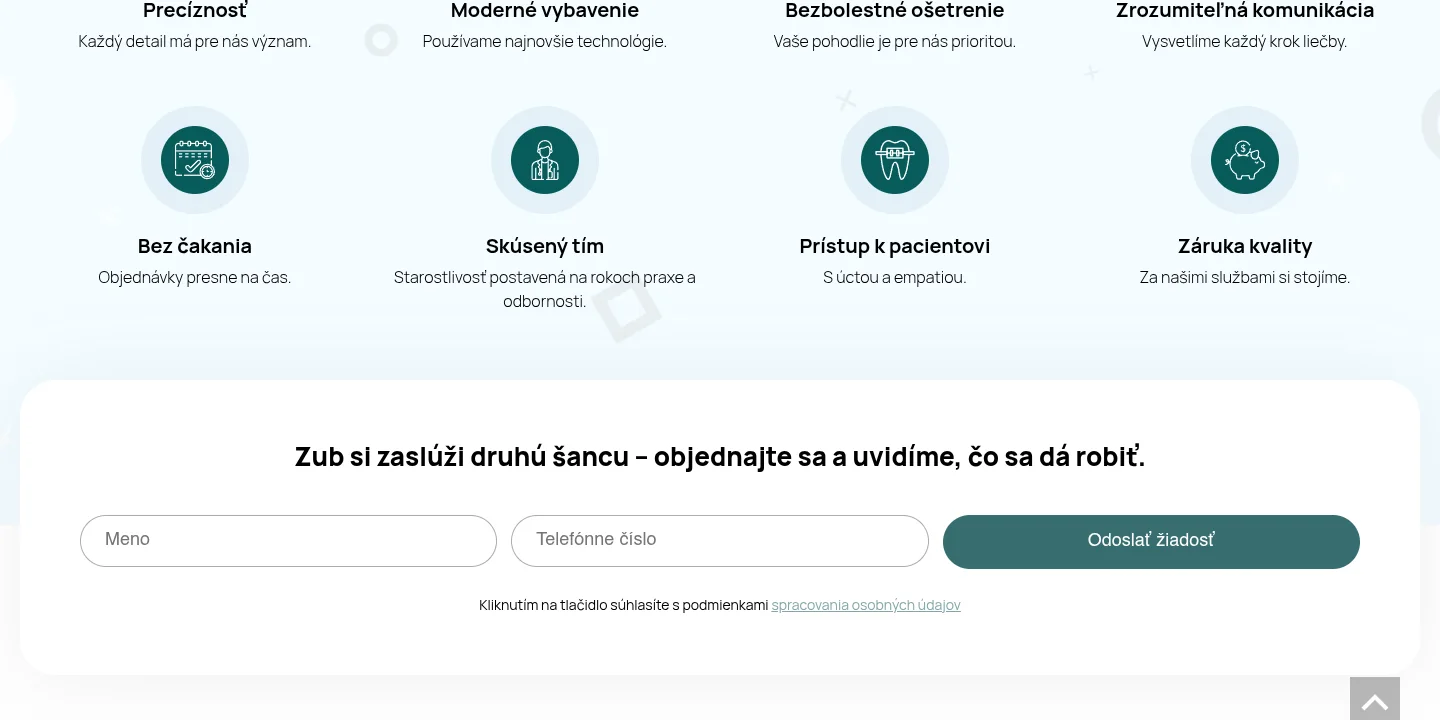
The eight strengths – precision, modern equipment, pain-free treatment, clear communication, no waiting, an experienced team, a caring approach and a quality guarantee – are laid out in a grid, each with a round icon and a short caption. Right below them sits an inline “name + phone” form with a call to book.
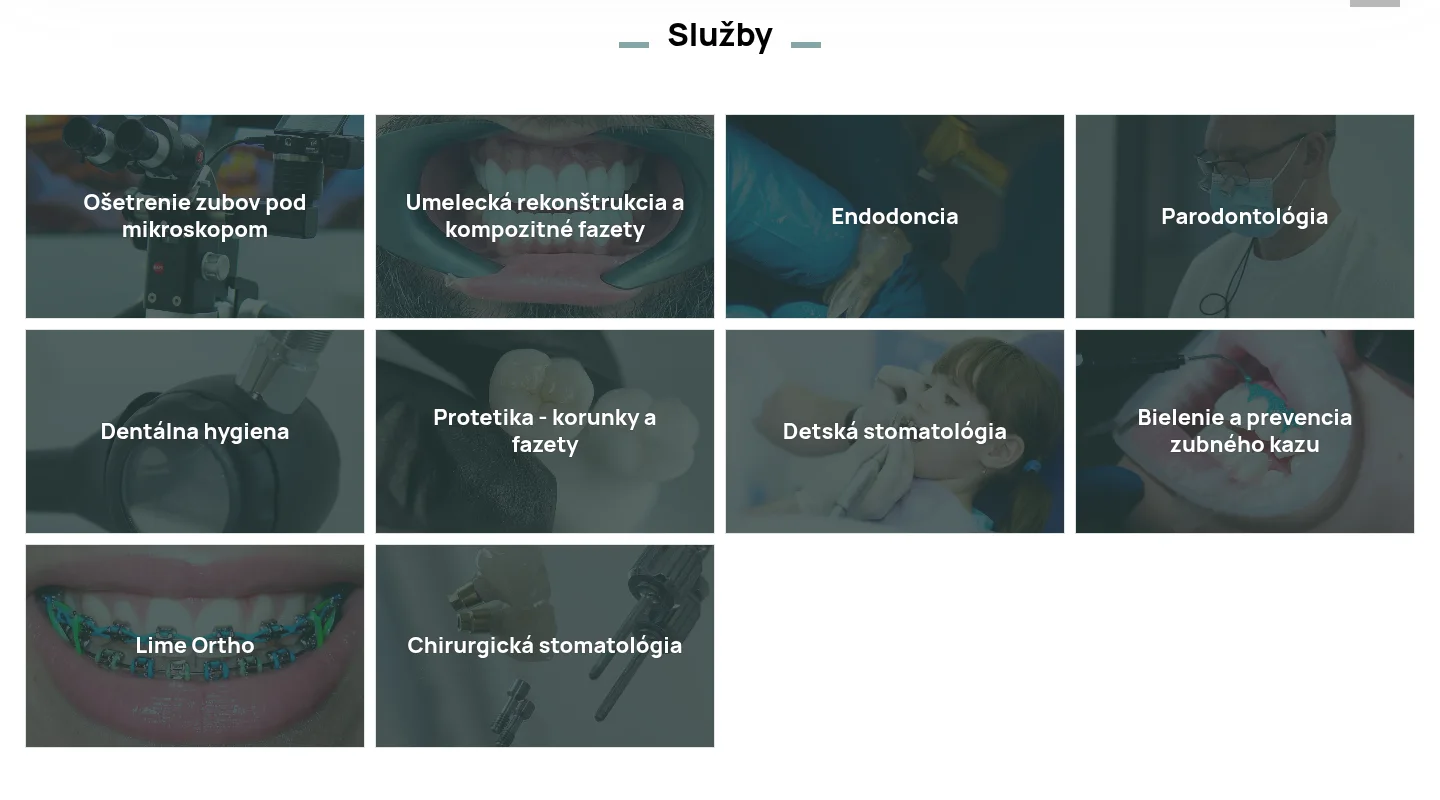
The services are a grid of 10 photo cards: microscope-assisted treatment, aesthetic restoration and composite veneers, endodontics, periodontics, dental hygiene, prosthetics, children’s dentistry, whitening and prevention, Lime Ortho and surgery. Each service has a long description, and showing them all at once would have made the page three times longer. So clicking a card opens a pop-up with the description, and the grid stays compact.
The team section features the lead dentist’s profile: specialism, education, membership of the American Dental Association (ADA) and the American Association of Endodontists (AAE), the University of Pennsylvania (UPenn) programme, plus a quote from the clinic’s founder. In dentistry this is one of the strongest arguments: patients choose a dentist first and a clinic second.
Gallery, reviews and prices
The photo gallery shows the clinic from the inside: the dentist at the microscope, the equipment, work with patients. The photos are arranged as tiles and open in an enlarged view. Below is a slider of patient reviews with arrows and dot navigation.
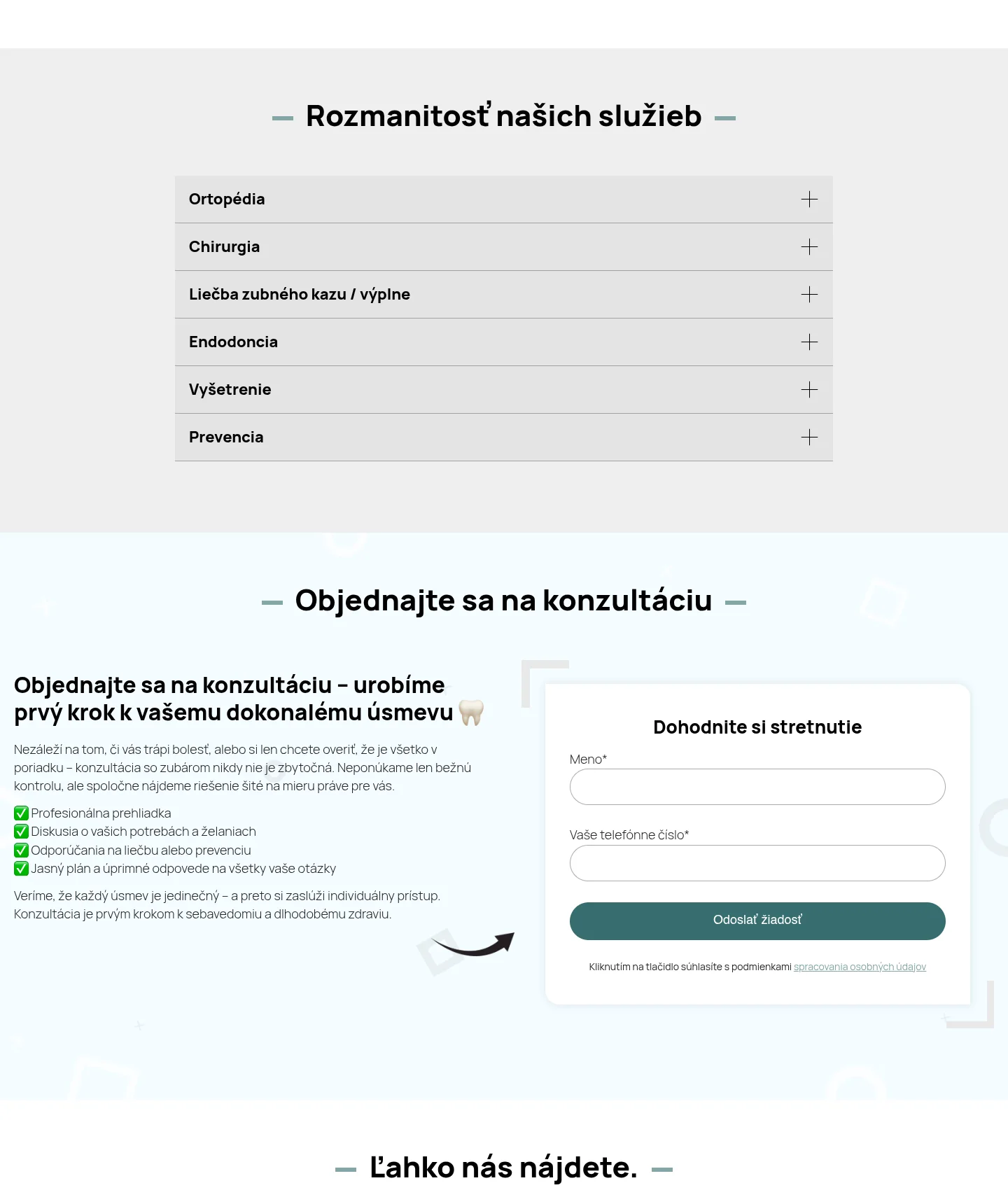
The clinic’s price list is detailed – dozens of items with prices in euros. To stop it taking up half the page, I built an accordion by category: prosthetics, surgery, fillings, endodontics, check-ups and prevention. Patients open only the section they need and see the prices before they call.
Booking forms, contacts and the technical side
Booking is the site’s main goal, so the forms appear several times: a pop-up from the header, inline forms between sections and a dedicated “Book a consultation” section with a short text on what to expect at the first visit and the “Dohodnite si stretnutie” form. Every form has just two fields – name and phone – plus consent to personal data processing with a link to the policy. The forms run on Contact Form 7.
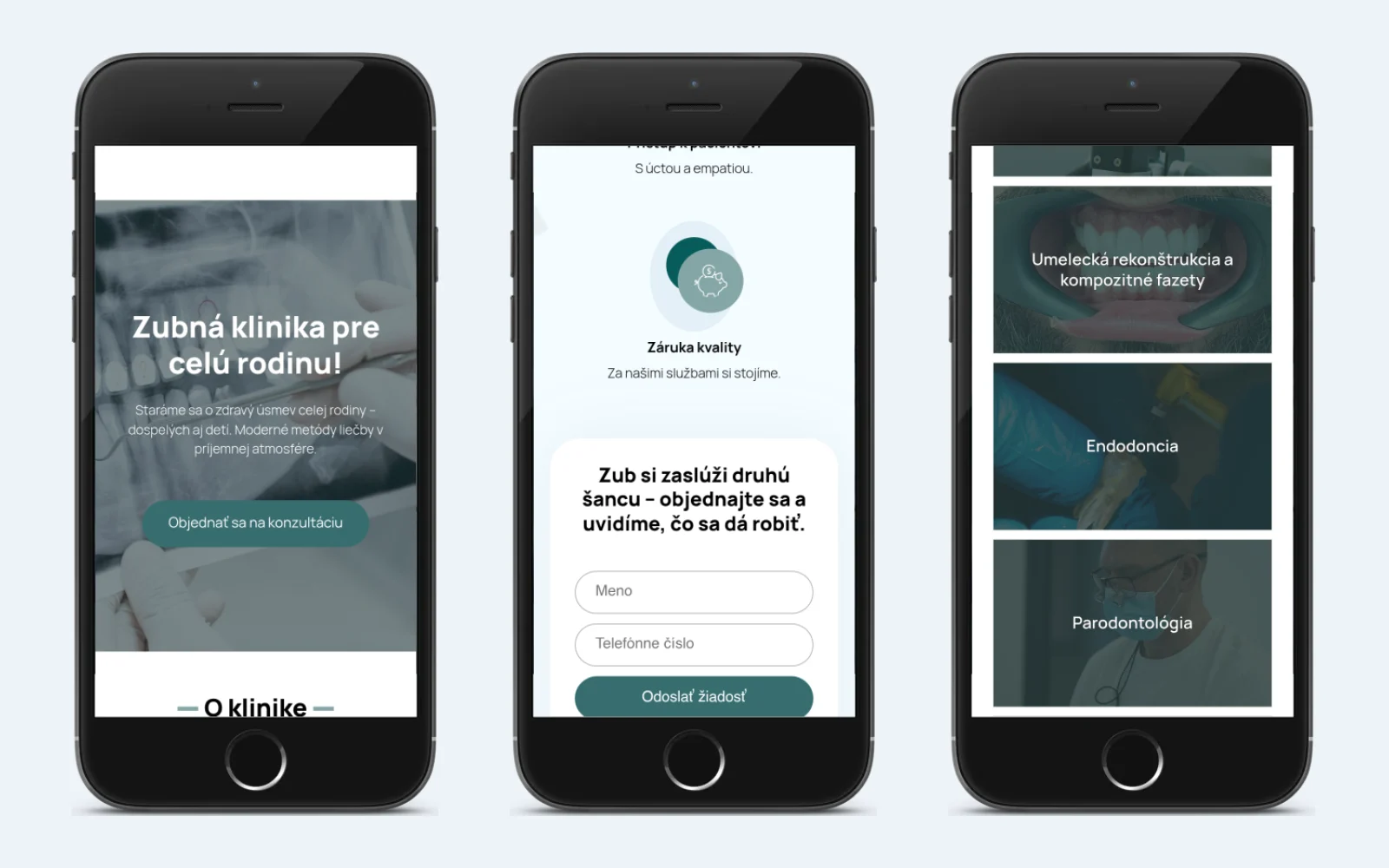
The contacts section brings together phone, e-mail, opening hours, the address with directions, social media and a Google Maps map. The site runs on WordPress 6.8 with my burum theme. Yoast SEO handles titles, descriptions and structured data, GDPR Cookie Consent shows the cookie consent banner, and the privacy policy is available in both languages. The layout is responsive: on a smartphone the strengths and services grids collapse into a single column, and form fields and buttons span the full width of the screen.
What a dental clinic website needs
People don’t choose a dentist the way they choose a café: they fear pain and unexpected bills, so they look for trust and clarity. Based on this project, a clinic website should:
- show the address, phone number and booking button straight away – no digging through menus;
- introduce the dentist: education, specialism, professional associations;
- explain each treatment in plain language without dumping all the text on the page;
- publish prices – at least for the main treatments and categories;
- show real photos of the clinic and patient reviews;
- keep forms short – name and phone, the front desk will sort out the rest;
- speak your patients’ languages and comply with GDPR;
- work well on a smartphone: that is where most people search for a dentist.
That way, even a single page answers all of a patient’s questions and leads to a booking, and the clinic gets a simple website that is easy to keep up to date.
Project details
Project typeclinic website (one-page, end-to-end build)
CategoryLanding page
TechnologiesWordPress, custom theme, Contact Form 7, Yoast SEO, GDPR Cookie Consent, multilingual SK/EN, responsive layout
Roleend-to-end website build: page structure, development on my own theme, booking forms, pop-ups, language versions, responsive layout
ClientDental Education Clinic
CountrySlovakia
What was done
- Built a one-page WordPress site on my burum theme with anchor navigation and a sticky header
- Added the address with directions, phone number and SK / EN language switcher to the header
- Created the “Book a consultation” button with a call-back form in a pop-up
- Built the first screen, the “About the clinic” section and eight strengths with icons
- Built a grid of 10 services with detailed descriptions in pop-ups
- Built the lead dentist’s profile with the founder’s quote, the photo gallery and the review slider
- Built the price list as an accordion across six categories
- Set up booking forms on Contact Form 7 with consent to data processing
- Built the contacts section with opening hours, social media and a Google Maps map
- Set up Yoast SEO and a cookie consent banner, built Slovak and English versions with a privacy policy, and a responsive layout
Result
- A one-page clinic website with booking from anywhere on the page
- 10 services with descriptions and a full price list by category
- The lead dentist’s profile, clinic photos and patient reviews
- Slovak and English versions with a privacy policy
- A website that is easy to use on a smartphone
Visit the project website