People only buy a professional peel or serum once they understand what it will do to their skin and what happens if it doesn’t suit them. A professional cosmetics shop therefore needs more than an attractive shop window: it needs proof of results, reviews and a simple way to order. Here is how I built such a shop for Fillers Shop.
The brief: selling professional cosmetics without a consultant at the counter
Fillers Shop sells WIQO cosmetics and the innovative PRX-T33 peel – products that used to be bought mainly by beauty therapists for use in their treatment rooms. More and more often they are now bought for home care too: by women and men, by teenagers with problem skin, and by specialists who need a reliable supplier. The shop promises genuine products at affordable prices, and the website had to make that promise visible.
These customers have different levels of experience, but the same questions: what does the product do, how many treatments are needed, when will results show, how much does it cost and can I get a refund? I built the shop’s pages around those questions. The whole website is in English.
The home page: from the first screen to the catalogue and a consultation
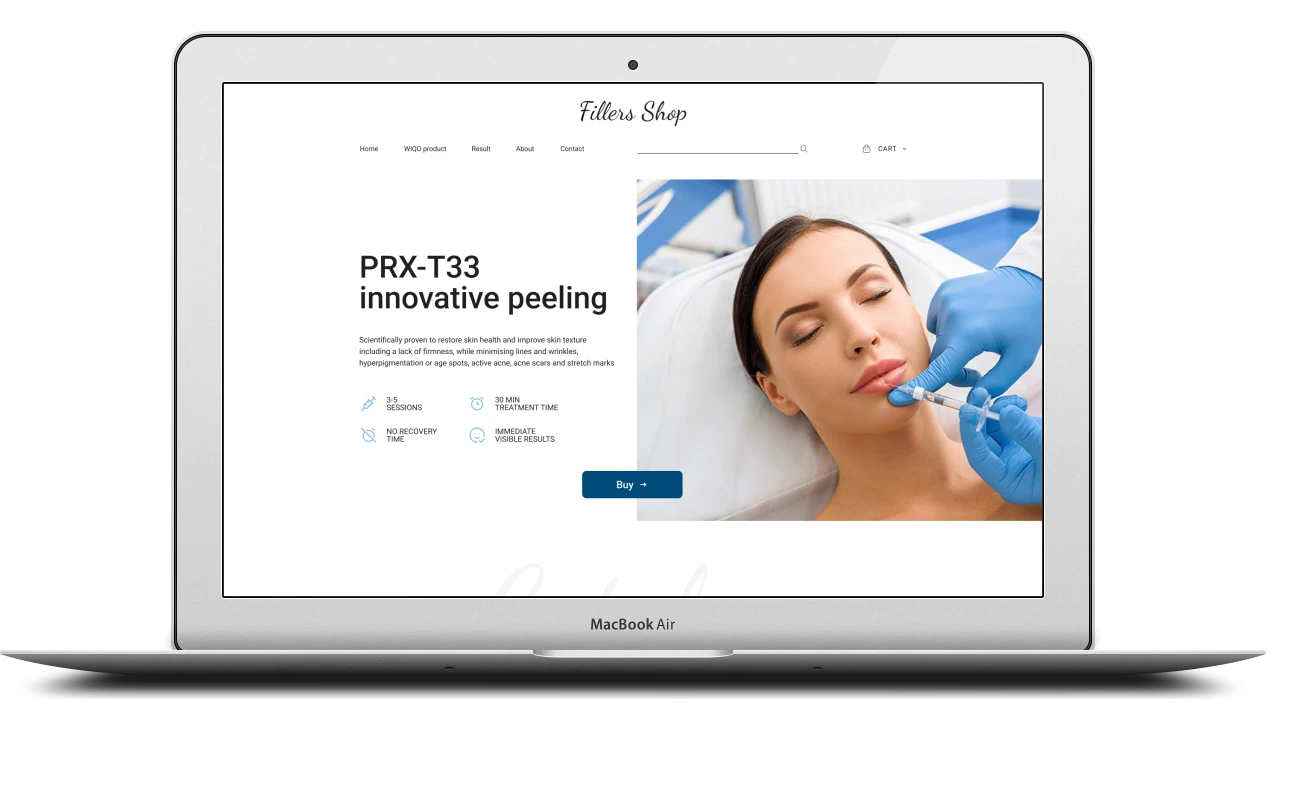
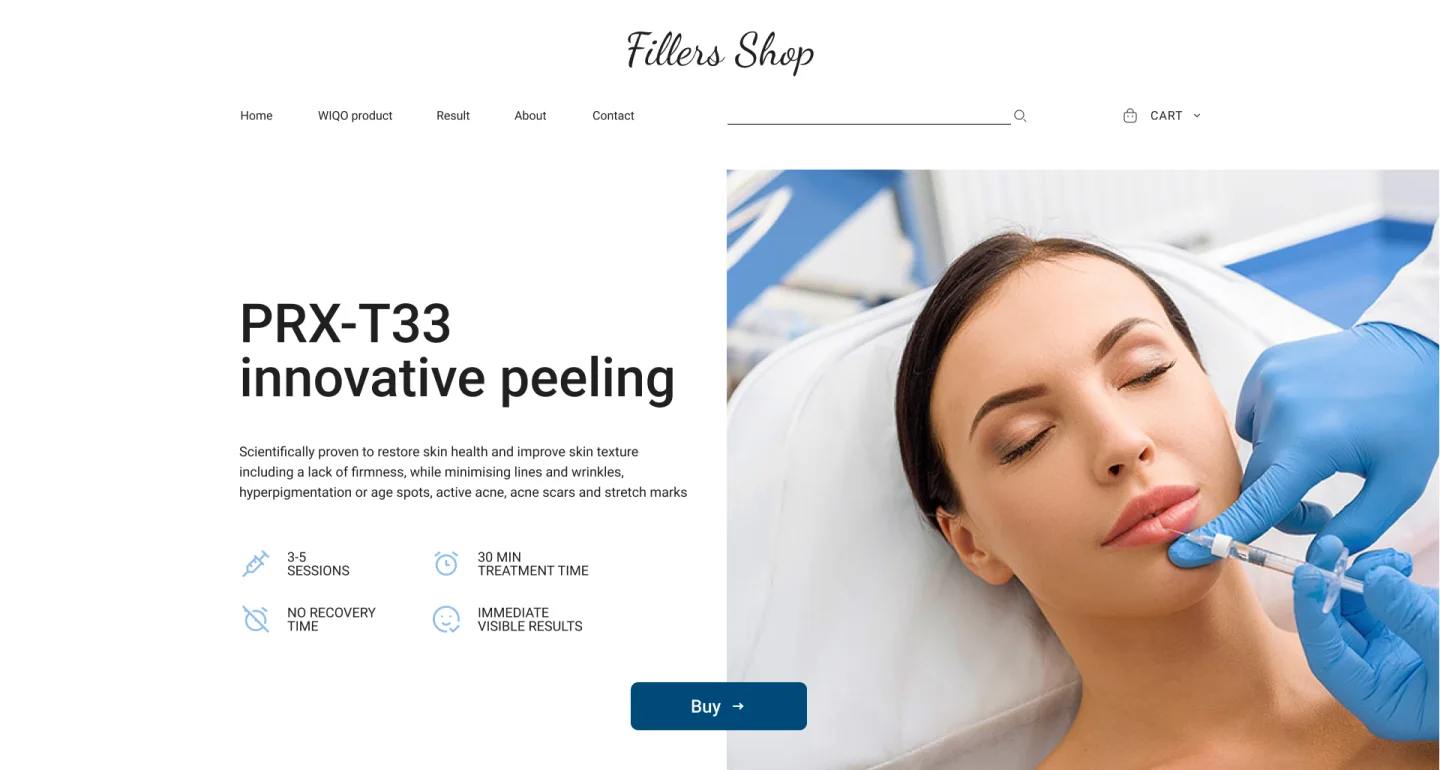
The first screen is devoted to the flagship product, the PRX-T33 peel. On the left there is a heading, a short text explaining that the peel restores the skin, smooths wrinkles and reduces pigmentation, acne scars and stretch marks, and four icons with key facts: 3–5 sessions, a 30-minute treatment, no recovery time, immediately visible results. On the right is a large treatment photo, and below the text a “Buy” button.
The rest of the home page runs in this order:
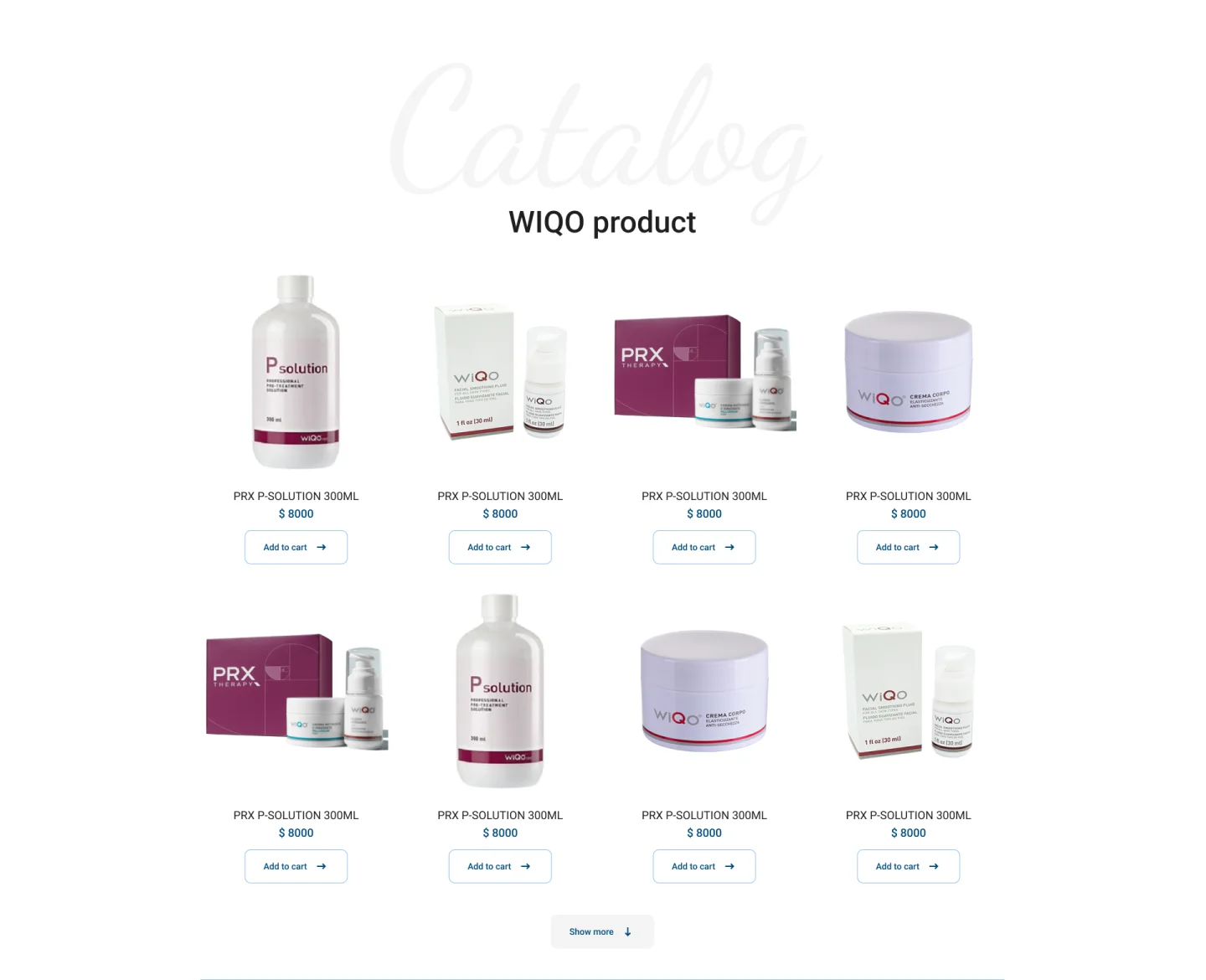
- the “WIQO product” catalogue – eight product cards, with a “Show more” button for the rest;
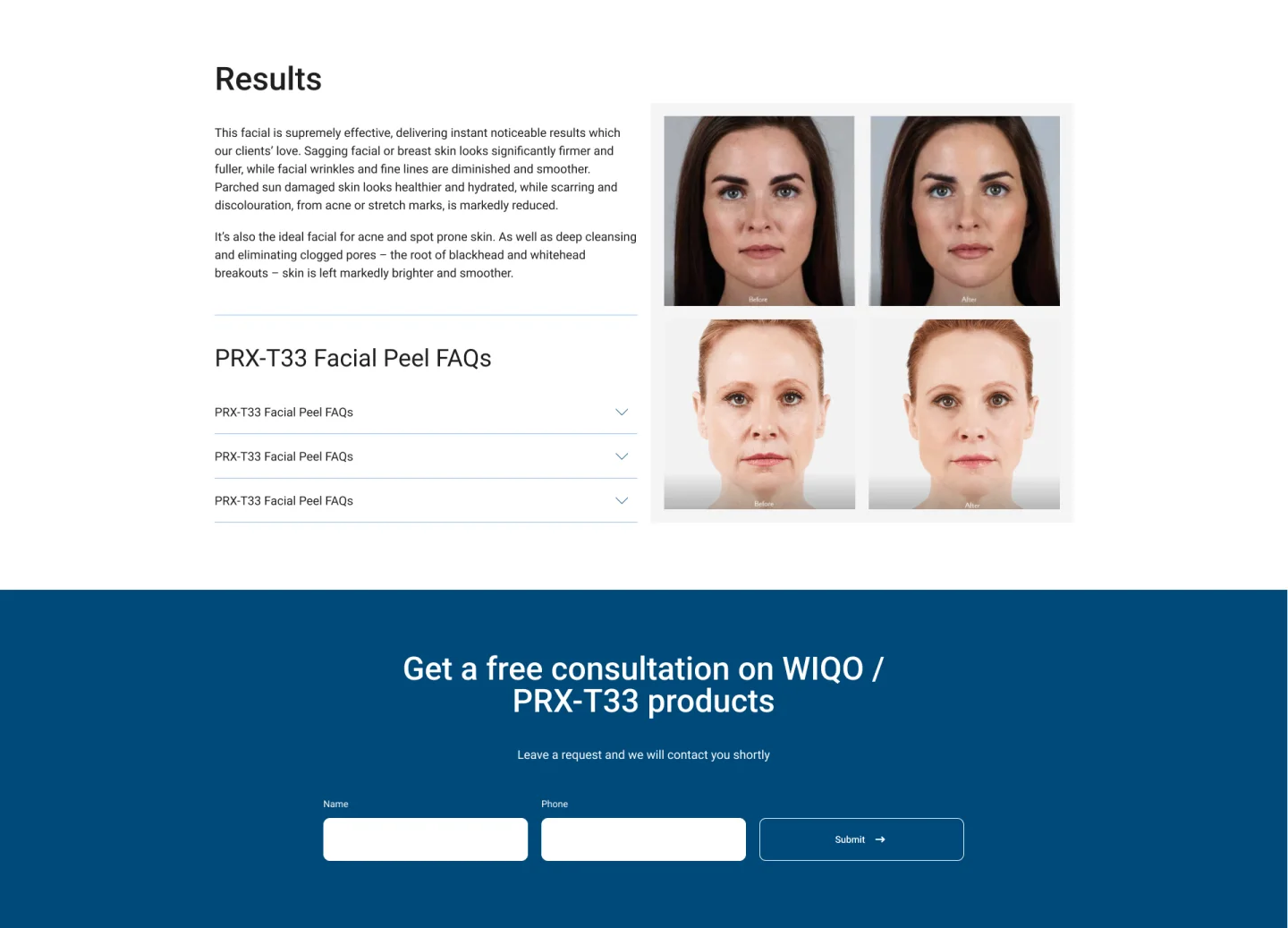
- the “Results” block – before-and-after photos and a text on how the skin changes;
- an accordion of frequent questions about the PRX-T33 peel;
- a free consultation form for WIQO and PRX-T33 products – name, phone and a send button;
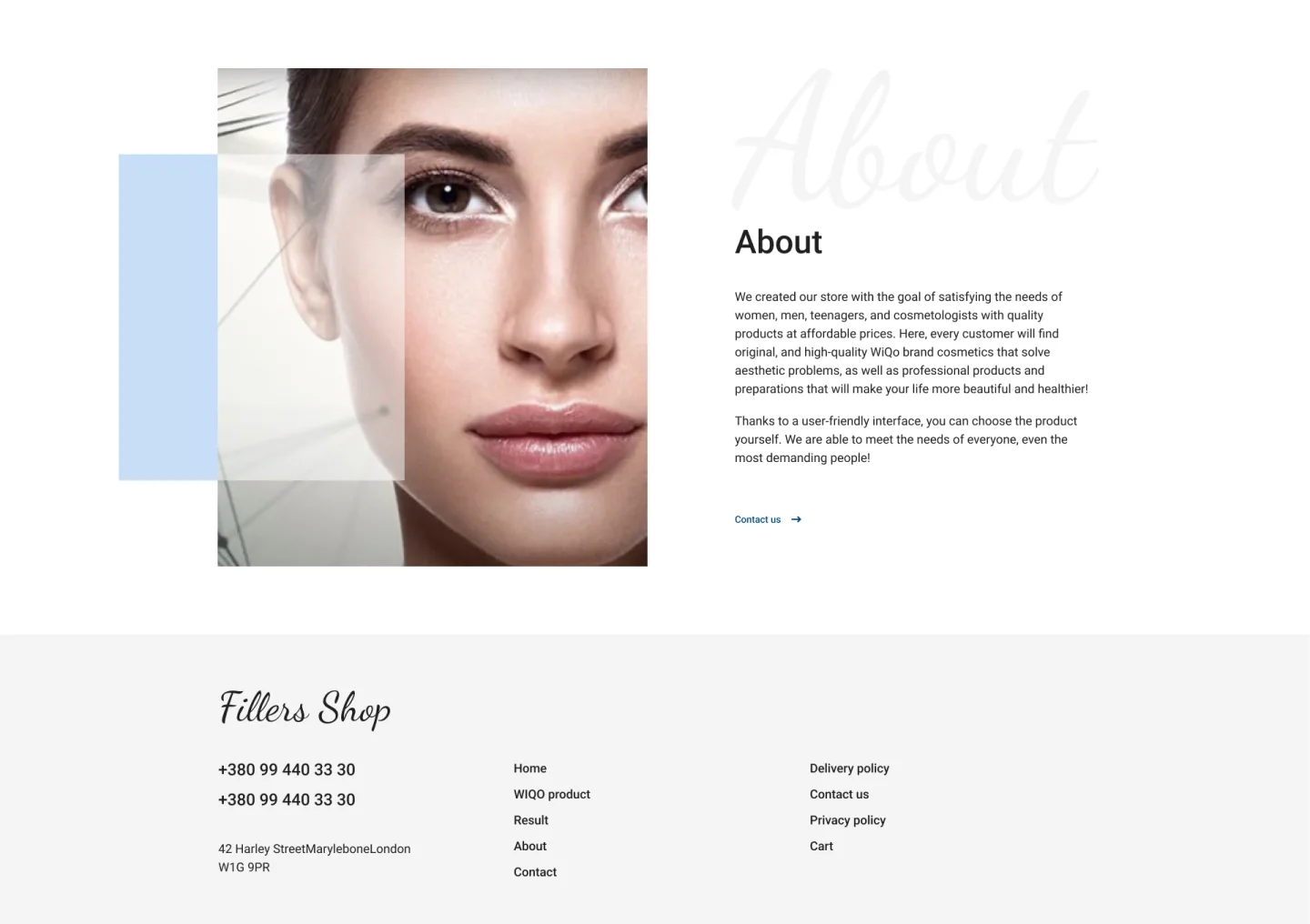
- an “About” block on the shop and a footer with the menu and the delivery, contact and privacy policy pages.
The header always keeps the menu, a product search bar and a cart with a drop-down list within reach.
Catalogue and product cards
The catalogue card is simple: a photo on a white background, the name, the price and an “Add to cart” button. Products go into the cart straight from the home page without opening a separate page – handy for people who already know what they need, such as beauty therapists restocking their usual products.
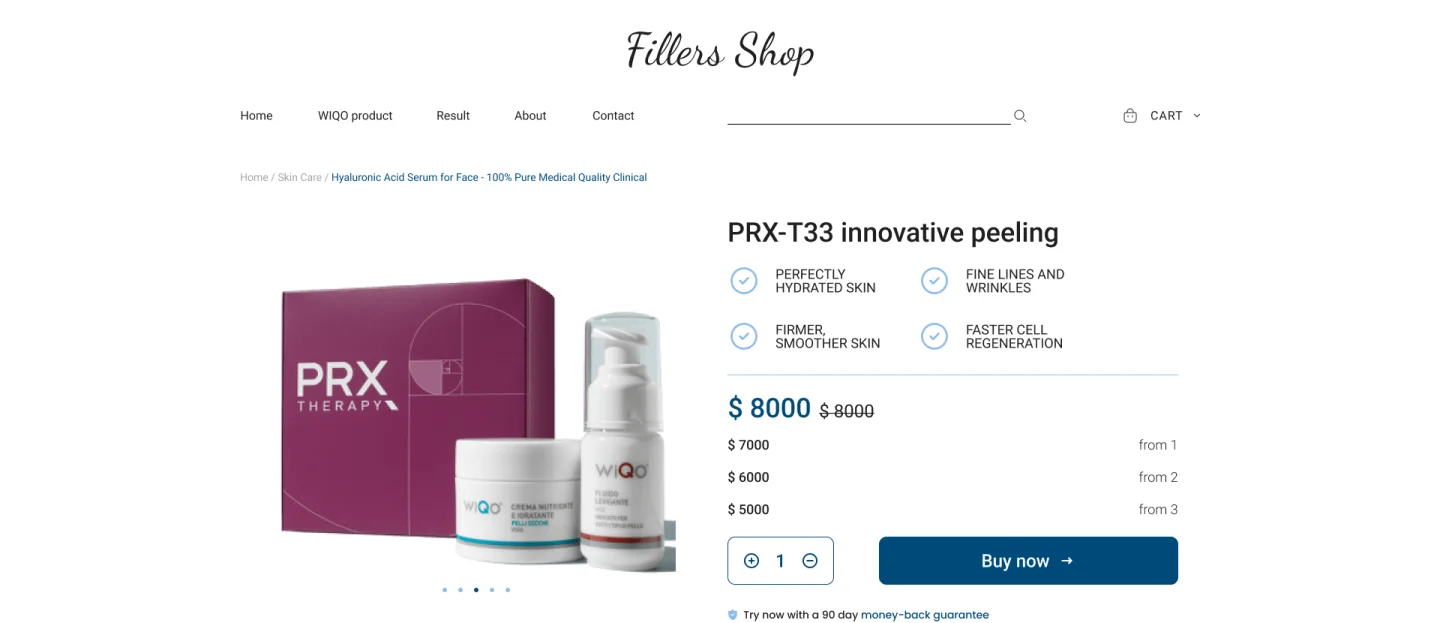
The product page is laid out so the decision can be made on a single screen:
- breadcrumbs and a photo gallery with dot navigation;
- the name and the product’s four main effects – hydration, fewer fine lines, firmer and smoother skin, faster cell renewal;
- the price with the old price and three tiers “from 1 / from 2 / from 3” – the more packs you buy, the lower the unit price;
- a quantity selector and a “Buy now” button;
- a line about the 90-day money-back guarantee;
- the product description and a “Featured Products” block with recommended products at the bottom of the page.
Rating and reviews right on the product page
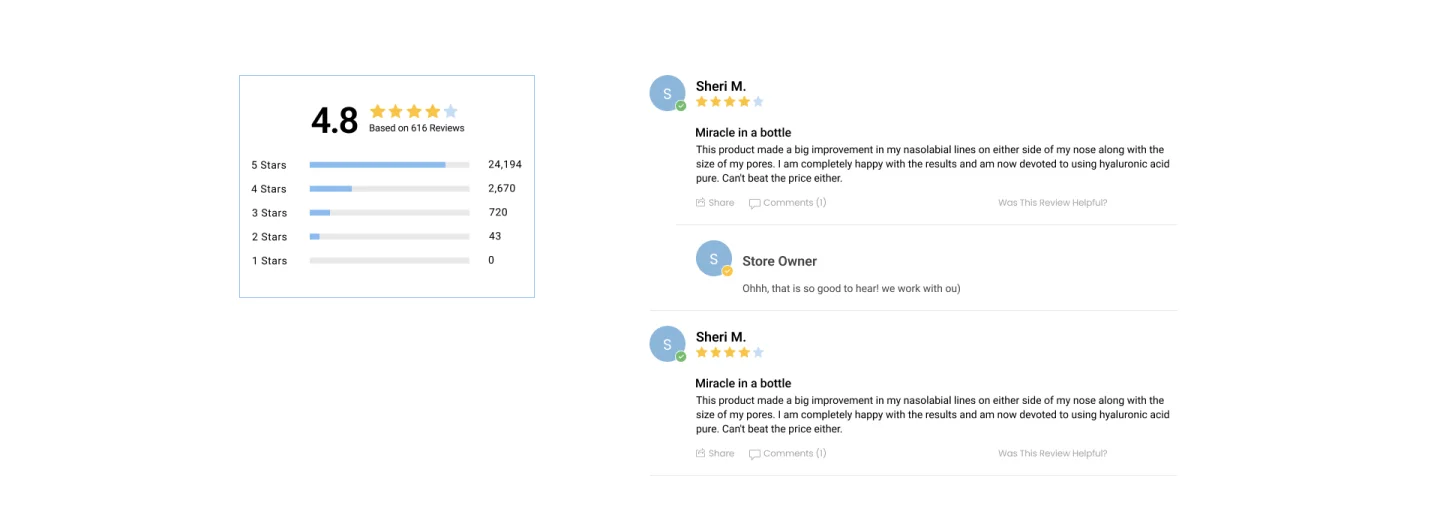
For cosmetics, reviews are the strongest argument, so they sit on the product page rather than on a separate one. On the left are the average score and the breakdown of reviews by stars, shown as bars from five down to one. On the right are the reviews themselves: the customer’s name, a verified purchase badge, the rating, a title, the text, “Share” and “Comments” buttons and the question “Was this review helpful?”. The shop can reply under a review – the reply is visible to customers and shows there are real people behind the products.
Checkout and quick ways to buy
The checkout page is a single “Where should we ship?” form: first name, last name, shipping address, zip code, city, state, email for the receipt and phone for the courier. A “Billing Address is same as Shipping Address” tick box saves typing the address twice, with the order summary and payment alongside. Below the form, a note says the data is secure and encrypted, followed by the 90-day money-back guarantee.
Not everyone wants to fill in an address, so the site offers three more ways to buy:
- “Buy in one click” – a pop-up with a single phone field;
- “Call me” – a callback request;
- a contact form where visitors choose how they’d like a reply: by email or by text message;
- the free consultation form on the home page.
On the first visit a cookie banner appears at the bottom of the screen with “Configure”, “Decline” and “Accept all” buttons: optional cookies are only set with the visitor’s consent.
What matters in an online shop for professional cosmetics
Professional skincare is a niche where customers pay for results and take a risk with their own skin. From this project, a shop in this niche needs to:
- explain what a product does in plain words and short facts: how many treatments, how long, whether there is any recovery time;
- show results – before-and-after photos convince better than any description;
- keep reviews and the rating next to the price instead of hiding them;
- remove the fear of buying with a money-back guarantee and clear delivery terms;
- offer volume discounts – beauty therapists and regular customers buy products by the pack;
- leave a route to a real person: a consultation and a callback matter to anyone who is unsure.
A shop that works for a beauty therapist and a first-time customer alike
Fillers Shop is a compact but complete shop: the home page sells the key product and shows the catalogue, the product page answers every question before purchase, and the checkout doesn’t hold the customer up longer than necessary. An experienced therapist adds products to the cart straight from the catalogue, a new customer reads reviews and looks at the results, and anyone still unsure leaves a phone number and gets a consultation. The same approach suits any shop selling premium products where the decision to buy depends on trust.
Project details
Project typeonline shop
CategoryOnline shop
TechnologiesHTML5, CSS3, JavaScript
Roleonline shop development: home page, catalogue, product page and checkout, cart, search, pop-ups and forms
ClientFillers Shop
CountryEnglish-speaking market
What was done
- Built the home page: PRX-T33 first screen, WIQO catalogue, before-and-after results, FAQ, consultation and “About”
- Built the catalogue with product cards, an “Add to cart” button and “Show more” loading
- Built the header with menu, product search and a drop-down cart
- Built the product page: gallery, product effects, tiered volume pricing, quantity selector, “Buy now”, money-back guarantee
- Added a rating block with a breakdown by stars and reviews with the shop’s replies
- Added featured products at the bottom of the product page
- Built the checkout: shipping form, “billing = shipping”, order summary and payment
- Built the “Buy in one click” and “Call me” pop-ups, a contact form and a consultation form
- Added a cookie banner with “Configure”, “Decline” and “Accept all” buttons
Result
- An English-language online shop with catalogue, product page, cart and checkout
- Volume pricing on the product page encourages multi-pack orders
- The product’s effect, reviews and the money-back guarantee are visible before payment
- Four ways to order: the cart, one-click ordering, a callback and a consultation