More and more companies train students and employees online: it is easier to reach people in different cities and to see right away who has mastered the material. PUMB bank’s Student Hub is an example of such a platform: the online placement, the points system and the certificates add up to a single path from registration to the talent pool.
What Student Hub is
Student Hub is the student portal of PUMB bank (First Ukrainian International Bank). It is where the bank brings together everything it offers young people: meetings at universities and online workshops, work placements, the paid PUMB DRIVE internship, HR consultations and vacancies. At the heart of the portal is an online learning platform where students complete their placement and additional courses.
My part of the work was this platform on WordPress: courses and modules, tests and assignments, the points system, the personal account, certificates and the application forms through which students get onto placements, internships and consultations.
How the online placement works
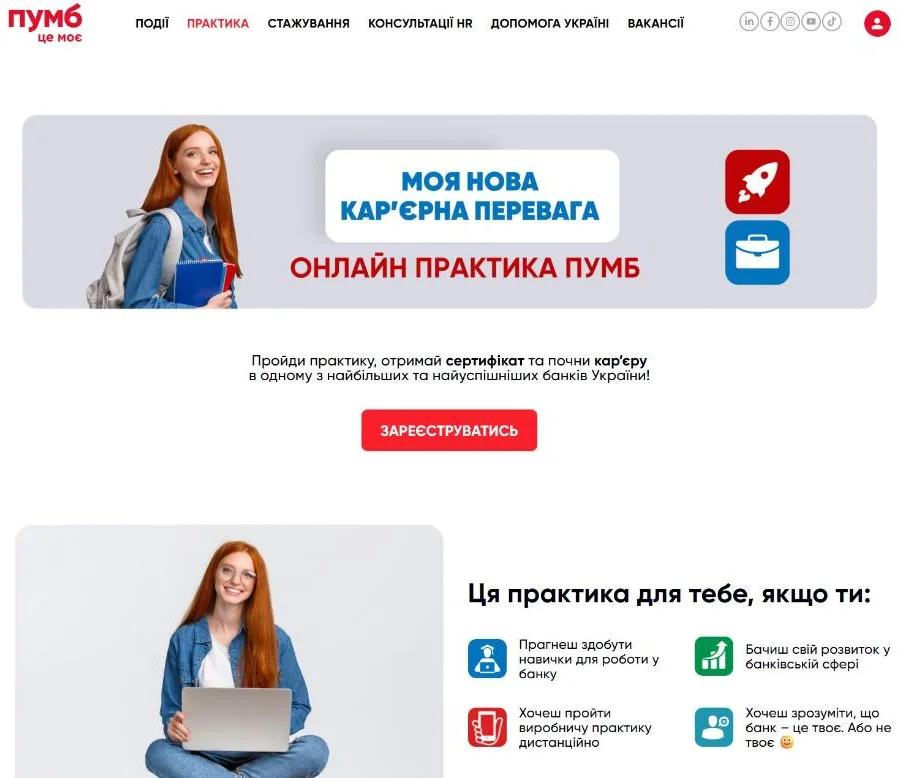
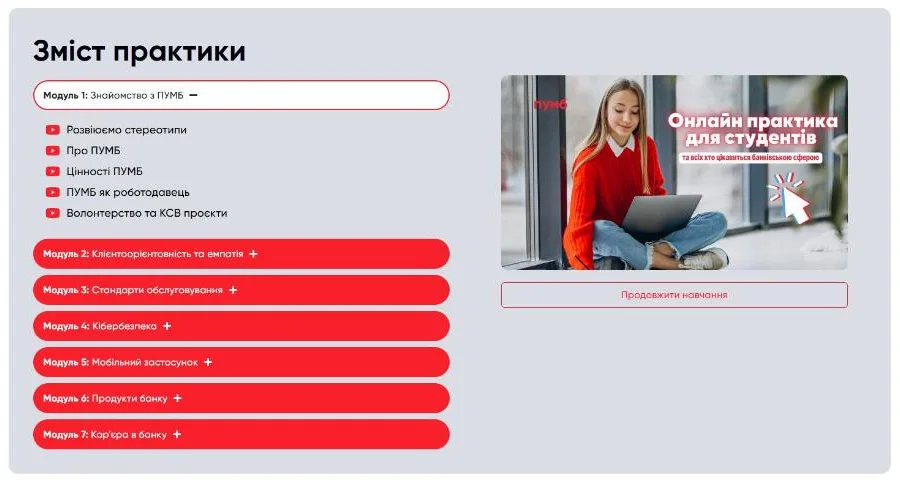
The placement is a single course of seven modules. Each one covers something a person in an entry-level role at the bank needs to know:
- getting to know PUMB: values, the bank as an employer, volunteering
- customer focus and empathy
- service standards in the branch and online, dealing with unhappy customers
- cybersecurity and payment card fraud
- the bank’s mobile app
- deposit and loan products
- a career at the bank: opportunities and entry-level roles
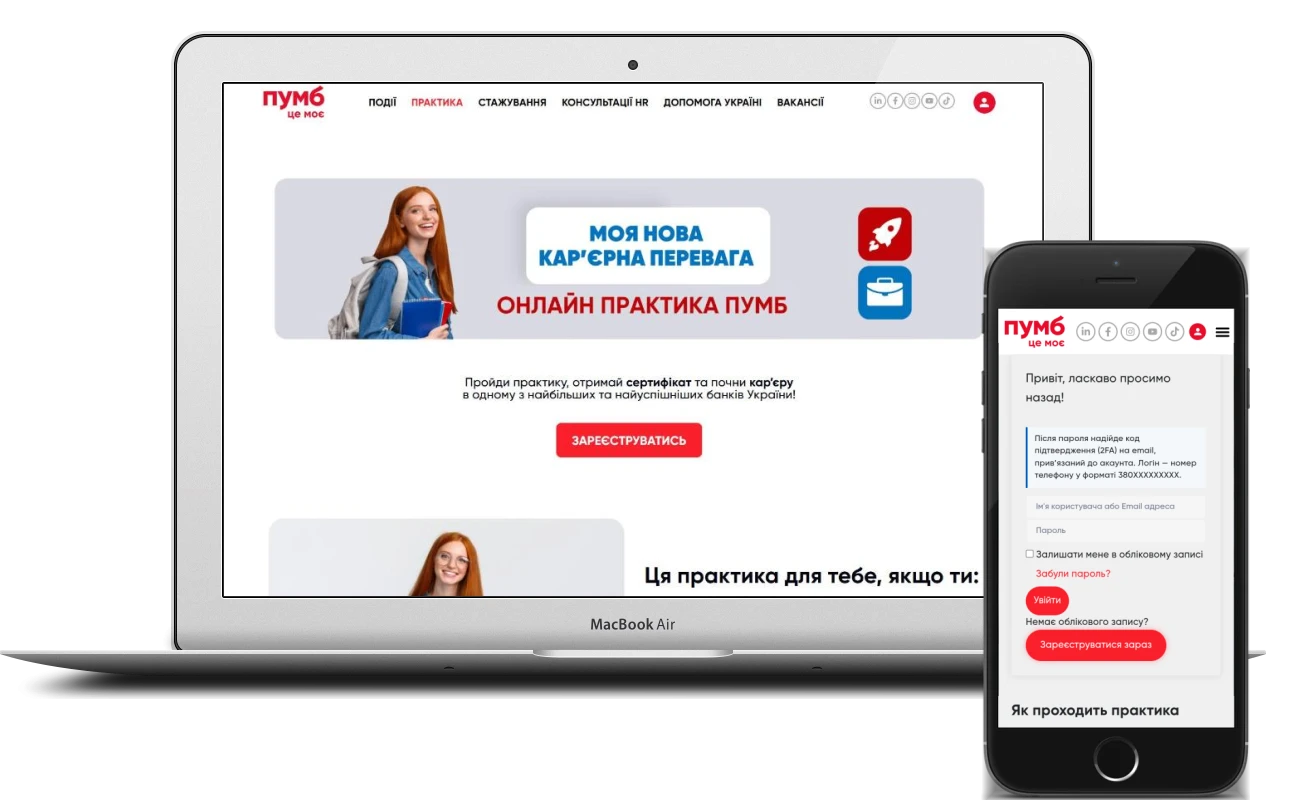
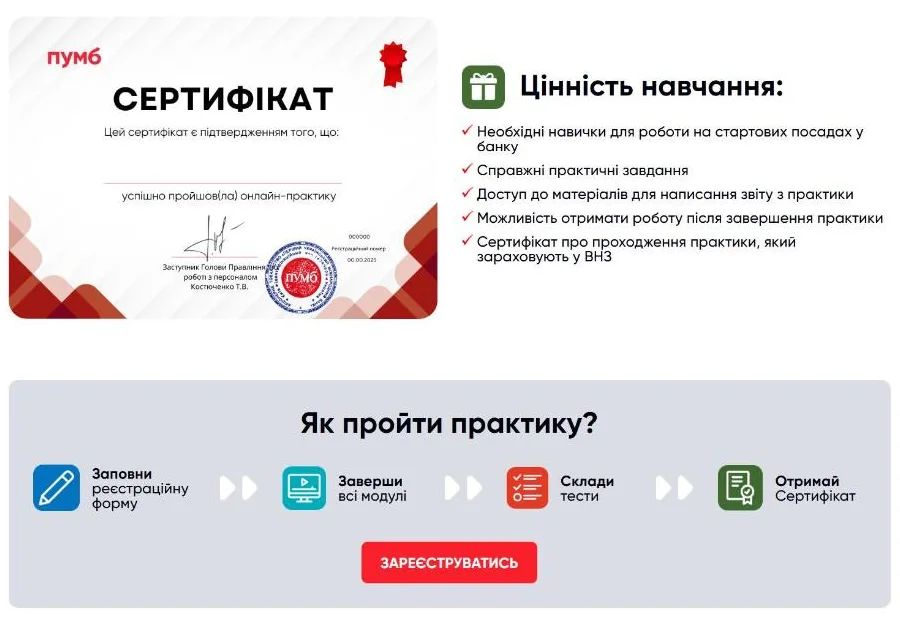
The materials are videos and presentations. Students choose their own time, place and pace, and can study on a laptop, tablet or phone. The path is described right on the placement page and has four steps: fill in the registration form, complete all the modules, pass the tests and get the certificate.
Points, attempts and the certificate
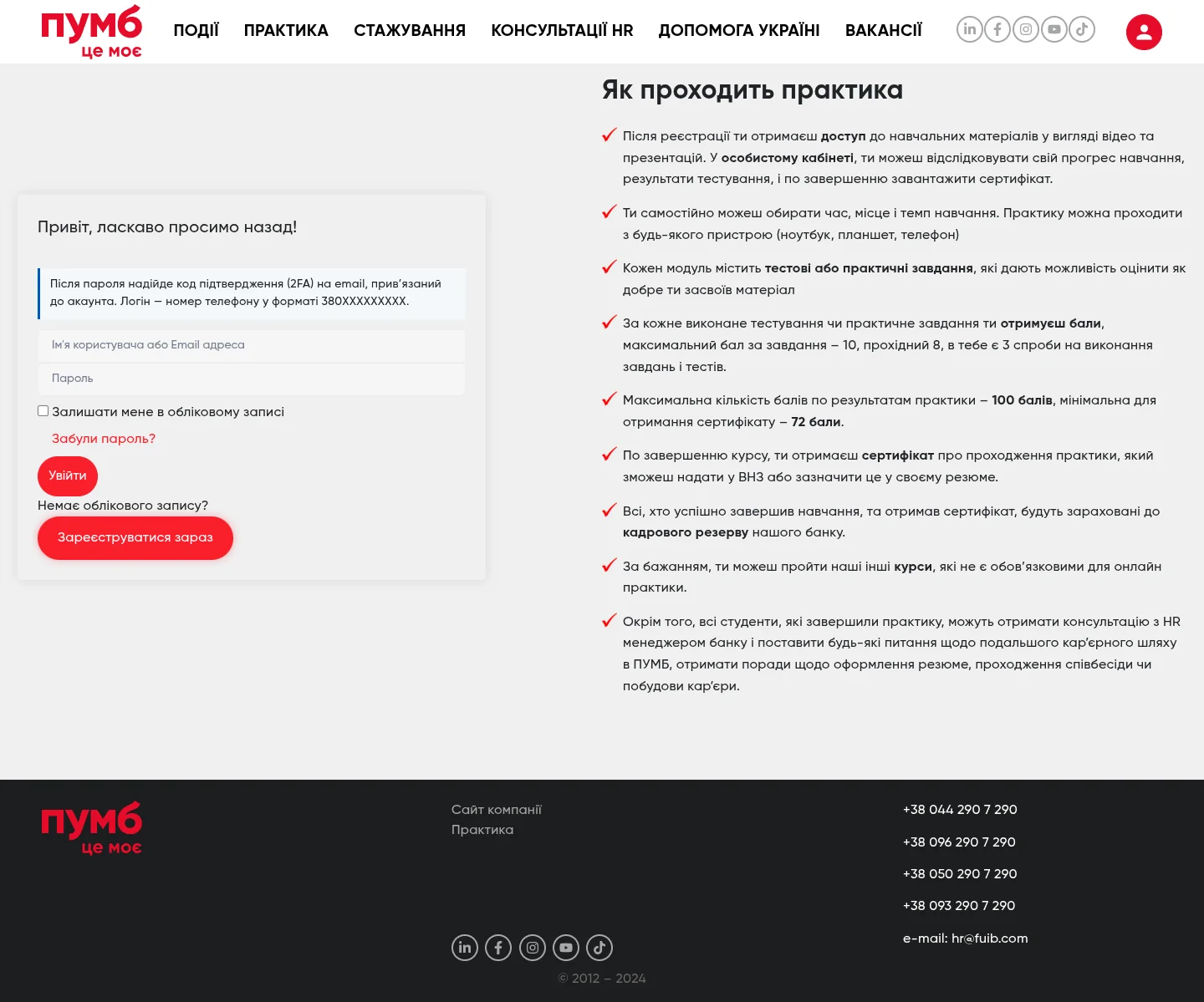
The main requirement for the platform was transparent grading that calculates itself, with no manual spreadsheets. The rules are built into the course settings:
- a test or practical assignment after each module
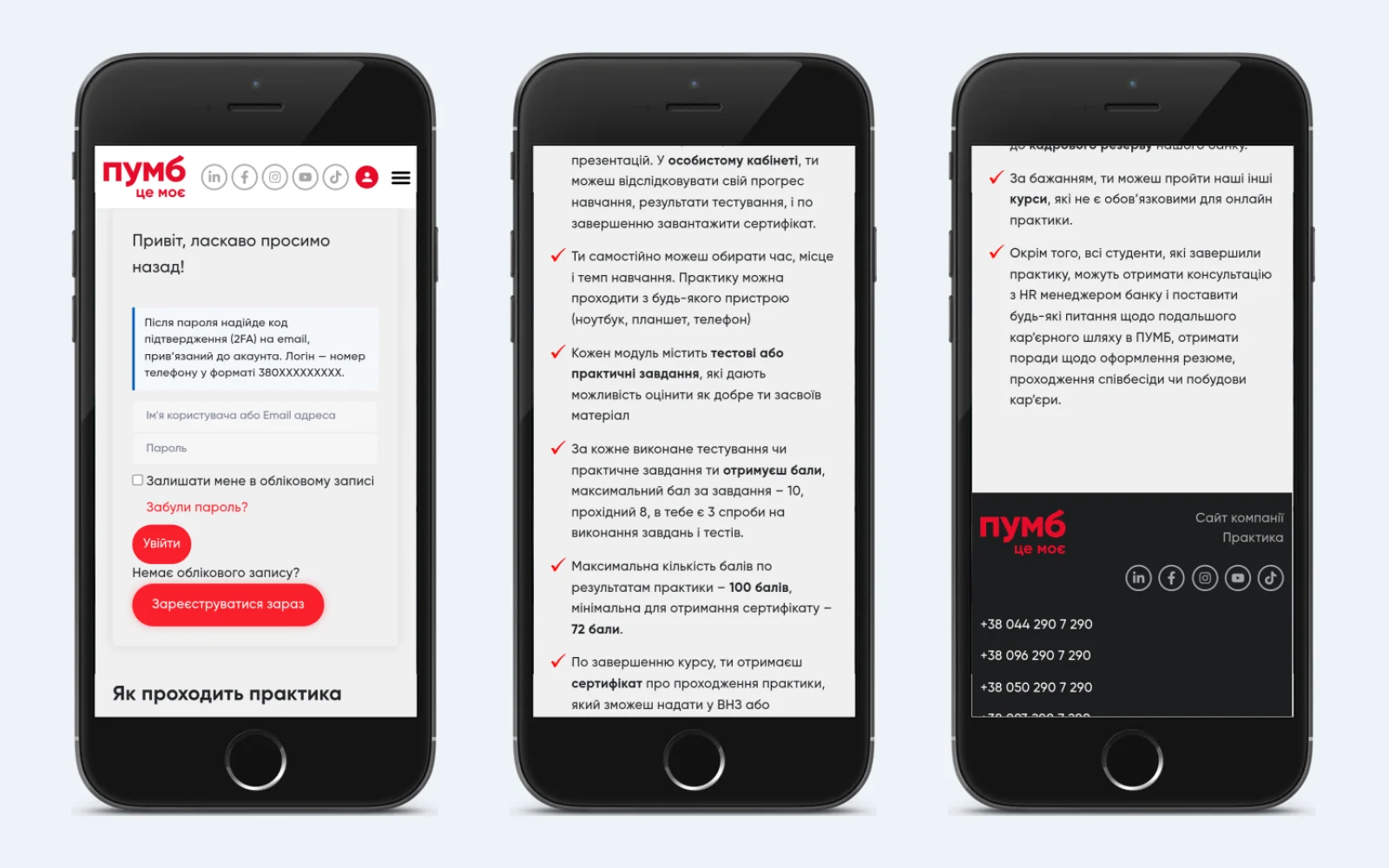
- a maximum of 10 points per assignment, with a pass mark of 8
- three attempts for every assignment and test
- a maximum of 100 points for the whole placement
- the certificate unlocks from 72 points
The results go into the gradebook, and in their personal account students see their progress, test results and points earned. Once the course is completed with a pass, the certificate can be downloaded straight from the account – students can hand it in to their university or add it to their CV. Everyone who receives a certificate joins the bank’s talent pool and can get a consultation with an HR manager about a career at PUMB.
Registration and login with a phone number
The username on the platform is a phone number in the 380XXXXXXXXX format, so students don’t have to come up with a username. When registering, they enter their phone number, e-mail and a password. After the password is entered, a confirmation code is sent by e-mail – this second step protects the account even if someone has found out the password. There is also password recovery and a “stay logged in” option.
The login form is built right into the course pages. A student who arrives via a link to a course logs in or registers without leaving the page, and after registering is taken back to where they started.
Course catalogue and application forms
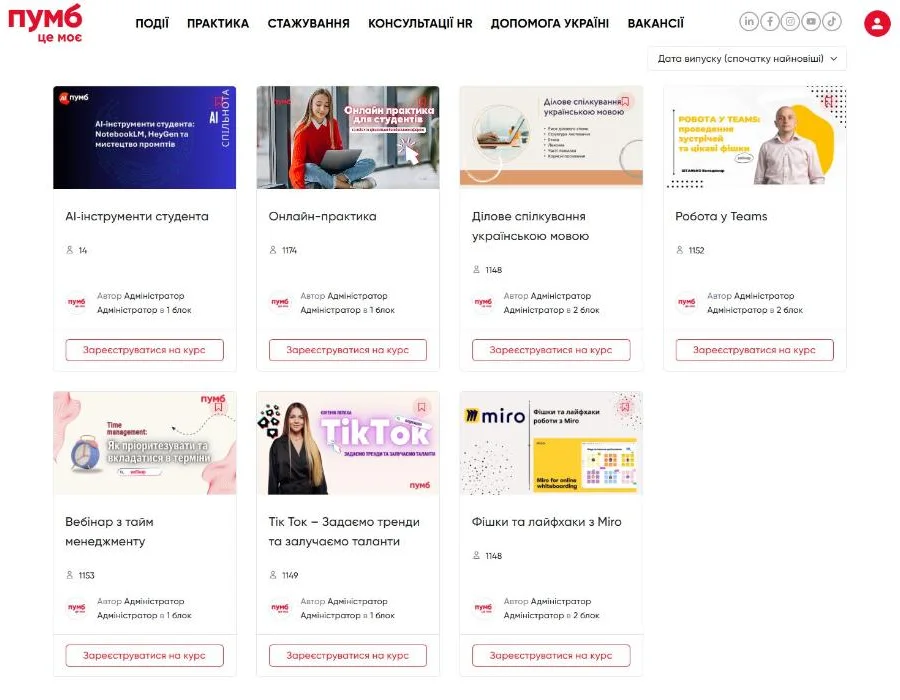
Besides the placement, the platform offers additional courses grouped into blocks: time management, business communication in Ukrainian, working in Teams, techniques for working in Miro, a course on TikTok and an “AI tools for students” course. They are optional for the placement but give students more useful skills. The catalogue can be sorted by date and title, and every course shows how many people have enrolled – the online placement already has more than 1,100.
To get a placement, an internship or a consultation, students fill in an application form. The forms collect what HR can work with straight away: full name and date of birth, phone and e-mail, university, subject and year of study, placement area (IT, a bank branch, financial leasing), place of residence, a link to their CV and how they heard about the project.
Portal sections around the learning
The learning platform lives inside a careers portal. The PUMB DRIVE internship page explains the terms – paid part-time work, 4 hours a day, a mentor – the specialisations and the application deadlines, with answers to frequently asked questions in expandable blocks. The HR consultations section describes what the career advisers can help with: reviewing a CV and LinkedIn profile, preparing for an interview, a job search strategy. The events section lists meetings at universities, job fairs and online workshops, each with a date and a registration button.
Why WordPress and Tutor LMS
A corporate learning platform doesn’t have to be built from scratch. WordPress with Tutor LMS Pro covers the main needs: courses and lessons, tests and assignments, a gradebook, certificates and a student account. The portal pages are built with Elementor Pro and PowerPack, so the bank’s team can update texts, events and banners without a developer, and the learning and the website live in one system with a single student account.
This approach saves budget at the start and leaves room to grow: a new course is added like an ordinary post, and the grading rules and certificate are configured separately for each course.
A learning platform for a company: what to look out for
Online learning for students, employees or partners only works if it is convenient for people to learn and easy for the company to see the results. When building an LMS, I recommend thinking through a few things from the very start:
- Grading rules. Points, the pass mark and the number of attempts should be fixed before launch and shown to learners in advance.
- Mobile format. Students often study on their phones, so videos, tests and the account need to work on a small screen.
- Account security. Logging in with a phone number and a confirmation code by e-mail reduces the risk of someone else accessing results and certificates.
- A clear finish line. A certificate and a next step – an internship, the talent pool, a consultation – motivate people to see it through.
- A link to the HR process. Application forms should collect data the recruitment team can work with right away.
A good corporate learning platform on WordPress means a well-thought-out course structure, a fair points system and a path where every step a student takes leads to a result – for them and for the company.
Project details
Project typeonline learning platform (LMS)
CategoryWordPress website
TechnologiesWordPress, Tutor LMS Pro, Elementor Pro, PowerPack for Elementor, Hello Elementor, Google Site Kit, WP Statistics
Roledevelopment and set-up of the learning platform on WordPress: courses, points and test system, personal account, certificates, forms
ClientPUMB (First Ukrainian International Bank)
CountryUkraine
What was done
- Set up the learning platform on WordPress and Tutor LMS Pro
- Built the online placement course of seven modules with videos and presentations
- Set up tests and practical assignments after each module
- Built in the grading rules: 10 points per assignment, a pass mark of 8, three attempts
- Configured a total of up to 100 points and a certificate from 72 points
- Created registration with a phone number and login with a confirmation code by e-mail
- Set up the student account with progress tracking and test results
- Put together a catalogue of additional courses in blocks
- Created application forms for placements, internships and HR consultations
Result
- Students complete a bank placement remotely, on any device
- Points, attempts and passed tests are tracked automatically
- Those who reach the pass mark receive a certificate
- Certificate holders join the bank’s talent pool
Visit the project website