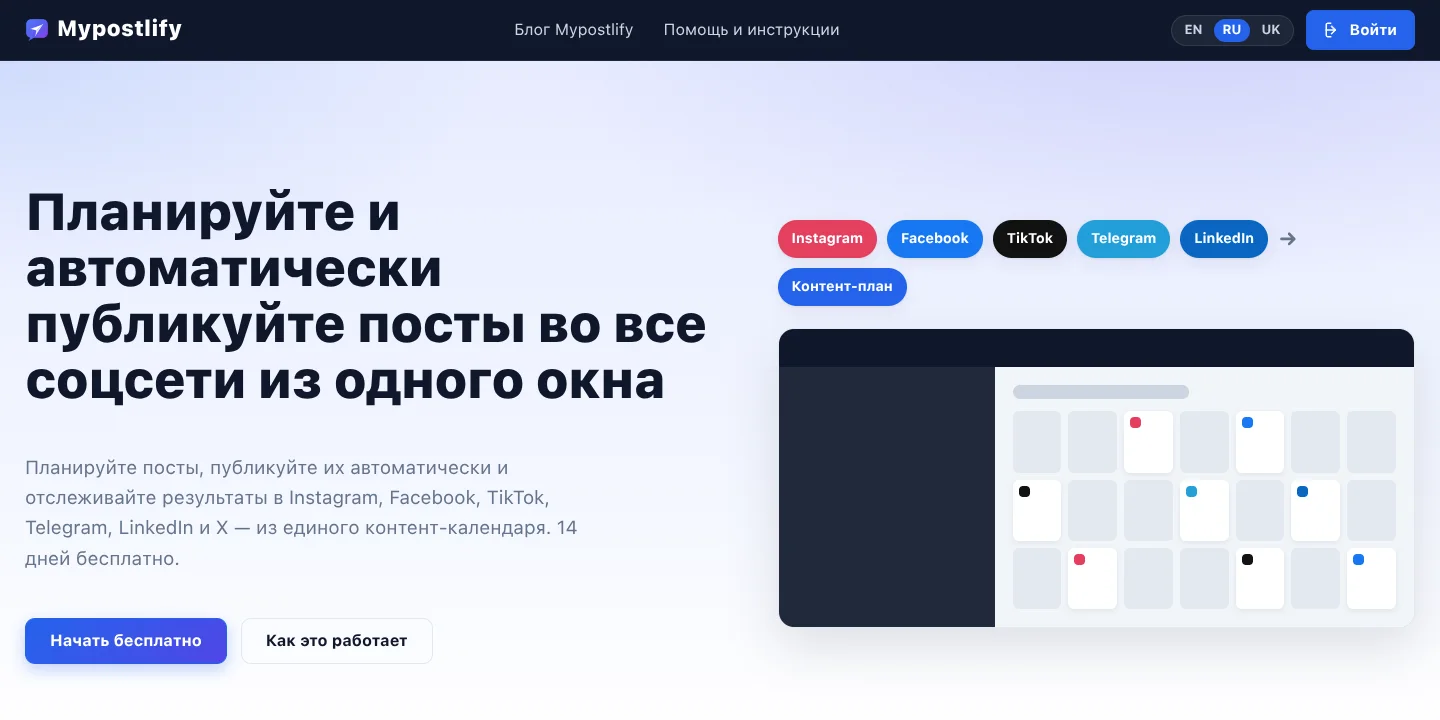
Auto-posting looks like a simple job – “send a post at the right time”. In reality, behind it are eight different APIs, app reviews on the platforms, limits, video processing and a carefully managed publishing queue. Here is how I built the Mypostlify service and what to watch out for if you need a similar product or a social media integration.
What Mypostlify is
Mypostlify is a SaaS for planning content and publishing it automatically to social networks. Users write a post once and choose the networks and the time, and the service publishes it by itself and then collects the statistics. It is built for small businesses, creators and social media agencies that run several accounts and don’t want to spend time on manual posting every day.
I built the whole project: the architecture, the back end, the dashboard interface, the social media API integrations, payments and the marketing website with a blog and a help section.
Eight networks and one-click connection
The service works with Instagram, Facebook, Threads, LinkedIn, YouTube, X, TikTok and Telegram. The key decision was that users don’t have to create developer apps of their own or copy tokens. Mypostlify itself acts as the app on the platforms: the user clicks “Connect”, sees the network’s standard consent window, grants access – and the account is ready to post. Technically, this is OAuth: tokens are stored encrypted and refreshed automatically wherever the platform allows it.
- Facebook – posting to a company Page, chosen when connecting
- Instagram – photos, carousels and Reels for professional accounts
- Threads – text posts and media
- LinkedIn – posts from a personal profile and, where access is granted, from a company Page
- Telegram – channels and groups via the service’s shared bot or the customer’s own bot
- YouTube, X and TikTok – the connection and publishing modules are written, and each one is switched on as the platform approves the app
Content calendar and post editor
All posts appear in a monthly calendar: each one shows its time, network icons and status – draft, scheduled, published, partly published or failed. You can create a post straight from the day you want. The editor has the text, media from the library, a choice of accounts and one or more publishing dates in the company’s time zone. Posts can be repeated daily, weekly or monthly.
For Telegram, you can send not only text and photos but also albums, polls, files, audio, voice messages, locations and contacts.
Each platform’s requirements are checked as soon as the post is saved: the service won’t accept an Instagram post without an image or a YouTube post without a video, and it explains why straight away instead of reporting an error at the moment of publishing.
The publishing engine: reliable and duplicate-free
The heart of the service is a scheduler that picks up the posts that are due every minute and sends them to the networks. I built a few rules into it, without which auto-posting quickly breaks down:
- posts go out in batches, with a pause between posts to the same account – a hundred scheduled posts don’t all fire at once
- after network failures, it retries after 2, 10 and 30 minutes, skipping the networks the post has already reached – so there are no duplicates
- permanent errors, such as revoked access, are not retried endlessly but shown to the user with the reason
- if the process stops in the middle of sending, the job goes back into the queue by itself
- for videos on Instagram and Threads, the service waits until the platform has processed the clip and only then publishes it
Analytics and comments
Statistics are collected automatically about once an hour: followers and how they change, reach, views, reactions and comments, and the top posts by reactions. An hourly activity heatmap shows when the audience responds best – a hint for choosing posting times. The period and the chart step – hours, days, weeks or months – can be adjusted.
The “Posts” section lists published posts together with their comments. You can reply to comments on Facebook, Instagram and Threads right from the service and hide unwanted ones, and a separate tab shows the comments still waiting for a reply.
Media library and pay-per-network billing
Photos and videos are kept in a shared media library and can be reused in posts. Images are automatically compressed on upload to the size the social networks use anyway – this saves space with no visible loss of quality. For larger volumes, extra storage is available as a paid add-on.
I made billing modular: sign-up is free with no card required, each network is connected and paid for separately – monthly or yearly – and the first time a network is connected, a 14-day free trial starts. If the subscription for one network runs out, only that network stops. Payments go through Stripe, each one comes with a PDF receipt, and customers who disconnect a network can request a refund for the remaining days. For X, where posting through the API costs money, there is a separate prepaid wallet.
App review on the platforms
For real customers to be able to connect their accounts, the app has to pass review on each platform. For Meta – Facebook, Instagram and Threads – I prepared the App Review submission: I described how each permission is used and recorded video demos, from logging in with Meta to publishing, managing comments and analytics. This stage is often underestimated: the review takes weeks, and any mismatch between the description and the video means resubmitting.
What to consider if you need an auto-posting service or a social media integration
Auto-posting looks like a simple feature, but in a real product it is the platforms themselves that affect timelines and budget the most. From the experience of Mypostlify, it is worth planning ahead for:
- app review – Meta, LinkedIn, TikTok and Google all review apps, and this has to be built into the plan
- API costs and limits – posting through X’s API is paid, and YouTube has a strict upload quota
- content requirements – Instagram won’t publish without media, and every network has its own limits on carousels and text
- a queue and retries – without them, bulk publishing loses posts or duplicates them
- clear pricing – customers find it easier to pay for the networks they actually use
I build web services and integrations with social media and messaging app APIs – from auto-publishing website news to a Telegram channel to a full SaaS platform with payments.
Project details
Project typeweb service (SaaS)
CategoryWeb service / SaaS
TechnologiesPHP 8.1, MariaDB, Meta Graph API, Facebook, Instagram, Threads API, LinkedIn API, YouTube Data API, X API, TikTok Content Posting API, Telegram Bot API, OAuth 2.0, Stripe, Imagick, WordPress
Roleend-to-end SaaS development: architecture, back end, social media API integrations, interface, marketing website
ClientMypostlify
CountryInternational (EN/RU/UK)
What was done
- Designed a single OAuth-based connection model for social networks
- Wrote publishing modules for eight networks: Instagram, Facebook, Threads, LinkedIn, YouTube, X, TikTok, Telegram
- Built the content calendar and the post editor with recurring posts and time zones
- Built the publishing engine with a queue, pauses, retries and duplicate protection
- Added checks for each network’s requirements when a post is saved
- Built analytics: followers, reach, reactions, top posts, an hourly heatmap
- Created a comments section with replying and hiding for Facebook, Instagram and Threads
- Implemented a media library with automatic image compression and paid extra storage
- Built in pay-per-network billing through Stripe with a free trial, receipts and refunds
- Prepared the Meta App Review submission with video demos
Result
- A working auto-posting service with open sign-up
- Scheduled publishing to several networks from one calendar
- Statistics and comments gathered in one window
- Flexible billing: each network separately, 14 days free
Visit the project website