A pickup canopy is an expensive and very “tied” purchase: each model fits only its own vehicle, year and bed length. A shop selling it needs more than a nice shop window – it needs clear product matching. Here is how I built such an online shop for LuxCap.
The challenge: 542 canopies and a short path to yours
LuxCap is a Lviv-based seller of pickup truck canopies, also known as hardtops or truck caps. The brand sits in the premium segment: its modular canopies are assembled from several parts and lock with keys, and many models can carry a roof tent or an expedition rack. The company is an authorised dealer and promises fitting in 2 hours.
The range is split into three lines, each with its own logic:
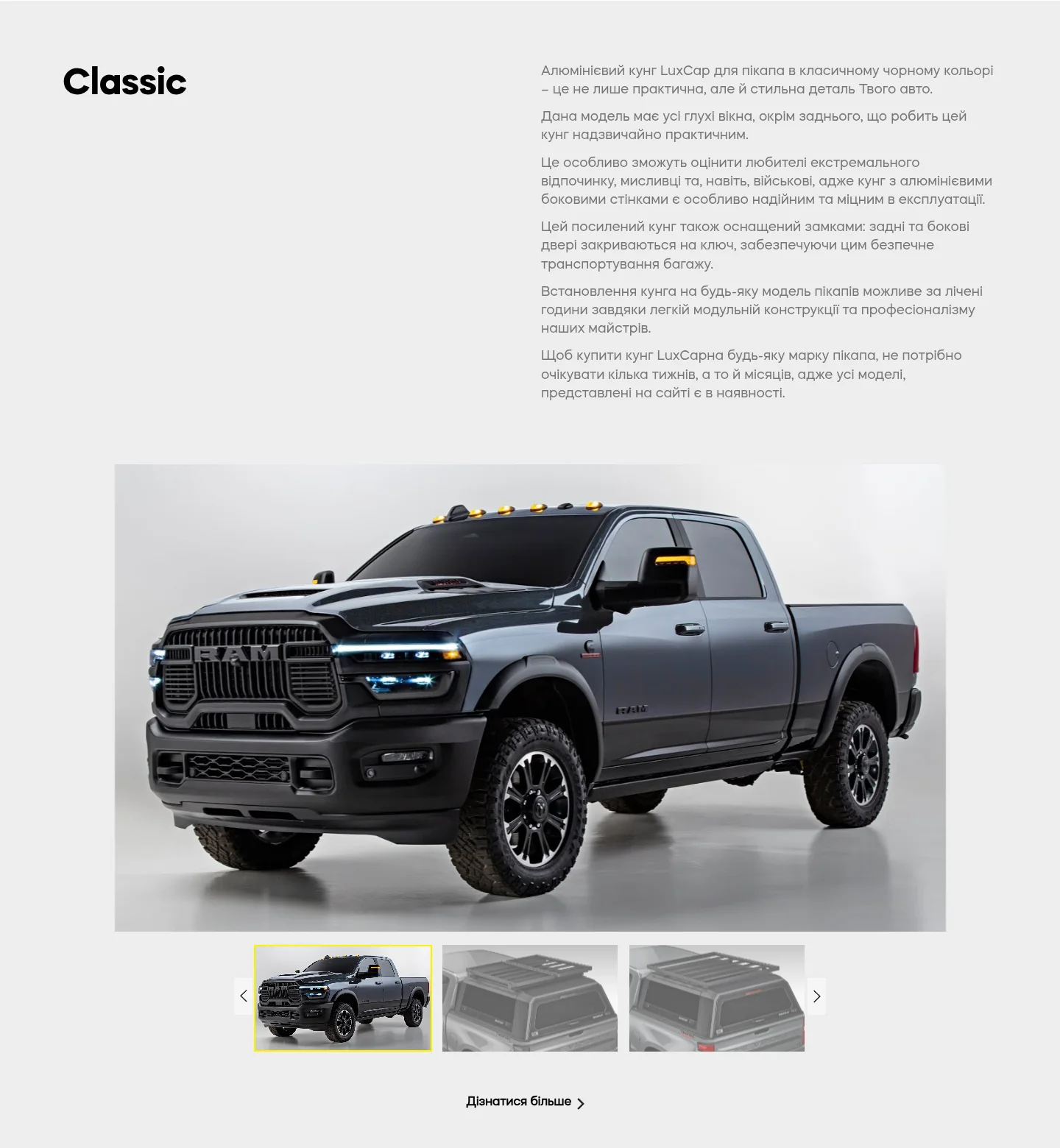
- Classic – solid side panels without glass, for maximum strength and load protection;
- Sport – glass side windows with a sliding mechanism, for quick access to the load;
- City – glass windows all round, with a sliding front window.
Each line is made for dozens of pickups, which is why the catalogue holds 542 products. The website’s main job is to make sure a Ford Ranger or Chevrolet Colorado owner doesn’t scroll through everything but lands on their model straight away.
Home page: the brand and three ranges
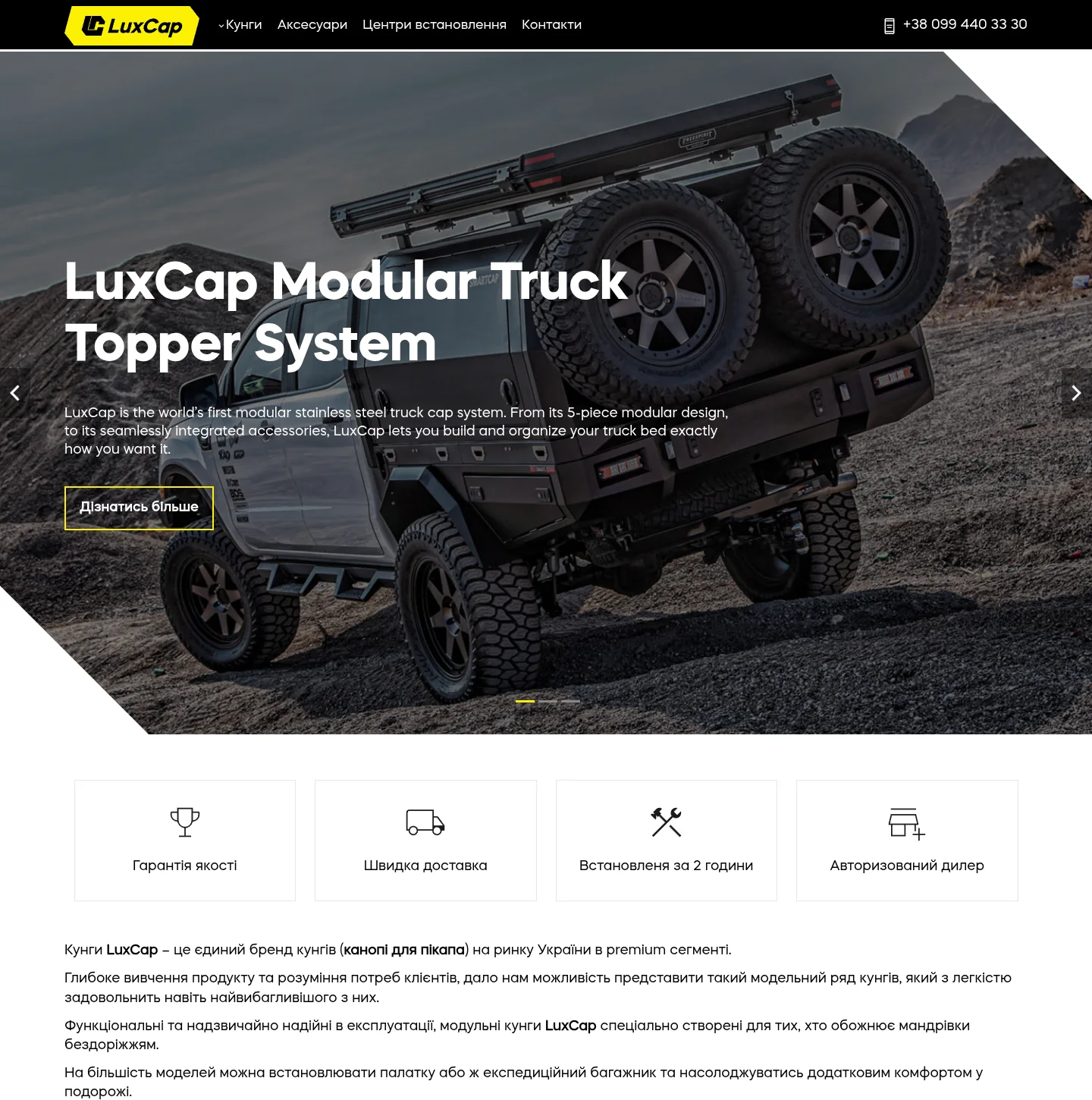
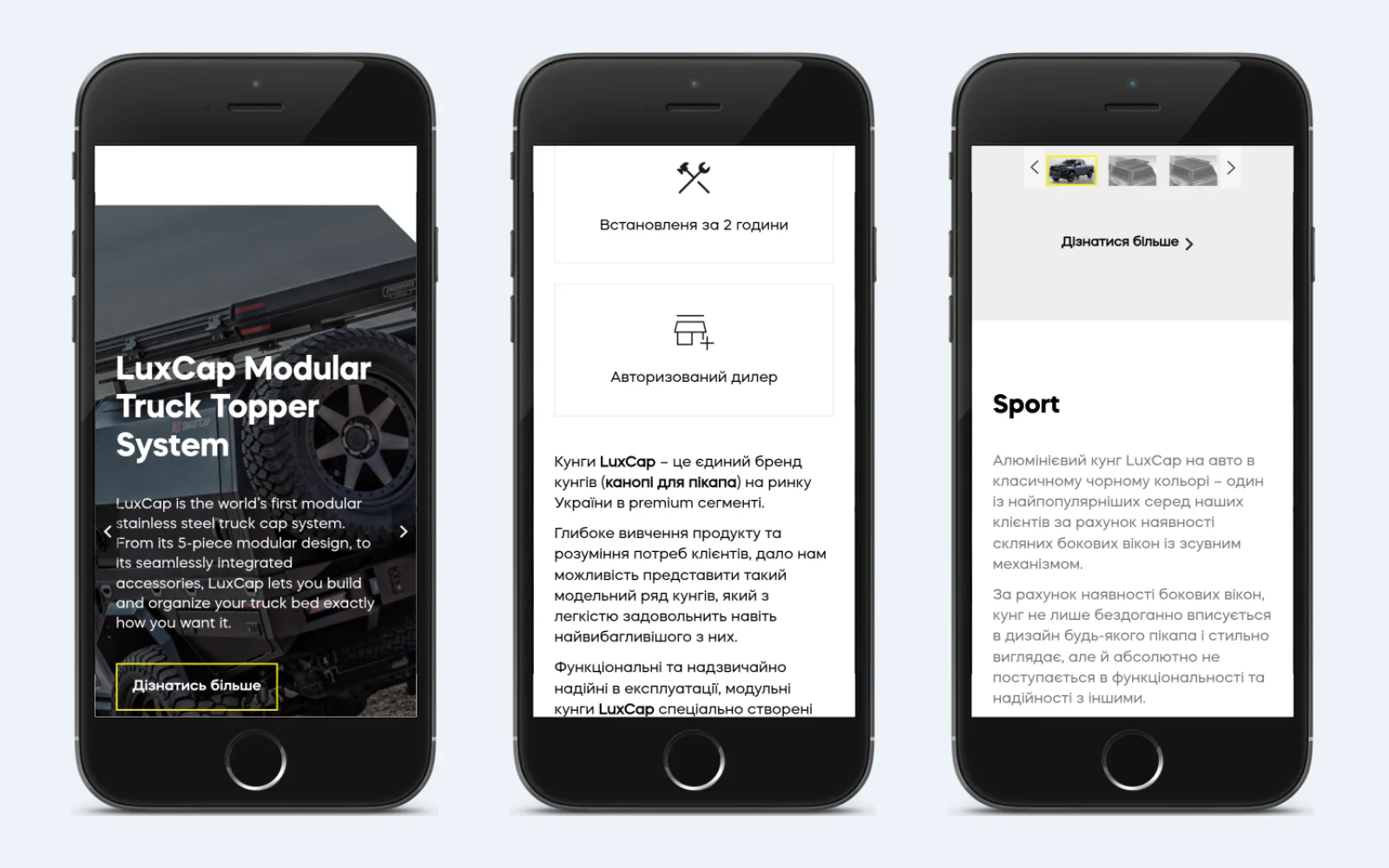
I built the home page as a brand showcase that leads into the catalogue:
- a three-slide hero slider with large pickup photos and a “Find out more” button;
- four advantages with icons: quality guarantee, fast delivery, fitting in 2 hours, authorised dealer;
- an SEO text about the brand and an image of the canopy’s modular construction;
- Classic, Sport and City sections – each with a description, a photo gallery with a thumbnail slider and a “Find out more” button leading to that range’s catalogue.
The header sticks to the top of the screen as you scroll, so the menu and phone number are always at hand, and a “back to top” button appears on long pages.
Catalogue: range → make → model → canopy
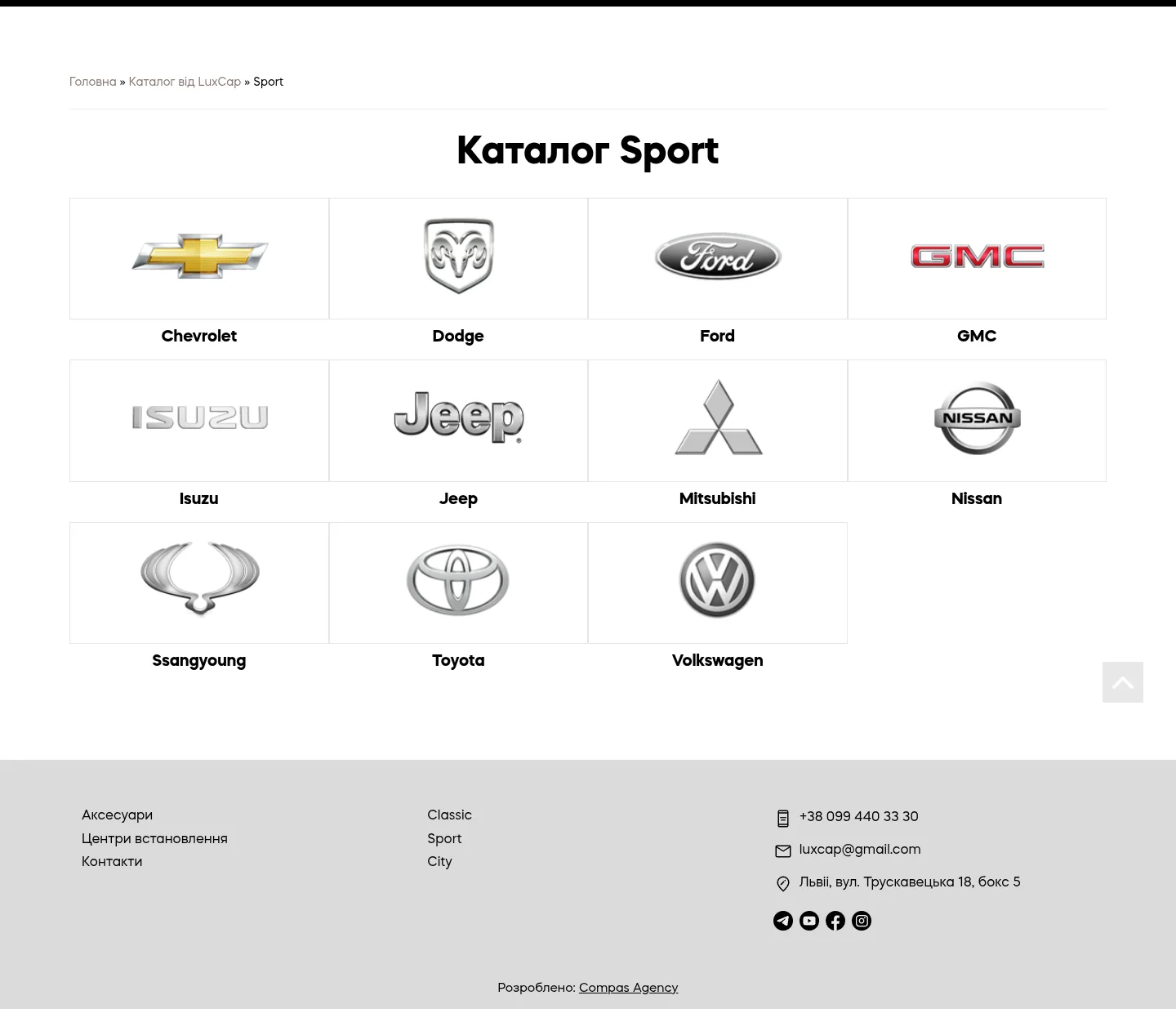
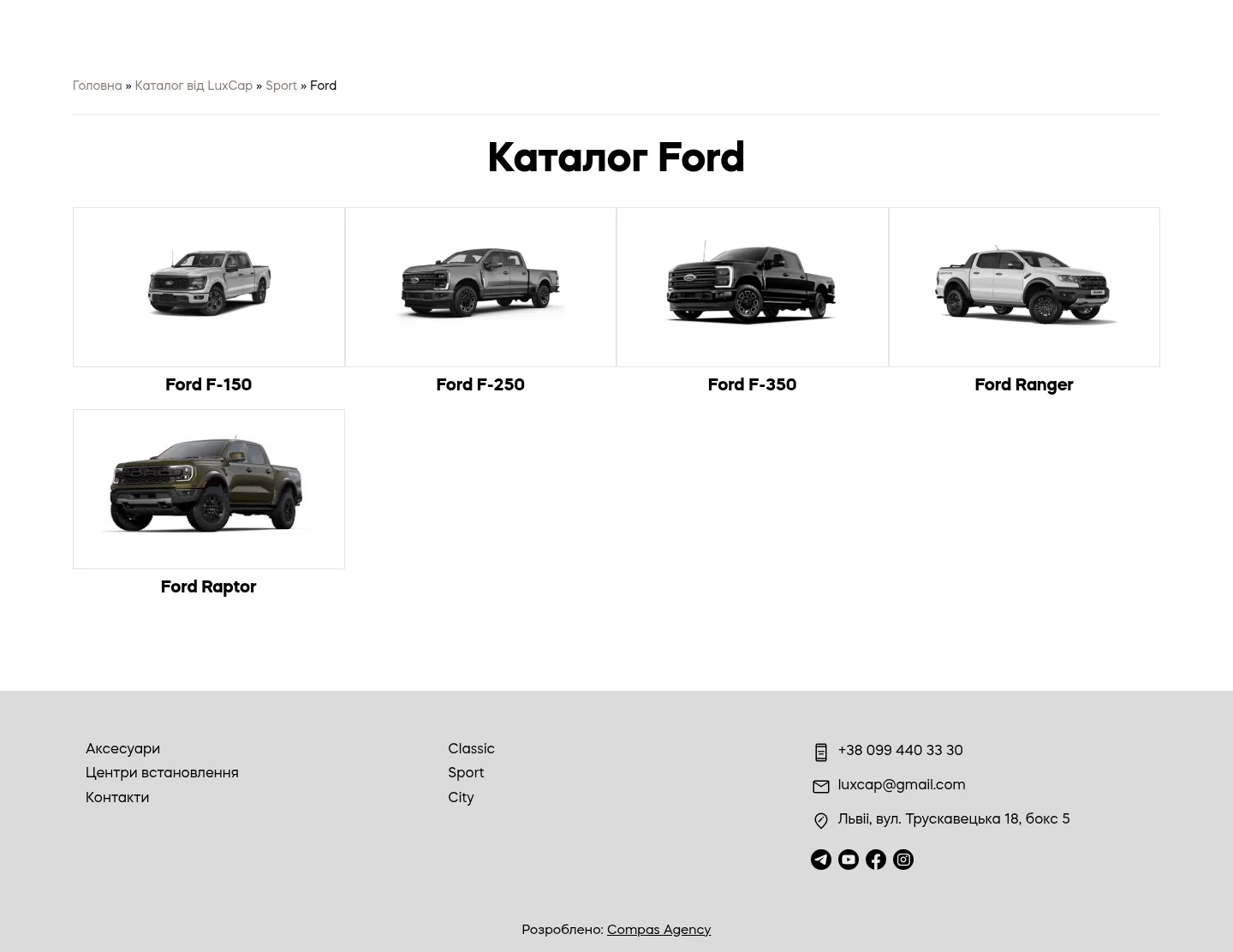
The catalogue runs on WooCommerce, but I replaced the usual product grid with a step-by-step search. First, the buyer opens a range and sees tiles with the logos of 11 makes: Chevrolet, Dodge/RAM, Ford, GMC, Isuzu, Jeep, Mitsubishi, Nissan, SsangYong, Toyota and Volkswagen. Next comes the make page with model photos – for Ford, that’s the F-150, F-250, F-350, Ranger and Raptor. Only at the third step do they see the products for their model, split by year and bed length.
Every level has breadcrumbs: from a canopy page you can jump back to the model, make or range in one click. Product lists support sorting and pagination. This structure is clear both to buyers and to search engines: every make and model has its own page with its own title.
Product page: every answer before the call
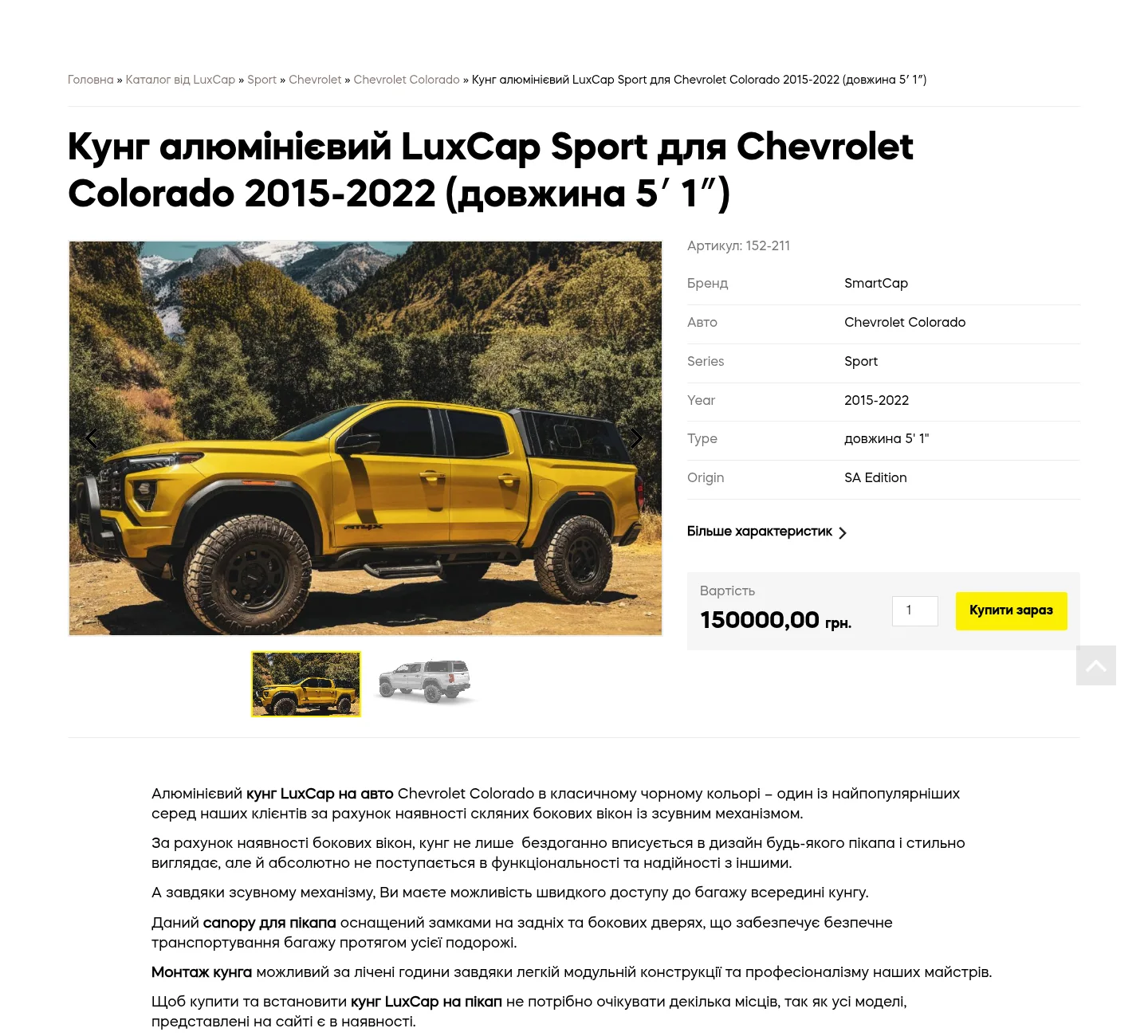
Canopy buyers care most about technical details – will it fit their truck? So the product page puts everything on one screen:
- a photo gallery with a slider and thumbnails;
- the SKU;
- a specifications table: brand, vehicle, series, year, bed type and length, Origin, Edition, PART NO.;
- a “More specifications” link to the full list;
- the price in hryvnias, a quantity field and a “Buy now” button;
- a description written for the specific vehicle model.
The product name also helps with matching: it contains the range, the pickup model, the years and the bed length – for example, “LuxCap Sport aluminium canopy for Chevrolet Colorado 2015–2022 (5′ 1″ bed)”.
A request instead of a long checkout
A purchase like this (a Sport canopy for the Chevrolet Colorado, for example, costs UAH 150,000) is rarely paid by card in a minute: people want to talk to the seller first. That’s why the “Buy now” button opens a “Submit a request” pop-up – a name and phone number, no account and no multi-step form. A manager calls back and confirms the details.
For those still choosing, the header has a “Request a call” button, also in a pop-up. The forms run on Contact Form 7. The standard basket is still there: I added “You may also like” and “New in the shop” blocks to suggest accessories and new models. Saphali Lite handles the checkout fields for Ukraine.
Accessories, fitting centres and contacts
Besides canopies, the website has an accessories section – for example, the Drop Rack shelving system for the load bed – with cards in the same style as the catalogue. A separate “Fitting centres” page answers the question “where do I go to have it fitted”, while the “Contacts” page and the footer bring together the phone number, e-mail, address and messenger and social media icons.
SEO and technical foundation
The shop runs on WordPress 6.8 and WooCommerce 10.4 with my burum theme. Yoast SEO takes care of titles, descriptions and structured data, and the multi-level catalogue provides separate pages for searches such as “canopy for Ford Ranger” or “hardtop for Chevrolet Colorado”. The sliders are built with slick, and the layout is responsive: on a phone the home page, catalogue and product page rearrange into a single column, and the buttons stay large.
What an online shop for vehicle-specific parts needs
Canopies, roof boxes, side steps, tow bars – all these products have one thing in common: they fit a specific vehicle. From this project, here is what matters for a shop in this niche:
- build the catalogue around the buyer’s vehicle, not the seller’s warehouse: make, model, year, body type;
- show make logos and model photos – people find what they need faster than with drop-down lists;
- state compatibility right in the product name and specifications table;
- provide breadcrumbs so it’s easy to go back a step;
- for expensive items, offer a short request form instead of a full checkout;
- say straight away where and how the product will be fitted.
That way, even a catalogue of hundreds of products stays simple: buyers see only what fits their vehicle and quickly move on to talking to the seller.
Project details
Project typeonline shop
CategoryOnline shop
TechnologiesWordPress, WooCommerce, custom theme, Contact Form 7, Yoast SEO, responsive layout
Roleonline shop development: page build on my own theme, catalogue with search by vehicle, product pages, request forms, responsive layout
ClientLuxCap
CountryUkraine
What was done
- Built the online shop on WordPress and WooCommerce with my own burum theme
- Built the home page: hero slider, advantages, brand text, Classic, Sport and City sections with galleries
- Structured the catalogue as range – make – model – canopy, with logo tiles for 11 makes
- Added breadcrumbs on every level, sorting and pagination
- Built the product page: gallery, SKU, specifications table, price, quantity, description for the vehicle model
- Created the one-click purchase request and the “Request a call” pop-up with Contact Form 7
- Added “You may also like” and “New in the shop” blocks to the basket
- Built the accessories, fitting centres and contacts pages
- Set up the sticky header, “back to top” button and responsive layout
- Connected Yoast SEO with structured data
Result
- A catalogue of 542 canopies for pickups from 11 makes with step-by-step search
- Product pages with a full specifications table and price
- Purchase requests without an account – just a name and phone number
- Three canopy ranges clearly presented on the home page
- A website that is easy to use on a phone
Visit the project website